Shared Hosting

Shared Hosting: Comprehensive Guide for Beginners and Startups

Learn the concept of shared hosting, how it operates via resource sharing, its pros, cons, and whether it is the right choice to launch your first website.

1. Introduction: What is Shared Hosting and How Does It Work?

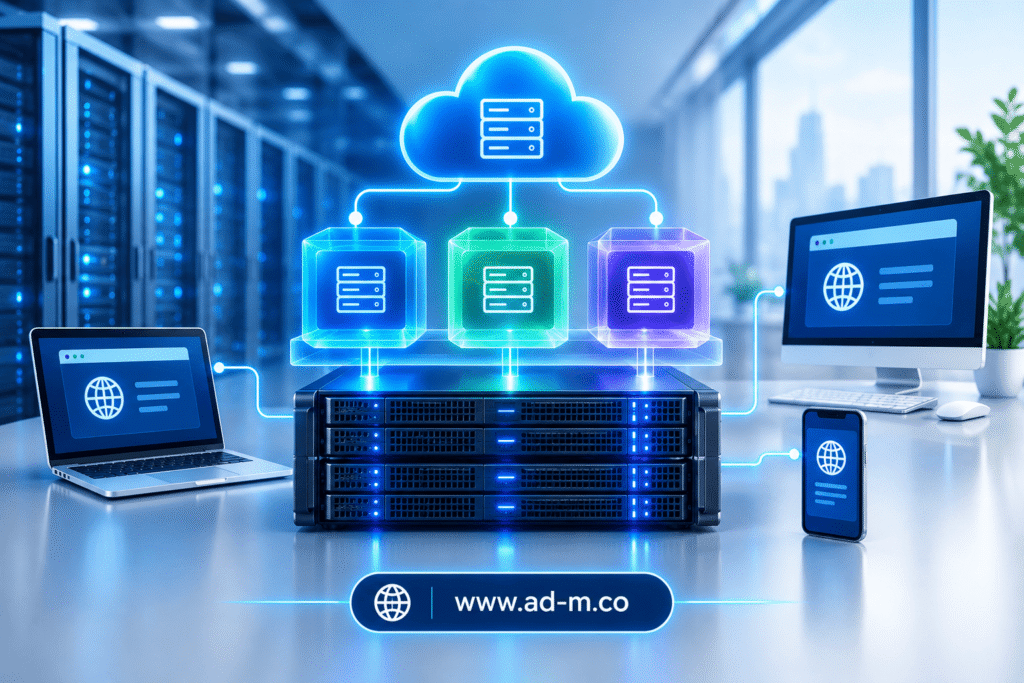
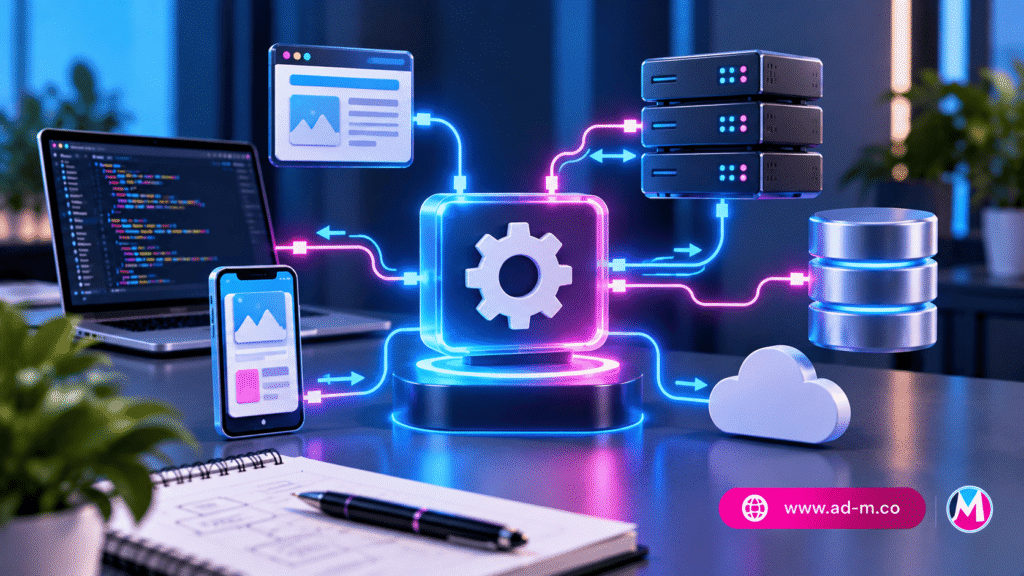
**Shared Hosting** is the most common and widely adopted hosting type across the internet. The concept is quite simple: a large number of different websites are hosted on a single physical server, sharing core server resources such as CPU, RAM, and storage space.

Maria Deprma Tip: If you plan to launch a personal blog or a simple company presentation site on a limited budget, shared hosting is your lowest-cost gateway to get started.

2. Key Advantages of Shared Hosting for Startups

Shared hosting offers several benefits that make it the preferred choice for beginners:

  • Extremely Low Cost: Since server costs are split among hundreds of users, pricing is very cheap and accessible to everyone.
  • Absolute Ease of Management: Requires no complex coding or technical expertise, featuring easy control panels like cPanel for one-click WordPress installations.
  • Full Hosting Maintenance and Management: The hosting provider handles all security tasks, server updates, and technical troubleshooting.

3. Drawbacks and Limitations of Shared Hosting to Know

Despite its many advantages, shared hosting carries certain technical constraints:

  • Performance Impact from Neighbors: If a neighboring site on your server experiences massive traffic spikes, your site might slow down temporarily due to shared resources.
  • Limited and Fixed Resources: Does not grant broad permissions to tweak advanced server settings or freely install custom software.
  • Growth Limitations: Not suitable for massive websites or stores experiencing rapid traffic growth.

4. When is Shared Hosting the Ideal Choice for You?

You can confidently rely on shared hosting in the following scenarios:

  • At the launch phase of your new digital project or personal blog with a limited daily visitor count.
  • When you want to test a website or business idea with near-zero initial operational costs.
  • Small corporate presentation websites that do not require massive databases or complex data processing.
Important Note: As your project grows and your traffic increases, most hosting providers allow you to seamlessly upgrade to VPS or cloud servers later.

5. Frequently Asked Questions (FAQ)

Does shared hosting negatively affect search engine optimization (SEO)?

No, as long as your site speed is decent and your content is structured, the hosting type won’t directly hurt SEO. However, severe slowdowns could be a disadvantage.

How does the Maria Deprma team help choose the right shared hosting plan?

We help you choose trusted shared hosting providers and setup your site with fast, secure WordPress frameworks to guarantee top initial performance.

Getting Ready to Launch Your First Website and Want to Choose the Right Shared Hosting?

Get in touch with Maria Deprma’s expert team today to recommend the best budget hosting plans and start your digital success journey.

Contact Us for Shared Hosting Consultation Now

What is Cloud Hosting

What is Cloud Hosting? Comprehensive Technical Guide to Maximum Speed and Scalability

Discover the concept of cloud hosting, how it operates across a network of interconnected servers, and why it is the strongest choice to ensure the stability of websites and stores with volatile traffic.

1. Introduction: What is Cloud Hosting and How Does It Differ from Traditional Hosting?

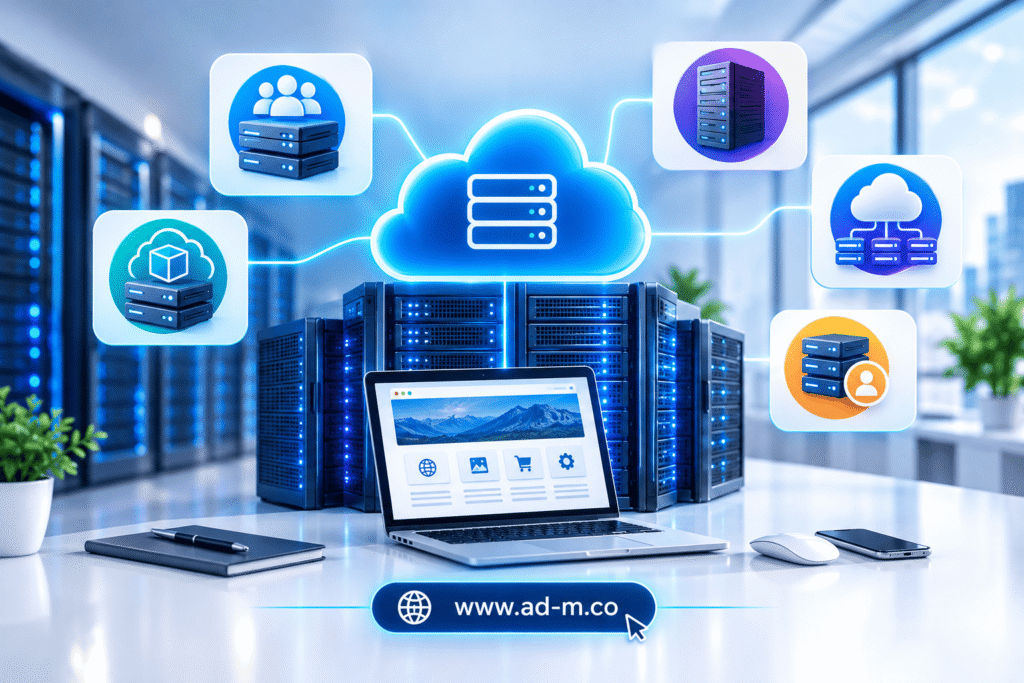
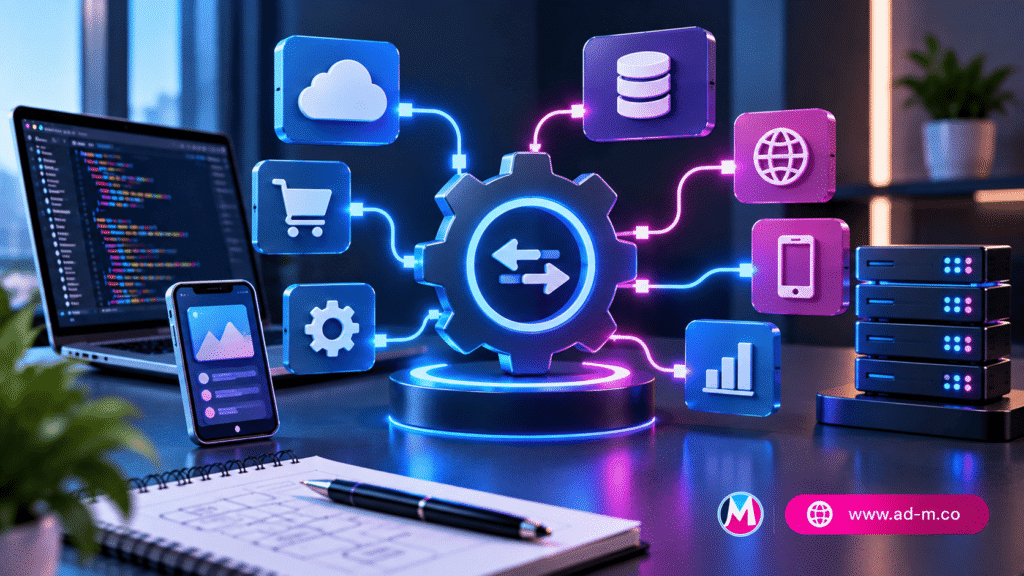
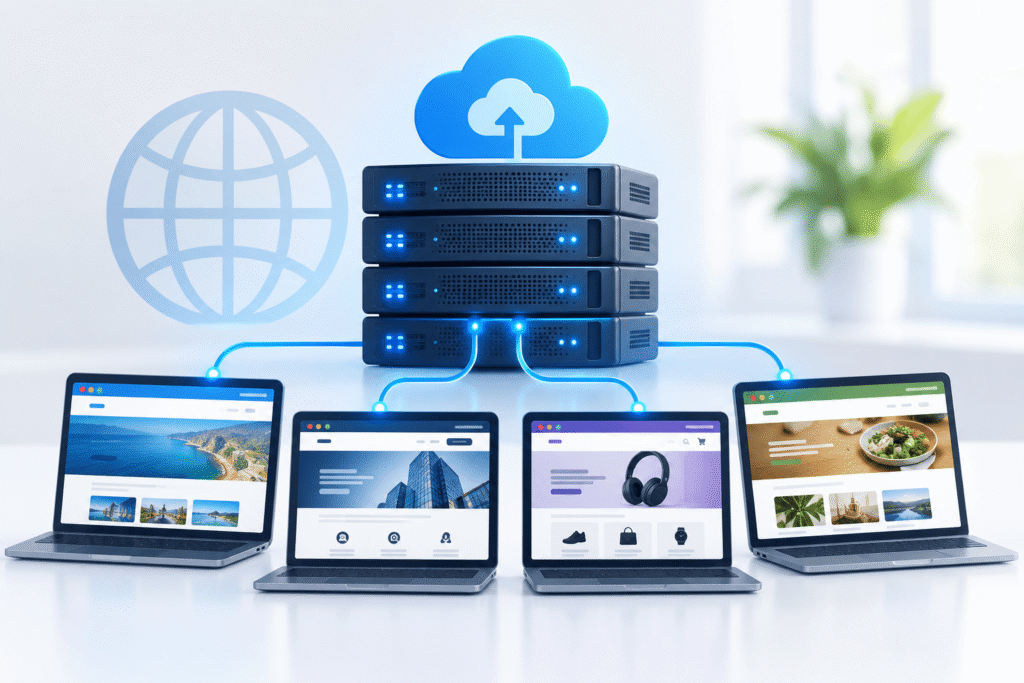
**Cloud Hosting** is an advanced technology that relies on a massive cluster or network of virtual and physical servers interconnected via the cloud. Unlike traditional hosting, where your site depends on just a single server, your website data is distributed and operated across multiple synchronized servers simultaneously.

Maria Deprma Tip: Cloud hosting represents the ultimate solution for ambitious projects aiming to guarantee continuous operation without unexpected downtime, regardless of circumstances.

2. Technical Architecture of the Cloud Server Network

The core philosophy of the cloud is “eliminating the single point of failure.” If one server in the network experiences a technical glitch or a massive load surge, your operating system and website automatically switch—without a single second of downtime—to another active cloud server within the same network, ensuring absolute continuity.

3. Key Advantages of Cloud Hosting for Your Digital Project

Cloud hosting offers a set of unique characteristics that elevate your site’s efficiency:

  • Stability Close to 100%: Total absence of site outages thanks to automated backup systems and load balancing.
  • Massive Resource Scalability: The ability to scale up your CPU or RAM instantly with a single click during sudden traffic surges.
  • Superior Speed and Performance: Rapid page load response times driven by advanced distributed storage and resource environments.
  • Fair Pay-As-You-Go Cost: Cloud systems often offer the flexibility of pricing based strictly on resources actually consumed.

4. When Is Cloud Hosting the Right Choice for You?

Adopting cloud hosting infrastructure is recommended in several core scenarios:

  • Major e-commerce stores experiencing discount seasons and massive round-the-clock loads.
  • Websites and digital platforms characterized by rapid and volatile traffic patterns (such as news portals).
  • Projects that hold zero tolerance for site downtime due to its direct impact on revenues.
Important Note: Setting up and managing cloud servers requires precise engineering expertise to configure security settings and distribution networks to maximize their benefits.

5. Frequently Asked Questions (FAQ)

Is cloud hosting harder to use compared to shared hosting?

With modern management panels available today, cloud management has become much more straightforward, though initial setup and security hardening still benefit from technical experts.

How does the Maria Deprma team help build and migrate your site to the cloud?

We design the optimal cloud infrastructure tailored to your store, connect databases, and ensure top security, speed, and a seamless migration without any data loss.

Ready to Migrate Your Project to a High-Performance, Flexible Cloud Hosting Environment?

Get in touch with Maria Deprma’s expert team today to analyze your technical requirements and establish a fully integrated, secured cloud server.

Contact Us for Cloud Hosting Consultation Now

What is a VPS (Virtual Private Server)

What is a VPS (Virtual Private Server)? Comprehensive Technical Guide for Growing Businesses

Learn the concept of a Virtual Private Server (VPS), how it works, and why it serves as the ideal middle ground between shared hosting and dedicated servers for performance-driven projects.

1. Introduction: What is a VPS and How Does It Work?

**VPS** stands for **Virtual Private Server**. It is a massive physical server partitioned programmatically into several completely independent virtual servers. Each site or project receives dedicated resources (such as CPU and RAM) that are never shared with any other website.

Maria Deprma Tip: A VPS represents the first professional upgrade for businesses and e-commerce stores that have outgrown basic setups and require multiplied stability.

2. Technical Architecture of Virtual Server Partitioning

VPS technology relies on advanced virtualization software (Hypervisor) that completely isolates each virtual server from the rest. This means that activity on a neighboring virtual server (such as traffic spikes or outages) will never affect your site’s stability or data security.

3. Key Advantages of Using a VPS for Your Site or Store

Transitioning to a VPS environment grants you a wide range of advanced technical benefits:

  • Dedicated and Independent Resources: Guarantees your site’s processing power and RAM remain unaffected by others’ loads.
  • Higher Control Permissions: Ability to install custom software and modify server configurations as desired.
  • Enhanced Security and Speed: Complete isolation that minimizes security vulnerabilities and accelerates your store page responses.
  • Flexible Scalability: Easily upgrade resource capacity (RAM or disk space) as your business grows.

4. When Should You Upgrade from Shared Hosting to a VPS?

Clear indicators necessitate upgrading your current hosting to a virtual private server, most notably:

  • Noticeable sluggishness in page loading times despite software optimizations.
  • A steady rise in daily visitor counts, sales volume, and order quantities on your store (WooCommerce).
  • The need to run custom applications or scripts requiring advanced server configurations.
Important Note: Managing a VPS requires technical knowledge or specialized technical support for system administration, security, and routine maintenance.

5. Frequently Asked Questions (FAQ)

What is the main difference between Shared Hosting and a VPS?

In shared hosting, you share resources with hundreds of sites, whereas in a VPS, you get a dedicated, completely independent virtual space and resources under your name.

How does the Maria Deprma team help setup and manage a VPS?

We provide server engineering services, runtime environment setup, security configuration, and integration of digital stores and platforms with high-performance VPS servers with full efficiency.

Need to Upgrade Your Site or Store to a Powerful, Secure VPS Server Environment?

Get in touch with Maria Deprma’s expert team today to select and configure the optimal VPS server tailored to your business technology needs.

Contact Us for VPS Server Consultation Now

Types of Web Hosting

Types of Web Hosting: Comprehensive Guide to Choosing the Best Server for Your Project

Learn in detail about the different types of website hosting, the pros and cons of each type, and how to determine the most suitable option for the scale of your business goals.

1. Introduction: Why Does Project Success Require Choosing the Right Hosting Type?

After previously discussing the general concept of web hosting, it is time to detail the **types of hosting** available in the digital market. Choosing the appropriate type for your project or e-commerce store clearly defines your page loading speeds, your ability to handle visitor traffic, and your data security level.

Maria Deprma Tip: Starting with a hosting type ill-suited to your project scale can cause recurring site slowdowns and lost commercial opportunities; consult our team to determine the right starting point.

2. Shared Hosting: The Economical Option for Beginners

Shared hosting is the most common and cost-effective type, where multiple websites are hosted on the same physical server and share its resources (such as CPU and RAM).

  • Advantages: Extremely low cost, easy management, and requires no advanced technical expertise.
  • Disadvantages: Performance can sometimes be affected by increased load on neighboring sites on the same server.
  • Best Suited For: Personal blogs, small informational sites, and startups with a limited budget.

3. Virtual Private Server (VPS): The Ideal Balance Between Performance and Cost

Splits a single physical server into several completely independent virtual servers, ensuring your site gets dedicated resources that you do not share with anyone.

  • Advantages: Much faster performance than shared hosting, higher control permissions, and greater stability.
  • Disadvantages: Requires technical understanding to manage and maintain or the assistance of a specialist.
  • Best Suited For: Medium-sized e-commerce stores and growing corporate websites.

4. Cloud Hosting: Flexibility and Uninterrupted Stability

Relies on a massive network of interconnected cloud servers; if one server fails, your site automatically switches to another server instantly without any downtime.

  • Advantages: Stability close to 100%, and the ability to scale resources (like RAM and CPU) with a click during traffic surges.
  • Disadvantages: Higher cost compared to shared hosting.
  • Best Suited For: Sites with volatile visitor traffic, large stores, and critical digital platforms.

5. Dedicated Server: Absolute Power for Major Corporations

In this type, you rent a complete and independent physical server exclusively for your company, granting you full control and root privileges over all resources and security features.

  • Advantages: Superior and absolute performance, highest security and privacy standards, and unlimited development capacity.
  • Disadvantages: Very high cost and an urgent need for an experienced system administrator to maintain it.
  • Best Suited For: Massive websites, streaming platforms, and major corporations with enormous traffic volumes.
Important Note: Assessing expected visitor traffic and the programming platform type (such as WordPress or custom applications) helps you clearly finalize your choice of hosting type.

6. Frequently Asked Questions (FAQ)

Can I upgrade my hosting type later when my site grows?

Yes, as your project scales, most hosting companies and platforms allow you to seamlessly transition from shared hosting to VPS or cloud hosting.

How does the Maria Deprma team help choose and upgrade hosting?

We analyze the nature of your business activity and expected data volume to recommend the most suitable hosting type and execute the migration and maintenance processes with complete efficiency.

Confused About Choosing the Most Suitable Hosting Type for Your Next Business Project?

Get in touch with Maria Deprma’s expert team today to analyze your technical requirements and guide you to the optimal choice with confidence and professionalism.

Contact Us for Hosting Types Consultation Now

What is Web Hosting

What is Web Hosting? Comprehensive Guide for Entrepreneurs

Learn the concept of web hosting, why it matters for your digital project’s success, and its various types to choose the best fit for your company’s requirements.

1. Introduction: What is Web Hosting and How Does It Work?

Web hosting (**Web Hosting**) in short is the digital space or server dedicated to storing all your website files, images, and databases, making it accessible to visitors over the internet 24/7. Without hosting, no website or digital store can appear on the internet.

Maria Deprma Tip: Choosing strong and stable hosting is the cornerstone of any successful digital project, as it directly impacts site speed and search engine rankings (SEO).

2. Prominent Types of Web Hosting and Their Advantages

Hosting types vary based on project scale and available budget, most notably:

  • Shared Hosting: The economical option best suited for emerging sites and blogs, where server resources are shared with other websites.
  • VPS (Virtual Private Server): Provides dedicated virtual space and relatively independent resources, suitable for medium and growing websites.
  • Cloud Hosting: Relies on a network of interconnected servers to ensure the highest levels of stability and zero downtime.
  • Dedicated Server: A complete server fully dedicated to a large corporation or massive store requiring superior performance and maximum security.

3. Criteria for Choosing the Best Hosting for Your Website or Store

When deciding to book new hosting for your company, carefully evaluate the following criteria:

  • Uptime Rate: Look for hosting providers guaranteeing an uptime stability ratio of at least 99.9%.
  • Security Level: Availability of SSL certificates, automated backups, and DDoS attack protection.
  • Technical Support: Presence of a technical support team available around the clock to resolve any urgent issues.

4. The Importance of Security and Server Speed in Your Site’s Success

Fast servers equipped with modern storage technologies (NVMe) help improve user experience and reduce bounce rates, while continuous security ensures the protection of your clients’ data and commercial transactions.

Important Note: Always ensure hosting compatibility with the content management system you use (such as WordPress WooCommerce) to guarantee peak operational efficiency.

5. Frequently Asked Questions (FAQ)

What is the difference between a Domain name and Hosting?

A domain is your website’s address (like your company name), while hosting is the home or digital space where your site files are stored for visitors to see.

How does the Maria Deprma team help choose and host your site?

We provide specialized consultations to select the best hosting packages, host websites and digital stores, and accurately configure mail servers and technical settings.

Need Help Choosing the Best Hosting for Your Digital Project?

Get in touch with Maria Deprma’s expert team today to recommend and configure the best hosting options that meet your company’s needs.

Contact Us for Hosting Consultation Now

Professional Email Security

Professional Email Security: Best Security and Encryption Practices for Your Business

Discover advanced methods to secure your commercial email and protect your sensitive company data from hacking, fraud, and cyberattacks.

1. Introduction: Why Email is the Primary Target for Cyberattacks

After reviewing troubleshooting methods and email management across various devices, we move to the most critical step: **professional email security**. Email is considered the main gateway relied upon by hackers to launch phishing attacks or steal customer data, making its securing an absolute necessity to ensure the continuity and reputation of your business.

Maria Deprma Tip: Investing in email cybersecurity prevents severe material and moral losses that could shake your clients’ trust in your company.

2. Domain Security: The Importance of SPF, DKIM, and DMARC Records

To protect your company domain name from being exploited to send fake emails under your name (Email Spoofing), the following authentication records must be accurately configured in the hosting control panel:

  • SPF: Precisely defines the servers authorized to send mail on behalf of your domain.
  • DKIM: Adds an encrypted signature to messages to verify they genuinely originate from your server and have not been tampered with.
  • DMARC: Instructs recipient servers on how to handle messages that fail SPF or DKIM tests (whether to reject or quarantine them).

3. Two-Factor Authentication (2FA) and Strong Passwords

Traditional passwords alone remain vulnerable to breaches via brute-force attacks. Therefore, enabling **Two-Factor Authentication (2FA)** via authenticator apps (such as Google Authenticator) serves as the primary shield against unauthorized access to employee accounts.

Important Note: Ensure all team members are required to change passwords periodically and use complex combinations containing symbols, letters, and numbers.

4. Message Encryption and Protection Against Phishing Attacks

Use transport-layer encryption protocols (SSL/TLS) to guarantee correspondence confidentiality, and train your team on how to spot suspicious phishing messages emulating official company emails to steal login credentials.

5. Frequently Asked Questions (FAQ)

How do I know if my email has been previously compromised?

You can use trusted platforms like Have I Been Pwned to check if your email was involved in past data leaks.

How does the Maria Deprma team help secure your email?

We provide comprehensive security audit services, configure protection records (SPF/DKIM/DMARC), and implement advanced security policies to ensure the complete safety of your corporate data.

Want to Raise Security Levels and Protect Your Professional Email from Hacking?

Get in touch with Maria Deprma’s expert team today to assess your company’s digital security and implement the strongest protection and encryption standards.

Contact Us to Secure Your Email Now

Professional Email Sending and Receiving Issues

Professional Email Sending and Receiving Issues: Comprehensive Troubleshooting Guide

Discover the root causes behind corporate email sending or receiving failures and learn how to fix them step-by-step to ensure your business operations continue without interruption.

1. Introduction: The Impact of Email Issues on Business Communication Efficiency

After exploring various email management tools and applications, users sometimes encounter technical malfunctions preventing message sending or receiving. Such issues can disrupt business deals and impact customer satisfaction, making quick knowledge of diagnosis and repair methods essential.

Maria Deprma Tip: Periodic inspection of server settings and tracking error logs helps detect and resolve issues before they affect your clients.

2. Email Sending Issues (SMTP Server Error or Message Rejection)

If messages are not sending and remain stuck in the outbox, causes typically relate to the following:

  • SMTP Configuration Error: Verify the correctness of the port number—typically 465 (with SSL) or 587 (with TLS)—and authentication data (username and password).
  • Port Blocking by ISP: Some internet service providers block port 25 or 587, in which case an alternative port supported by your hosting provider must be used.
  • Exceeding Daily Sending Limit: If your hosting provider restricts the number of sent messages to prevent spam, sending may temporarily halt.

3. Email Receiving Issues (Storage Space Full or IMAP Server Errors)

If incoming mail is failing to reach you, check the following points:

  • Storage Space Full: If your email exceeds its allocated hosting quota, receiving new messages will stop until some space is cleared.
  • Incoming Server Settings (IMAP/POP3): Ensure server data and port numbers match (such as 993 for secure IMAP).
  • Domain Status: Confirm that your company domain is active, has not expired, or has not been temporarily suspended by your domain registrar.

4. Issue of Your Messages Landing in the Spam Folder

If your clients complain that your messages are landing in their Spam folder, you must immediately configure your domain’s security authentication records such as:

  • SPF: To specify servers authorized to send mail on behalf of your domain.
  • DKIM: To add a digital signature proving the message was not modified in transit.
  • DMARC: To protect your domain against spoofing and determine appropriate handling for unverified messages.
Important Note: Correctly configuring these records increases your email credibility and guarantees direct delivery to the main inbox.

5. Frequently Asked Questions (FAQ)

Why do some emails experience delays in delivery?

This may be due to temporary congestion on hosting servers or rigorous security scanning of links and attachments by recipient email servers.

How does the Maria Deprma team help resolve email issues?

We provide comprehensive email server diagnostics, configure security records (SPF/DKIM/DMARC), and ensure full restoration of sending and receiving efficiency.

Facing Ongoing Issues Sending or Receiving Your Professional Email?

Get in touch with Maria Deprma’s expert team today to diagnose the technical glitch and fix it immediately to ensure business continuity.

Contact Us to Fix Your Email Issues Now

Professional Email Management with Thunderbird

Professional Email Management with Thunderbird: Comprehensive Desktop Guide

Discover the free and open-source Mozilla-developed Thunderbird program, and learn how to use it to manage your professional business email on your computer with high efficiency and security.

1. Introduction: Why Thunderbird is an Excellent Choice for Business Owners

After reviewing smartphone email options and applications like Outlook, many entrepreneurs and freelancers look for a free, powerful desktop alternative to manage heavy commercial correspondence. **Mozilla Thunderbird** stands out here as one of the most trusted desktop clients.

Maria Deprma Tip: Using a robust desktop email client like Thunderbird allows you to keep local backups of your critical messages, giving you complete control over your corporate data.

2. What is Mozilla Thunderbird and What Are Its Advantages?

**Thunderbird** is a free, open-source email, calendar, and contacts management application developed by the Mozilla Foundation. Its key advantages for business owners include:

  • Completely Free & Open: No paid licenses or annoying ads.
  • Multi-Account Management: Consolidating different mailboxes (such as corporate official email, technical support, and personal mail) into a single interface.
  • Spam Filtering: Smart tools to filter messages and protect your device from threats.
  • Add-ons & Customization: Ability to install extensions to organize tasks, encrypt messages, or change the interface theme.

3. Steps to Set Up and Link Your Professional Email (IMAP/SMTP) in the App

To start using your official email (e.g., info@yourcompany.com) via Thunderbird, follow these simple steps:

  • Download and install the program on your computer (Windows, Mac, or Linux).
  • Open the new account setup option and enter your name, email address, and password.
  • The app will often auto-detect server settings, or you can manually enter your hosting provider’s incoming (IMAP) and outgoing (SMTP) server details.
  • Click the “Done” button to start syncing and downloading your messages efficiently.
Important Note: Ensure secure connection settings (SSL/TLS) and correct ports are configured to guarantee full encryption of your company data during sending and receiving.

4. Tips for Organizing Messages and Enhancing Desktop Security

Take advantage of filters and tags in Thunderbird to separate important client messages from promotional notifications, and keep the application updated regularly to patch any potential security vulnerabilities.

5. Frequently Asked Questions (FAQ)

Is Thunderbird free for businesses?

Yes, the software is completely free for personal and commercial use without any restrictions or license fees.

How does the Maria Deprma team assist in configuring settings?

We provide technical support and precise data to set up and link your professional email inside Thunderbird on your computer to operate with rock-solid stability and compatibility.

Want to Set Up and Manage Your Professional Email on Your Computer Using Thunderbird?

Get in touch with Maria Deprma’s expert team today to help you configure all desktop integration settings for your official email professionally.

Contact Us to Configure Your Email Settings Now

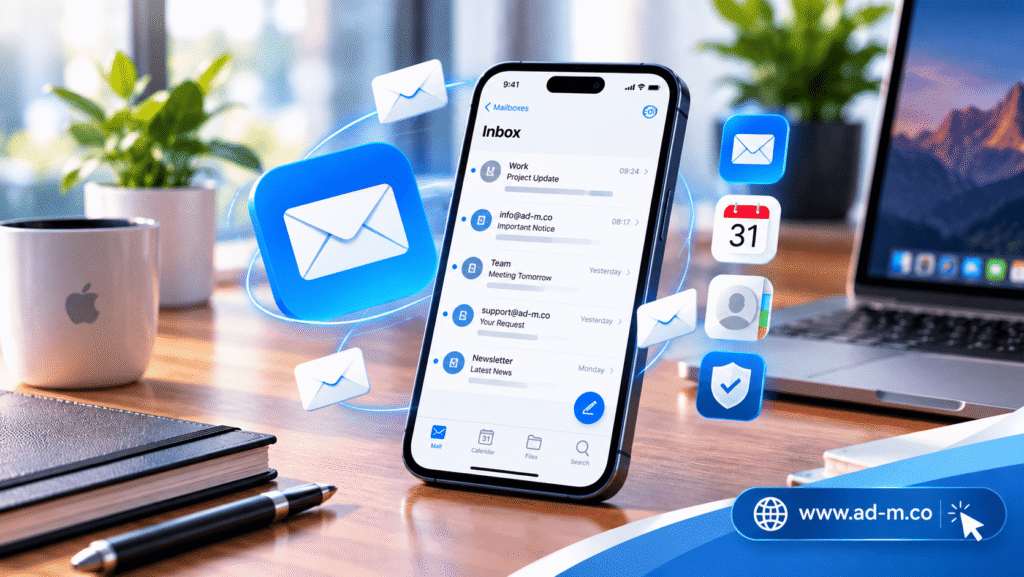
Managing Professional Email on iPhone

Managing Professional Email on iPhone: Comprehensive Setup and Linking Guide

Learn the detailed steps to link and set up your professional business email (tied to your company domain) on iPhone to ensure accurate tracking of clients and business on the go.

1. Introduction: Why Managing Email from iPhone is Essential for Entrepreneurs

After reviewing email management options across Apple devices generally, we dedicate this guide specifically to **iPhones**, given how heavily many project owners and company managers rely on them daily. Instant tracking of messages via your phone allows you to respond rapidly to requests and commercial opportunities wherever you are.

Maria Deprma Tip: Rapidly responding to client inquiries via email reflects your company’s professionalism and builds faster trust with your target audience.

2. Steps to Link Professional Email via iOS Settings

To begin linking your official email (e.g., info@yourcompany.com) to the default iPhone Mail app, follow these steps:

  • Go to **Settings**, choose **Mail**, then select **Accounts**.
  • Tap **Add Account**, then choose **Other**.
  • Select **Add Mail Account** and enter your name, email address, password, and account description.
  • Accurately enter the incoming (IMAP) and outgoing (SMTP) mail server details based on your hosting provider’s data.

3. Advanced Options: Using Outlook or Gmail Apps on iPhone

If you prefer alternative interfaces supporting additional organizational features, you can download the **Microsoft Outlook** or **Gmail** app from the App Store and seamlessly link your professional email inside them using standard communication protocols.

Important Note: Always verify correct server ports and enable SSL encryption to protect correspondence data and prevent any potential interception.

4. Security Tips and Alert Settings to Ensure Efficient Follow-up

To keep your company data secure on your phone, it is recommended to enable biometric screen locks (Face ID) and assign distinct notification tones for professional mail to separate it from personal messages and handle it with top priority.

5. Frequently Asked Questions (FAQ)

Does linking professional email drain the iPhone battery significantly?

You can manage this by configuring data fetch settings (Fetch New Data) to manual or specific time intervals rather than continuous active Push syncing to save battery life.

How does the Maria Deprma team assist in configuring iPhone settings?

We provide technical consultations and accurate hosting server data to ensure your iPhone setup completes successfully on the very first try.

Facing Trouble Linking Your Professional Email on Your iPhone?

Get in touch with Maria Deprma’s expert team today to receive technical assistance and support in setting up your official email to operate at peak efficiency.

Contact Us for iPhone Email Setup Support Now

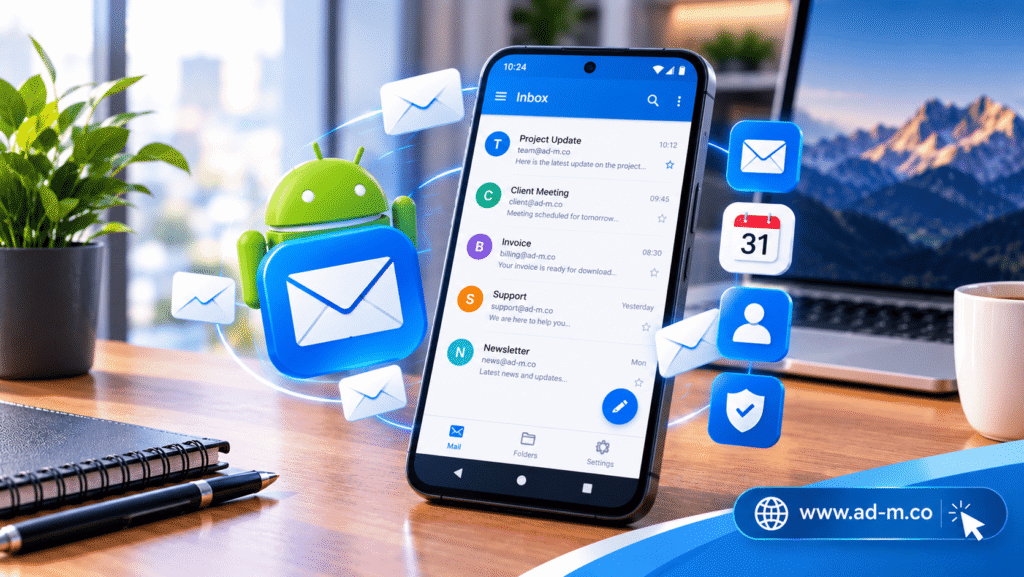
Managing Professional Email on Android

Managing Professional Email on Android: Best Apps and Comprehensive Steps

Learn how to configure and link your professional business email (tied to your company domain) on Android phones using the best email management apps with high efficiency.

1. Introduction: The Importance of Corporate Email Management on Android

After reviewing email management options for computers and Apple devices, we turn to the **Android** operating system, which captures a broad share of business owners’ and employees’ devices. The ability to track client messages and reply instantly from your smartphone boosts customer service efficiency and ensures no commercial opportunity is lost.

Maria Deprma Tip: Choosing the right application and configuring instant alerts gives you full control over your business wherever you are, without needing to open your computer all the time.

2. Best Email Applications for Android

Android offers high flexibility in choosing email applications, most notably:

  • Gmail App (for Android): Not limited to Google accounts; it supports adding any external email (IMAP/POP3) with a familiar and fast interface.
  • Outlook for Android: An excellent option combining email, calendar, and files into a unified professional interface.
  • Advanced Alternative Apps (e.g., K-9 Mail or FairEmail): Open-source options with a heavy focus on privacy and complete security.

3. Steps to Link Your Professional Email (IMAP/SMTP) on Android

You can link your official email (e.g., info@yourcompany.com) by following these steps in any mail app:

  • Adding a new account and selecting “Other” or Manual Setup.
  • Entering the incoming (IMAP) and outgoing (SMTP) mail server details provided by your hosting company.
  • Entering the email password and testing the connection to ensure successful synchronization.
Important Note: Ensure the security port settings for mail servers (typically SSL/TLS) are correctly configured to protect your company data from interception.

4. Tips to Boost Productivity and Manage Correspondence on the Go

To make the best use of your Android phone in business management, be sure to assign a distinct notification tone for your professional email to separate it from personal messages, and use ready-made quick replies to address frequent client inquiries.

5. Frequently Asked Questions (FAQ)

Does the Android Gmail app support custom domain email?

Yes, you can easily add and manage any email belonging to your corporate domain inside the Gmail app via account settings.

How does the Maria Deprma team assist in setting up email on Android?

We provide you with complete technical guidance and correct server information to smoothly link your professional email on your Android phone.

Want to Configure and Link Your Professional Email on Your Android Phone Professionally?

Get in touch with Maria Deprma’s expert team today to help you set up and link your official email to operate at peak efficiency on your phone.

Contact Us to Set Up Your Email on Android Now

Apple Mail Guide

Apple Mail Guide: Seamlessly Managing Your Professional Email on Apple Devices

Discover Apple’s built-in email application (Apple Mail) and how to efficiently configure and link your professional business email across iPhone, iPad, and MacBook.

1. Introduction: Apple’s Signature Business Correspondence Experience

After covering how to create a professional email and manage it through software like Outlook, it’s time to address users within the Apple Ecosystem. **Apple Mail** stands out as the primary and most seamless choice for anyone relying on Mac, iPhone, or iPad to manage daily operations.

Maria Deprma Tip: Rapid response to client messages on the go grants your business a major competitive edge, and linking your email to mobile ensures you never miss a commercial opportunity.

2. What is Apple Mail and Why Do Business Owners Prefer It?

**Apple Mail** is the official built-in email client across Apple operating systems (macOS and iOS). It features deep system integration, a clean ad-free user interface, and low battery consumption, making it ideal for entrepreneurs and business professionals constantly on the move.

3. Key Features of Apple Mail for Business Management

The application provides an advanced suite of features to streamline business organization:

  • Automatic Synchronization: Instant, lightning-fast message syncing across all your Apple devices via iCloud Keychain.
  • Advanced Privacy Tools: Privacy protection features preventing IP address tracking and hiding email addresses.
  • Smart Organization: Message classification, priority sorting, send scheduling, and follow-up reminder settings.
Important Note: Apple Mail supports standard protocols (IMAP and POP3), enabling you to effortlessly link any professional email belonging to your corporate domain.

4. Steps to Link Your Professional Domain Email to Apple Mail

You can easily add your official email (e.g., info@yourcompany.com) by navigating to device settings, selecting “Mail”, then “Accounts”, and adding a new account using your hosting mail server configurations (IMAP/SMTP).

5. Frequently Asked Questions (FAQ)

Is the Apple Mail app free?

Yes, the application is completely free and built-in by default across all Apple devices (iPhone, iPad, Mac).

How does the Maria Deprma team assist in setting up email on Apple devices?

We help you configure all server details and technical settings to ensure your professional email runs with peak efficiency and rock-solid stability across all your devices.

Want to Seamlessly Link and Manage Your Professional Email on Apple Devices?

Get in touch with Maria Deprma’s expert team today to configure and link your official email to operate at peak efficiency on iPhone and Mac.

Contact Us to Set Up Your Email on Apple Now

What is Outlook

What is Outlook? Your Comprehensive Guide to Professional Email Management and Business Organization

Discover the Microsoft Outlook platform and learn how to manage your professional emails, calendar, and contacts with the highest efficiency.

1. Introduction: Why Professional Email Management is Crucial

After learning how to create a professional email carrying your company domain name, the next and most important step is **how to manage this email effectively**. Compiling correspondence, tracking clients, and organizing schedules all require a powerful and reliable tool like **Microsoft Outlook**.

Maria Deprma Tip: Professionalism doesn’t stop at email appearance; it extends to the speed and smoothness of responding to clients through centralized management tools.

2. What is Microsoft Outlook and How Does It Work?

**Outlook** is one of Microsoft’s oldest and most powerful personal information management and email programs. It is not limited to being a tool for sending and receiving messages, but represents an integrated system combining:

  • Email: Managing multiple inboxes within a single interface.
  • Calendar: Scheduling meetings, appointments, and virtual gatherings.
  • Contacts: Saving and organizing client and business partner data.
  • Tasks: Tracking daily tasks and follow-up lists.

3. Key Features of Outlook for Businesses and Projects

The program provides a set of advanced features benefiting business owners:

  • Smart Organization: Automatically sorting incoming messages based on importance or projects.
  • High Security: Advanced protection against spam and phishing attacks.
  • Multi-Access: Ability to manage it via desktop app, mobile device, or web browser (Outlook on the Web).
Important Note: Outlook supports standard connection protocols (IMAP and POP3), making it compatible with any professional email you create via your hosting.

4. Linking Your Professional Domain Email to Outlook

You can easily link your official email (e.g., info@yourcompany.com) to Outlook using your hosting’s connection settings (IMAP / SMTP), enabling you to track your business and send official replies directly from the app.

5. Frequently Asked Questions (FAQ)

Is Outlook free or paid?

Outlook is available in free versions via the web, while advanced and professional desktop versions are part of paid Microsoft 365 business packages.

How does the Maria Deprma team assist in setting up your email on Outlook?

We help you configure all connection settings and technical integration for your professional email to run smoothly inside Outlook across all your devices.

Want to Link and Manage Your Professional Email Seamlessly Through Outlook?

Get in touch with Maria Deprma’s expert team today to configure and link your official email to operate at peak efficiency.

Contact Us to Link and Set Up Your Email Now

How to Create a Professional Email for Your Business

How to Create a Professional Email for Your Business: Step-by-Step Guide

Your practical step-by-step guide to creating and configuring an official email address carrying your company domain name, and how to set it up easily via your hosting control panel.

1. Introduction: The First Step Toward Establishing an Official Digital Presence

After recognizing the importance of a professional email and its power in building customer trust, it’s time for practical implementation. **Creating a professional email** is no longer complex; it has become accessible and fast to set up for any business owner wishing to elevate official correspondence.

Maria Deprma Tip: Begin by outlining the fundamental email address structure your company requires, such as (info@) for general inquiries, (sales@) for sales, and (support@) for technical support.

2. Essential Prerequisite: Owning a Domain Name

To enable creating an email address like (name@company.com), you must first own your company web Domain Name and subscribe to a Web Hosting plan supporting the creation of domain-linked email accounts.

3. Practical Creation Steps via Hosting Control Panel (cPanel)

The technical creation process is completed by following simple steps within the control panel (cPanel):

  • Accessing the Email Section: Navigate to the “Email Accounts” section in your control panel.
  • Entering Data: Select your domain, then type the desired username (e.g., info or mofleh) and a robust, secure password.
  • Allocating Storage: Assign appropriate storage capacity for the account, then click the “Create” button.
Important Note: Always ensure selecting complex, long passwords for administrative email accounts to protect them from compromise attempts.

4. Linking and Activating Your Email Across Devices and Apps

Once the account is created, you can access it immediately via Webmail, or configure connection settings (IMAP / SMTP) to link it to mobile applications or email management programs like Outlook or Gmail to simplify tracking your messages anytime.

5. Frequently Asked Questions (FAQ)

How many email accounts can I create?

The quantity varies depending on your subscribed hosting plan; some hosts offer an unlimited number of accounts, while other plans designate specific figures.

How does Maria Deprma assist in creating and setting up your email?

We fully handle account setup, security record configuration (SPF and DKIM), and linking your professional email to function at peak efficiency and complete security.

Want to Create a Professional Business Email Without Complex Technical Settings?

Get in touch with Maria Deprma’s expert team today to create and configure all official email addresses for your commercial activity.

Let Us Create Your Professional Email Now

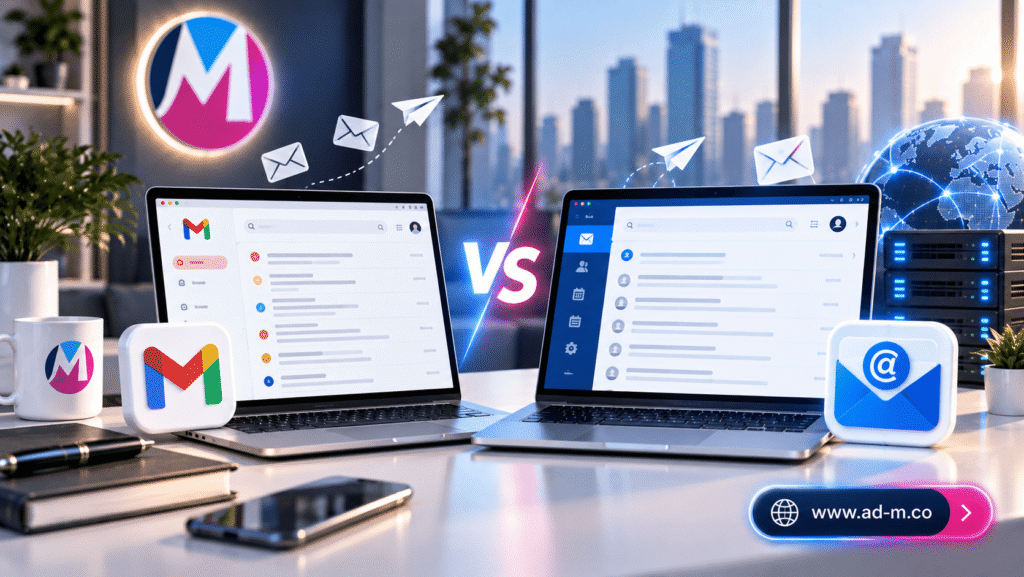
Difference Between Gmail and Professional Email

Difference Between Gmail and Professional Email: Which to Choose?

Discover the comprehensive comparison between free email accounts and customized business emails linked to your domain, and how this choice impacts client impressions and brand credibility.

1. Introduction: The Crossroads Between Personal and Corporate Identity

When launching a new business venture, many face a common question: **Should I settle for creating a free email on Gmail, or do I urgently need a professional email bearing my company domain name?** This answer dictates many aspects of your professionalism and ability to earn customer trust from the outset.

Maria Deprma Tip: First impressions matter; email serves as your primary official storefront before a client ever meets you face-to-face.

2. Direct Comparison: Free Gmail vs. Professional Business Email

Core differences between the two options manifest across the following aspects:

  • Address Format: Free email ends with (yourname@gmail.com), while professional email carries your corporate name (info@yourcompany.com).
  • Ownership and Control: On free Gmail, you remain merely a user subordinate to Google under its terms, whereas professional email represents full ownership linked to your website domain.
  • Organization and Departments: Professional email enables you to generate multiple accounts for your corporate departments (Sales, Support, Management) with complete ease, which is difficult to organize professionally through free accounts.

3. Credibility and Brand Image in the Business Market

Major enterprises and clients seeking professional services view emails sent from free accounts with skepticism, as they project an impression that the project is small or temporary. In contrast, official email instills a sense of security, professionalism, and absolute seriousness in executing business.

Important Note: Even if you utilize the Gmail interface to manage your professional email (via Google Workspace services), what matters most is the appearance of your company domain name rather than the generic suffix.

4. Ownership, Security, and Server Management

Professional email linked to your hosting or domain grants complete control over storage capacity, advanced security rules, protection of messages against phishing, and ensures zero loss of critical correspondence regarding your financial and commercial dealings.

5. Frequently Asked Questions (FAQ)

Can I use a Gmail account to manage my professional email?

Yes, you can link your professional email (bearing your company domain) to operate within the Gmail interface to leverage its features while retaining your official corporate name.

How does the Maria Deprma team assist in setting up your professional email?

We connect and configure security records (SPF, DKIM) and set up the professional email to function seamlessly with your website and commercial activity.

Are You Ready to Ditch Free Email and Transition to Your Trusted Official Commercial Identity?

Get in touch with Maria Deprma’s expert team today to set up your integrated professional email in accordance with the latest security standards.

Switch to Professional Email With Us Now

Professional Email

Professional Email: Your Official Gateway to Earning Customer Trust

Discover the concept of a business email linked to your own company domain, and why it serves as the core element for building credibility and professionalism in digital commerce.

1. Introduction: The Core Difference Between Free and Professional Business Emails

When corresponding with a prospective client using a free email ending in (gmail.com or yahoo.com), you forfeit a major degree of seriousness and credibility. In contrast, utilizing an email address bearing your corporate domain name (e.g., info@yourdomain.com) projects an immediate impression of professionalism and corporate substance.

Maria Deprma Tip: A professional email isn’t just a communication channel; it forms an integral part of your digital identity reflecting market presence strength.

2. What Is a Professional Email and How Is It Structured?

It is a business-dedicated email built upon your company’s web Domain Name, consisting of two primary parts preceding and following the @ symbol:

  • Username: Denotes the individual or department (e.g., support, sales, info).
  • Domain Name: Represents your company website identifier (e.g., company.com).

3. Why Your Commercial Enterprise Needs an Official Email Immediately

Relying on corporate email delivers major strategic advantages for business growth:

  • Building Trust and Credibility: Clients and partners trust enterprises with official web domains far more than free personal accounts.
  • Indirect Marketing: Every message sent automatically promotes your website name in the recipient’s mind.
  • Department & Team Management: The capability to generate customized addresses for each department (Sales, Support, Management) to organize workflow efficiently.
Important Note: Free accounts remain vulnerable to suspension or compromise easily compared to fully secured professional enterprise hosting solutions.

4. Security and Spam Protection

Professional email servers feature advanced protections and strict security protocols (such as SPF, DKIM, and DMARC) ensuring your messages arrive in your clients’ primary inboxes rather than diverting to spam folders.

5. Frequently Asked Questions (FAQ)

Can a professional email be linked to the standard Gmail app?

Yes, you can easily manage your professional email via the Gmail interface or mobile applications while retaining your official corporate domain.

How does Maria Deprma assist in setting up a professional email?

We assist you in configuring and protecting email settings completely within your website and digital hosting infrastructure.

Want to Elevate Your Brand to a Professional Level and Begin Messaging Customers with a Trusted Official Domain?

Get in touch with Maria Deprma’s expert team today to set up and configure your professional email seamlessly.

Create Your Professional Email With Us Now

Professional Email: Your Official Gateway to Earning Customer Trust

Discover the concept of a business email linked to your own company domain, and why it serves as the core element for building credibility and professionalism in digital commerce.

1. Introduction: The Core Difference Between Free and Professional Business Emails

When corresponding with a prospective client using a free email ending in (gmail.com or yahoo.com), you forfeit a major degree of seriousness and credibility. In contrast, utilizing an email address bearing your corporate domain name (e.g., info@yourdomain.com) projects an immediate impression of professionalism and corporate substance.

Maria Deprma Tip: A professional email isn’t just a communication channel; it forms an integral part of your digital identity reflecting market presence strength.

2. What Is a Professional Email and How Is It Structured?

It is a business-dedicated email built upon your company’s web Domain Name, consisting of two primary parts preceding and following the @ symbol:

  • Username: Denotes the individual or department (e.g., support, sales, info).
  • Domain Name: Represents your company website identifier (e.g., company.com).

3. Why Your Commercial Enterprise Needs an Official Email Immediately

Relying on corporate email delivers major strategic advantages for business growth:

  • Building Trust and Credibility: Clients and partners trust enterprises with official web domains far more than free personal accounts.
  • Indirect Marketing: Every message sent automatically promotes your website name in the recipient’s mind.
  • Department & Team Management: The capability to generate customized addresses for each department (Sales, Support, Management) to organize workflow efficiently.
Important Note: Free accounts remain vulnerable to suspension or compromise easily compared to fully secured professional enterprise hosting solutions.

4. Security and Spam Protection

Professional email servers feature advanced protections and strict security protocols (such as SPF, DKIM, and DMARC) ensuring your messages arrive in your clients’ primary inboxes rather than diverting to spam folders.

5. Frequently Asked Questions (FAQ)

Can a professional email be linked to the standard Gmail app?

Yes, you can easily manage your professional email via the Gmail interface or mobile applications while retaining your official corporate domain.

How does Maria Deprma assist in setting up a professional email?

We assist you in configuring and protecting email settings completely within your website and digital hosting infrastructure.

Want to Elevate Your Brand to a Professional Level and Begin Messaging Customers with a Trusted Official Domain?

Get in touch with Maria Deprma’s expert team today to set up and configure your professional email seamlessly.

Create Your Professional Email With Us Now

Final Files

Final Files (Delivery Files): What You Should Receive Upon Visual Identity Completion

Discover the essential file formats and digital assets you must receive from your designer or agency to guarantee complete ownership of your visual identity and readiness for every application.

1. Introduction: The Importance of Receiving the Full Technical Package

Upon completing a visual identity design project, delivered files shouldn’t be limited to standard images (PNG or JPG) alone. You must receive a comprehensive package of engineered and technically structured **final delivery files**, granting you absolute freedom to utilize your logo and print collateral anywhere and at any scale without quality loss.

Maria Deprma Tip: Owning original source files grants you full intellectual property rights to your brand, shielding you from future hurdles when updating print collateral.

2. Vector Files: The Indispensable Foundation

These files stand as the most crucial because they are designed using mathematical equations allowing logos to scale up or down to any dimension (whether a small business card or a giant highway billboard) without quality impact. They encompass:

  • AI: The primary source file for Adobe Illustrator.
  • EPS / SVG: Universal open formats supporting compatibility across all software and websites.
  • PDF: High-grade documents ready for direct transmission to print shops.

3. Raster Images and Digital Application Files (Raster & Web)

These files serve quick applications across the internet and social media platforms, including:

  • PNG: Transparent background images ideal for websites and electronic email signatures.
  • JPG: High-resolution white or colored background images for quick sharing.
Important Note: Always verify the presence of both colored and monochrome (black and white) logo copies to accommodate diverse dark and light backgrounds.

4. Brand Guidelines and Supporting Attachments

Alongside logo files, the delivery package must encompass the **Brand Guidelines** PDF file, approved font files (or official download links), and editable social media template layouts.

5. Frequently Asked Questions (FAQ)

Can PNG or JPG files be edited in design software?

No, these are static raster image files. True editing requires utilizing original vector source files like (AI or EPS) via specialized design applications.

How does Maria Deprma deliver final files to its clients?

We deliver a meticulously organized cloud storage folder encompassing all vector formats, digital imagery, font packages, and comprehensive brand guidelines.

Looking for Absolute Professionalism and Precise, Organized Delivery for All Your Visual Identity Assets?

Get in touch with Maria Deprma’s expert team today to guarantee an integrated delivery experience placing every tool for brand success in your hands.

Get Your Identity with Complete Files Now

Business Card & Corporate Stationery Design

Business Card & Corporate Stationery Design: The Tangible Brand Impression

Discover the professional importance of business cards and office stationery, and how they transform into tangible communication tools leaving a lasting impact on your clients and partners.

1. Introduction: Have Print Collateral Died in the Era of Digital Screens?

Despite massive advancements in digital solutions and mobile applications, **corporate stationery and business card design** remain the most intimate and trusted elements in business. Exchanging business cards in meetings and trade exhibitions represents a professional ritual whose tangible, personal value no digital screen can ever replace.

Maria Deprma Tip: The physical touch of luxurious paper and design cleanliness provides clients with an immediate sense of quality and substance regarding the enterprise you represent.

2. Business Cards: The First Handshake in the Business World

A business card is not merely a scrap of paper featuring your phone number and email address; it serves as your company’s silent ambassador. It must encompass:

  • The logo with absolute clarity, applying approved color palettes and official typography.
  • Updated core information (name, job title, communication channels, and website).
  • Sufficient whitespace granting the design visual comfort and banishing clutter.

3. Integrated Corporate Stationery and Its Impact on Professionalism

Tangible visual identity extends to encompass the core corporate print package: letterheads, envelopes in various scales, paper folders for document safekeeping, and notebooks, ensuring complete consistency across corporate official correspondence.

Important Note: Utilizing print templates unaligned with brand identity weakens corporate presentation and makes the enterprise look unprofessional before major corporations and official entities.

4. Printing Materials and Luxury Finishes (Embossing, Foil Stamping, Letterpress)

Design success doesn’t stop at screen display; it relies fundamentally on actual production quality—such as utilizing heavyweight cardstock, matte or glossy finishes, gold or silver foil stamping technology, and laser cutting granting cards an exceptional character.

5. Frequently Asked Questions (FAQ)

What are standard business card dimensions?

The most common and universal dimension is (8.5 x 5 cm) or (9 x 5 cm), leaving internal safety margins for paper trimming.

How does Maria Deprma design your company’s corporate stationery?

We craft all stationery and business cards with high engineering precision and absolute compliance with international print standards (CMYK and Bleed), ensuring they emerge in their most splendid form.

Want Your Company’s Business Cards and Stationery to Leave an Unforgettable Tangible Impression on Customers and Partners?

Get in touch with Maria Deprma’s expert team today to design luxury corporate print collateral reflecting your business value.

Request Your Corporate Stationery Design Now

Typography Selection in Visual Identity

Typography Selection in Visual Identity: Reflecting Your Brand’s Tone of Voice

Discover the secrets of selecting official corporate fonts, and how typography plays a critical role in conveying your brand’s personality and values to customers.

1. Introduction: Why Typography Is a Silent Language with Deep Impact

Alongside colors, written words serve as the primary storefront consumers interact with. **Typography selection** is not merely an aesthetic choice; it acts as a direct reflection of a company’s tone of voice. Fonts inform customers whether a brand is serious and formal, flexible and innovative, or purely technical.

Maria Deprma Tip: Maintaining consistency with a designated font type across all corporate print collateral and platforms enhances visual familiarity, engraving your name in consumer memory consciously and subconsciously.

2. Font Families and Their Psychological Connotations in Design

Primary font families fall into several styles, each carrying a unique character:

  • Serif Fonts: Convey heritage, tradition, luxury, and high credibility (frequently utilized across legal and financial institutions).
  • Sans-Serif Fonts: Emphasize simplicity, modernity, and absolute clarity, making them the favorite for tech and startup enterprises.
  • Creative or Display/Script Fonts: Evoke flexibility, creativity, and friendliness, utilized cautiously in major headlines or logos.

3. The Pairing Rule: How to Harmonize Heading Fonts and Body Fonts

For balanced, professional design, relying on a maximum of two primary fonts is consistently recommended:

  • Heading Fonts: Bold and striking to immediately grab reader attention.
  • Body Copy Fonts: Characterized by simplicity and clean details to guarantee the highest level of eye-friendly reading comfort across long paragraphs.
Important Note: Strictly avoid utilizing more than three fonts in a single design layout, as this directly triggers visual distraction and loss of professional polish.

4. The Multilingual Challenge: Balancing Arabic and English Integration

For enterprises addressing both Arab and global audiences, selecting an Arabic font that visually and proportionally matches its accompanying English font is essential to guarantee zero visual gaps or loss of prestige when shifting between languages.

5. Frequently Asked Questions (FAQ)

Can any free online font be utilized for a commercial project?

Not always; certain free fonts lack commercial licenses or fail to properly support Arabic characters, triggering legal and design issues.

How does Maria Deprma guarantee selecting the most suitable fonts for your company?

We select licensed, approved font families matching your business nature precisely while supporting both Arabic and English under the highest standards of visual engineering.

Do You Want to Define Your Company’s Typography Identity in a Way That Enhances Professionalism and Clarity?

Get in touch with Maria Deprma’s expert team today to design an integrated typographic guide tailored to your business identity.

Request Your Typography Identity Design Now

Color Selection in Visual Identity

Color Selection in Visual Identity: Color Psychology and Marketing Secrets

Discover how colors impact consumer emotions and mindsets, and how to select the ideal color palette reflecting your company’s core and boosting sales.

1. Introduction: Why Color Selection Is the Most Crucial Visual Identity Decision?

Colors are not merely random aesthetic choices; they are the first thing consumers notice and the fastest element translated in the human brain within fractions of a second. Careful **color selection** defines brand character, forges immediate emotional connection with audiences, and directs purchasing behaviors without conscious realization.

Maria Deprma Tip: Successful colors balance your commercial sector’s identity with your target audience’s psychological preferences, steering clear of purely personal tastes.

2. Color Psychology: What Do Colors Express in Business?

Every color carries distinct psychological connotations and emotional responses:

  • Blue: Conveys trust, stability, and security; frequently utilized by financial and tech enterprises.
  • Red: Stimulates excitement, speed, and energy; used to grab attention and drive rapid purchasing decisions.
  • Green: Symbolizes growth, health, and sustainability; favored by nature, environmental, and healthcare companies.
  • Yellow & Black: Imply luxury, boldness, and high distinctiveness when combined professionally.

3. The Balanced Color Palette Rule (60-30-10)

To prevent visual clutter, professional designers rely on an architectural rule in color distribution:

  • 60% Primary Color: Covers the largest space (such as backgrounds and general areas).
  • 30% Secondary Color: Supports the identity and appears clearly in headlines and prominent elements.
  • 10% Accent Color: Utilized to draw attention to call-to-action (CTA) buttons and critical elements.
Important Note: It is recommended to limit palettes to a maximum of 3 to 4 colors to prevent viewer mental distraction and weaken identity impact.

4. Technical Standards: The Difference Between Color Formats (CMYK, RGB, and HEX)

Every intermediary platform features a distinct color language; (RGB and HEX) formats are utilized for digital screens and websites, whereas (CMYK) is designated for print collateral and paper stock to guarantee shade consistency during actual production.

5. Frequently Asked Questions (FAQ)

Can visual identity colors be altered later?

Minor updates (Rebranding) can be executed, but radical and constant changes confuse customers and strip the brand of its accumulated memory equity.

How does Maria Deprma select suitable colors for your project?

We conduct a comprehensive analytical study of your target audience and competitor landscape to craft an accurate color palette studied scientifically and psychologically.

Are You Looking for a Professional Color Palette That Accurately Expresses Your Company Identity and Attracts Customers?

Get in touch with Maria Deprma’s expert team today to design a visual identity featuring harmonious, strategically researched colors.

Choose Your Professional Identity Colors Now

Brand Guidelines

Brand Guidelines: The Technical Compass for Your Brand’s Stability

Discover the vital importance of a “Brand Guidelines” file and how it ensures all corporate print collateral and platforms adhere to strict, unified standards preventing visual distortion.

1. Introduction: What Are Brand Guidelines and Why Are They Essential?

When identity design wraps up, a designer’s role doesn’t merely end with delivering final files. **Brand Guidelines (or Brand Book)** serve as the paramount legal and technical document summarizing rules for utilizing identity elements. Without these guidelines, corporate designs gradually devolve into visual chaos where color shades differ and logo dimensions shift across various print runs.

Maria Deprma Tip: Brand guidelines act as the constitutional reference for any designer or marketer working on behalf of your enterprise, ensuring prestige and brand stability are preserved.

2. What Do Brand Guidelines Typically Include?

Comprehensive guidelines encompass precise, structured content including:

  • Logo Usage Rules: Permitted sizes, mandatory whitespace buffers around the logo, and prohibited backgrounds.
  • Precise Color Codes: Color specifications for print standards (CMYK, Pantone) and digital screens (RGB, HEX).
  • Typography System: Designated official font names utilized across headlines and body copy, alongside their respective weights.
  • Practical Applications: Explanatory mockups for business cards, letterheads, staff apparel, and social media header covers.

3. Protecting the Brand from Distortion and Visual Disarray

The guide clearly outlines common mistakes forbidden from commission (such as stretching the logo, altering proportions, or placing unapproved colors over complex backgrounds), safeguarding professional brand prestige before clients and partners.

Important Note: Any laxity in adhering to brand guideline rules diminishes perceived corporate value and erodes market competitive advantage.

4. Streamlining Tasks for Designers and External Marketing Agencies

When contracting new print shops or external advertising agencies, sending the “Brand Guidelines” suffices to instantly align all designs with absolute precision without needing to reinvent the wheel every time.

5. Frequently Asked Questions (FAQ)

Are brand guidelines exclusively meant for major enterprises?

Not at all; even startups desperately need simplified brand guidelines guaranteeing consistency across digital and print appearances right from launch.

How does Maria Deprma deliver brand guidelines to its clients?

We prepare a comprehensive, technical, and professional PDF file covering all usage rules and color codes, serving as a constitutional reference for your marketing department.

Do You Have a Visual Identity for Your Company Yet Lack a Technical Guide Protecting It and Regulating Its Uses?

Get in touch with Maria Deprma’s expert team today to design an integrated professional guide enhancing your brand discipline.

Request Brand Guidelines Design Now

Components of Visual Identity

Components of Visual Identity: Essential Elements That Build Your Brand

Discover in detail the pillars and architectural elements that integrate together to create a unique and powerful visual identity rooted in your customers’ minds.

1. Introduction: How Identity Elements Integrate to Form Company Persona?

Visual identity is not merely random design; it is an interconnected, comprehensive ecosystem of visual elements working together in complete harmony to convey the company’s message and values to the target audience. The absence or discord of any element weakens brand impact and distracts the consumer.

Maria Deprma Tip: The true power of any visual identity lies in consistency and total harmony among all its components across all communication channels and media.

3. Color Palette: The Language of Visual Emotions

Colors play a profound psychological role in triggering consumer emotions and guiding purchasing decisions. Visual identity typically outlines a primary expressive color embodying the company’s core, alongside secondary auxiliary and neutral colors utilized in backgrounds and body copy to ensure eye-friendly visual balance.

Important Note: Precise color codes are consistently documented within brand guidelines for both print standards (CMYK) and digital screens (RGB / HEX) to guarantee consistency.

4. Typography: The Tone of Voice and Copywriting Character

Selecting official corporate fonts (whether in Arabic or English) reflects the brand’s tone of voice; sharp, engineered typography implies strength and technology, while rounded, soft fonts imply flexibility, friendliness, and creativity.

5. Supporting Elements and Stationery & Patterns

This category encompasses custom decorative patterns, icons, business cards, letterheads, stamps, product packaging, and digital templates tailored for social media channels.

6. Frequently Asked Questions (FAQ)

What are the core visual identity components startups must acquire immediately?

The primary logo, approved color palette, two fundamental font types (for headlines and body text), and core templates for corporate documents and social media.

How does Maria Deprma help design these components professionally?

We build each of these components with strategic engineering care that serves your commercial objectives and ensures a unique, distinctive market presence.

Are You Ready to Prepare All Components of Your Company’s Identity According to Modern Professional Design Standards?

Get in touch with Maria Deprma’s expert team today to design an integrated and stunning visual identity.

Request Your Company’s Integrated Identity Design

Why Do Companies Need Visual Identity

Why Do Companies Need Visual Identity? The Strategic Importance for Business Growth

Discover how a professional visual identity transforms any company from a run-of-the-mill market player into a trusted entity with fierce customer loyalty and superior competitive edge.

1. Introduction: Is Visual Identity a Luxury or an Inevitable Business Necessity?

In today’s hyper-competitive markets crowded with consumer choices, **visual identity** is no longer just pretty designs or flashy logos—it is a silent strategic asset speaking on behalf of the company before sales reps utter a single word. It is the initial impression determining whether a client engages with your business or bypasses you for a competitor.

Maria Deprma Tip: Major enterprises do not merely sell products; they sell a feeling of trust and belonging crafted by their consistent visual identity across every small and large touchpoint.

2. Building Immediate Trust and Professionalism Before Clients and Partners

When a customer interacts with a company boasting a well-researched visual identity—harmonious in typography and color, applied professionally across all print collateral and its website—an unconscious perception arises that this business is responsible, stable, and delivers high-grade solutions. Trust represents business currency, and visual identity acts as the primary gateway to earning it.

Important Note: Disorganized design choices and inconsistent template usage erode credibility, making a company look unstable or untrustworthy.

3. Standing Out Amid Competitor Crowds and Cementing Market Standing

Across any business sector, dozens of firms deliver similar offerings; this is where a unique visual identity steps in as a decisive differentiator. Design backed by a clear strategy makes your company instantly recognizable from afar, ensuring your name imprints permanently into consumer memory.

4. Boosting Customer Loyalty and Multiplying Brand Market Value

Consistency in portraying the same distinguished identity elevates brand recall rates, transforming regular buyers into brand ambassadors while granting businesses the power to expand and scale pricing due to high perceived value.

5. Frequently Asked Questions (FAQ)

When do startups need to invest in visual identity?

From day one and prior to launching products or services to market; initial impressions build early, and altering an identity later proves costly and disruptive publicly.

How does Maria Deprma help companies grow their business through design?

We craft strategic, meticulously researched visual identities tailored to precisely address your target audience, giving your enterprise powerful momentum toward trust, differentiation, and industry leadership.

Want Your Company to Leave an Exceptional Impact and Outshine Competitors with an Irresistible Visual Identity?

Get in touch with Maria Deprma’s expert team today to lay the rock-solid foundation for your brand’s market success.

Build Your Company’s Professional Identity Now

What is Visual Identity

What is Visual Identity? The Ultimate Guide to Building an Unforgettable Brand

Discover the true concept of visual identity and how to build a unique visual personality that embeds itself in your customers’ minds and sets you apart from competitors.

1. Introduction: What is Visual Identity and How Does It Differ from a Logo?

A logo and a visual identity are often confused. While a logo acts as the “face” or shorthand signature of a company, **visual identity** is the comprehensive system encompassing everything a customer sees and visually interacts with—ranging from color palettes and typography to stationery, print collateral, social media layouts, and website design.

Maria Deprma Tip: A great logo cannot succeed on its own unless supported by a consistent, well-researched visual identity that accurately reflects your business values and message.

2. Core Elements Comprising Any Successful Visual Identity

Any comprehensive visual identity consists of key foundational pillars ensuring unified brand representation:

  • Primary Logo and Variations: The core company symbol across various scales and uses (full color, black and white, icon mark).
  • Approved Color Palette: The set of primary and secondary colors evoking specific emotions and expressing the nature of the business.
  • Typography: Designated fonts utilized in headlines and body copy to ensure a cohesive visual tone across print and digital assets.
  • Supporting Graphic Elements (Patterns & Icons): Accompanying patterns, motifs, or icons giving designs a unique and distinctive character.

3. Why Visual Identity is an Essential Investment for Business Growth

A strong identity fosters immediate trust among prospective clients, makes your company easily recognizable amidst crowded markets, and endows your business with professional credibility and continuity that builds long-term loyalty.

Important Note: Consistently implementing visual identity rules across all customer touchpoints elevates perceived corporate value and multiplies brand recall rates.

4. Practical Steps to Build a Professional Visual Identity from Scratch

Building an identity begins with target audience research and competitor analysis, moves through defining brand personality, and concludes with formulating brand guidelines that regulate color usage and sizing rules across all media channels.

5. Frequently Asked Questions (FAQ)

What does a Brand Guidelines document include?

It is a technical reference document clearly demonstrating logo application rules, exact color codes (CMYK, RGB, HEX), approved typography types, and permitted whitespace buffers to prevent brand distortion.

How does Maria Deprma design your company’s visual identity?

We craft integrated visual identities starting from brand strategy and moving through logo and visual system design, culminating in delivering a comprehensive guideline fulfilling your major enterprise aspirations.

Want to Establish a Unique Visual Identity That Sets Your Brand Apart and Leaves an Unforgettable Impact on Customers?

Get in touch with Maria Deprma’s expert team today to design a professional visual identity that propels your project to new horizons.

Request Visual Identity Design Service Now

Commercial Catalog Design

Commercial Catalog Design: How to Organize Products to Attract Customers and Multiply Sales

Discover the secrets of professional catalog design and how to transform your product listing into an exquisite visual showcase that facilitates customer purchasing decisions.

1. Introduction: Why Is a Commercial Catalog the Ultimate Tool for Displaying Products?

Whether digital browsed across e-commerce stores or printed distributed at major exhibitions, the **product catalog** remains the premier storefront gathering your company’s items in an organized, appealing format. A professionally designed catalog does not merely exhibit items; it tells your brand story and reflects its quality and professionalism.

Maria Deprma Tip: Organizing the catalog based on clear categories and a logical sequence ensuring clients easily find their desired item elevates conversion rates and shortens the buying journey.

2. Core Organizational Structure of Any Successful Catalog

An effective catalog consists of several consecutive primary sections:

  • Front Cover: The engaging facade featuring company name, logo, and a headline reflecting publication strength.
  • Table of Contents: A quick guide outlining catalog sections and page numbers for effortless navigation.
  • Product Pages: Detailed presentation of each item including high-res imagery, codes, technical specs, and pricing or ordering options.
  • Contact & Closing Page: Complete contact details, website links, and social media channels backed by a clear call to action.

3. Professional Tools Used in Catalog Design and Layout

Multi-page catalog design demands specialized software guaranteeing output precision:

Important Note: **Adobe InDesign** stands as the global premier tool for organizing catalog layouts and text threads, while **Photoshop** handles product photo retouching, and **Illustrator** crafts vector icons and logos.

4. Golden Tips to Boost Catalog Appeal and Increase Sales

Ensure you use uniform lighting and pristine product imagery, maintain sufficient whitespace for eye comfort, and avoid crowding pages with excessive text by sticking to core specifications and impactful marketing copywriting.

5. Frequently Asked Questions (FAQ)

What is the difference between a printed catalog and a digital catalog (PDF)?

A printed catalog is designed using print color standards (CMYK) and luxury stock for exhibitions, whereas a digital catalog relies on screen color profiles (RGB) and incorporates interactive links routing clients directly to your e-commerce store.

How does Maria Deprma empower your company with catalog design?

We craft comprehensive commercial catalogs tailored for various industrial and commercial sectors, merging engineering layout precision with exceptional marketing appeal.

Have a New Product Line and Want to Showcase It in a Professional Catalog That Astounds Customers and Boosts Sales?

Get in touch with Maria Deprma’s expert team today to design a world-class digital or printed catalog matching top standards of quality.

Request Commercial Catalog Design Service

Brochure Design Guide

Brochure Design Guide: How to Create Powerful Marketing Print Materials

Discover the secrets of professional brochure design and how to transform printed paper into a powerful marketing tool that tells your business story and attracts customers at exhibitions and events.

1. Introduction: Why Printed Brochures Remain an Indispensable Marketing Tool

Despite the dominance of digital marketing, the **printed brochure** remains one of the most powerful tangible marketing mediums leaving a lasting impression on customers—especially at trade shows, conferences, and corporate headquarters. A brochure gives your client a genuine interactive experience with your products and services in a detailed, structured format.

Maria Deprma Tip: Brochure design must accurately reflect your company identity by utilizing the same colors, fonts, and visual style seen on your website to unify the marketing experience.

2. Popular Brochure Types and How to Choose the Right Design for Your Business

Brochure formats vary based on content nature and information volume:

  • Bi-Fold Brochure: Divided into two main panels (4 inside and outside pages), ideal for simplified offers and quick profiles.
  • Tri-Fold Brochure: The most popular and practical, divided into three panels (6 sections), excellent for displaying multiple services and clear contact info.
  • Z-Fold / Gate Fold Booklets: Creative designs opening in innovative ways to command attention at major launches and exhibitions.

3. Core Elements of a Successful Advertising Brochure Design

For a brochure to achieve its selling or introductory purpose, it must feature an eye-catching, engaging cover, concise and direct text content, high-quality product imagery, and prominent contact details backed by a clear Call to Action.

Important Note: Utilizing software like InDesign to organize multi-text layouts and Illustrator to manage graphic assets guarantees precise outputs complying with modern print house standards.

4. Technical and Printing Considerations to Ensure Premium Quality Output

Always ensure design dimensions are precisely set with safe zones (Bleed & Margins), select the correct print color mode (CMYK), and opt for luxury paper stocks that enhance the perceived value of your brand.

5. Frequently Asked Questions (FAQ)

What is the best software for designing brochures and multi-page print materials?

Adobe InDesign is the premier professional tool for formatting layouts and booklets, while Illustrator handles logos and interlocking graphics, together providing an integrated print production solution.

How does Maria Deprma design corporate and exhibition brochures?

We craft unique, custom designs merging engaging marketing copy with your company’s visual identity, ensuring high-end print collateral competing strongly at major business events.

Preparing for an Upcoming Trade Show or Want to Present Your Services to Clients in a Professional, Tangible Way?

Get in touch with Maria Deprma’s expert team today to design stunning commercial brochures that leave an unforgettable impact.

Request Brochure & Print Design Service

Social Media Design

Social Media Design: The Ultimate Guide to Boosting Engagement and Brand Identity

Discover the secrets of social media design and how to transform your digital channels into an engaging storefront that captures customer attention and multiplies sales.

1. Introduction: Why Social Media Design is the Backbone of Digital Success

In a world where social media platforms like Instagram, Facebook, and TikTok move fast, you only have a few seconds to grab a user’s attention before they scroll past your post. Professional **social media design** goes beyond mere visual beauty; it is an integrated marketing strategy that translates your brand identity into a visual language your audience instantly understands.

Maria Deprma Tip: Consistency in using the same colors, fonts, and visual style across all your posts builds strong brand awareness, allowing customers to recognize you the moment they spot your post in their feeds.

2. Core Elements of a Successful Design on Social Media Platforms

For a design to achieve its marketing goals, it must rely on key elements including:

  • Clarity and Simplicity: Avoiding visual clutter and delivering the core message or offer within the first 3 seconds.
  • Color Harmony & Brand Style: Sticking to the company’s designated color palette to reinforce visual coherence.
  • Call to Action (CTA): Incorporating clear buttons or phrases prompting the user to interact or purchase.
  • Graphic Quality: Utilizing high-resolution images and visual elements aligned with standard dimensions.

3. Different Sizes and Formats for Every Digital Platform

Each social platform demands specific technical requirements and exact dimensions to ensure your design looks its absolute best:

Important Note: Story and Reel designs (at 1080×1920 pixels) command the highest engagement today, while traditional square posts (1080×1080 pixels) remain ideal for standard Instagram and Facebook feeds.

4. Golden Tips to Boost Engagement and Share Rates

Use color contrast to draw eyes toward major offers, pair meticulously crafted visual content with compelling marketing copywriting, and maintain negative space to give the viewer’s eyes room to breathe.

5. Frequently Asked Questions (FAQ)

What is the best software for designing social media content?

Adobe Illustrator is the top choice for icons and vector graphics, while Photoshop handles image editing and ad banners. Both work together seamlessly to build comprehensive marketing assets.

How does Maria Deprma empower your brand on social media?

We design custom, comprehensive content packages for social networks—including identity guidelines, fixed templates, and ad banners—that elevate the efficiency of your marketing campaigns.

Want to Elevate Your Digital Presence and Attract More Customers Through Exceptional Social Media Designs?

Get in touch with Maria Deprma’s expert team today to transform your social channels into a powerful marketing attraction engine.

Request Social Media Design Service

What is Adobe InDesign

What is Adobe InDesign? The Ultimate Guide to Multi-Page Layout and Publishing Design

Discover the power behind Adobe InDesign and why it is the premier global standard for designing books, magazines, commercial catalogs, and multi-page print publications.

1. Introduction: What is Adobe InDesign and What Is Its Core Role in Publishing?

**Adobe InDesign** is the world’s leading professional application in desktop publishing and multi-page layout (**Page Layout & Publishing**). It is specifically developed to help designers and publishing houses efficiently organize and format text and graphics across large documents.

Maria Deprma Tip: If you plan to create a digital or printed product catalog for your company involving numerous pages, InDesign is the only tool guaranteeing engineering layout and supreme production speed.

2. The Power of Multi-Page Management and Master Pages

InDesign excels in its superior management of “Master Pages,” allowing designers to apply fixed elements (such as running headers, page numbers, and backgrounds) across hundreds of pages simultaneously, saving massive amounts of time and ensuring consistent brand identity.

Important Note: Unlike Photoshop and Illustrator tailored for individual images or vectors, InDesign is built specifically to handle exceptionally long blocks of text and thread them automatically across columns and pages.

3. Core Uses of InDesign in Print and Digital Media

The program is widely utilized across the business and publishing sectors including:

  • Commercial Product Catalogs: Displaying e-commerce or corporate products in a structured, attractive, print-ready manner.
  • Books & Magazines: Formatting chapters, headings, and tables precisely for physical print or e-books (EPUB).
  • Annual Reports & Presentations: Preparing massive corporate institutional reports in a professional, modern style.
  • Rapid-Layout Marketing Materials: Designing multi-panel brochures and promotional flyers.

4. Technical Advantages That Make InDesign the Optimal Choice for Catalogs and Books

The program provides advanced styling tools (Paragraph & Character Styles), full support for tables and charts, options to link content with external files, and exporting documents as interactive PDFs equipped with links and clickable buttons.

5. Frequently Asked Questions (FAQ)

Can I use Illustrator or Photoshop instead of InDesign to design a 50-page book?

This is strictly not recommended because Photoshop and Illustrator are built for single-page files, whereas InDesign is explicitly engineered to manage multi-page documents with smooth, organized text flow.

How does Maria Deprma utilize InDesign in its projects?

We rely on InDesign to design and prepare professional commercial catalogs, corporate identity booklets, and project reports ready for printing or digital publishing.

Need to Design a Professional Commercial Catalog or Multi-Page Corporate Report Highlighting Your Products and Services?

Get in touch with Maria Deprma’s expert team today to craft refined, structured print materials matching the highest standards of desktop publishing.

Request Catalog & Print Design Service

What is Adobe Photoshop

What is Adobe Photoshop? The Ultimate Guide to Photo Editing and Digital Design

Discover the power behind Adobe Photoshop and why it is the premier global standard tool for photo editing, pixel manipulation, and creating stunning digital designs.

1. Introduction: What is Adobe Photoshop and What Is Its Role in Design?

**Adobe Photoshop** is the world’s most powerful and popular application for digital image processing and editing (**Image Editing**). Since its inception, Photoshop has become the standard benchmark for photographers, designers, and web developers in creating and enhancing visual content of all kinds.

Maria Deprma Tip: Utilizing Photoshop to enhance and fine-tune your e-commerce store’s product photos significantly raises site appeal and boosts customer trust in product quality.

2. What Are Raster Images and How Does Photoshop Handle Them?

Photoshop primarily relies on raster images composed of a grid of pixels. The program gives you complete control over each individual pixel, providing supreme precision in adjusting colors, removing blemishes, and applying complex visual effects.

Important Note: Because Photoshop deals with pixels, care must always be taken to design works at required dimensions and resolutions (such as 300 DPI for print or 72 DPI for screens) to avoid losing quality when scaling up.

3. Core Uses of Photoshop in Web and Marketing

Photoshop contributes to a wide array of creative operations including:

  • Photo Retouching: Removing imperfections, adjusting lighting, and filtering product and human photos with absolute professionalism.
  • Web Banners & Ads Design: Preparing images and advertising signage for social media platforms and digital stores.
  • UI Mockups: Creating preliminary layout prototypes for websites and mobile applications prior to the coding phase.
  • Photo Manipulation: Seamlessly blending multiple images together to create surreal and innovative artwork.

4. Key Advantages and Smart Technologies (AI) That Distinguish Photoshop Today

Photoshop integrates cutting-edge artificial intelligence technologies like Adobe Firefly, enabling complex element removal, background expansion, and generating new components with a single click to accelerate workflow for designers.

5. Frequently Asked Questions (FAQ)

Can I use Photoshop to design company logos?

This is not preferred because logos require infinite scaling up and down without losing quality—a capability provided by vector-based Illustrator, whereas Photoshop is dedicated to raster images.

How does Maria Deprma utilize Photoshop in its projects?

We use Photoshop to crop, process, and enhance product and article photos, designing appealing advertising banners that boost digital marketing efficiency for our projects.

Need to Edit and Process Your Product Photos or Design Professional Marketing Banners That Boost Sales?

Get in touch with Maria Deprma’s expert team today to render your visual content with the highest standards of quality and professionalism.

Request Photo Editing & Digital Design Service

What is Adobe Illustrator

What is Adobe Illustrator? The Ultimate Guide to Vector Graphics and Design

Discover the power behind Adobe Illustrator and why it is the premier global standard tool for designing logos, icons, and vector graphics with absolute engineering precision.

1. Introduction: What is Adobe Illustrator and Why Is It the Foundation of Graphic Design?

**Adobe Illustrator** is the world’s leading application in **Vector Graphics**, developed by Adobe to become the premier professional tool for designers worldwide. Unlike image editing software that relies on pixel units, Illustrator enables the creation of graphics based on mathematical equations and geometric paths.

Maria Deprma Tip: Illustrator is the ultimate essential program for designing brand identity and corporate logos because it guarantees elements emerge in pristine quality no matter how much they are scaled.

2. What Are Vector Graphics and Why Do They Outperform Pixels?

Vector technology relies on Anchor Points, lines, and Paths instead of pixels. This means you can scale up a design to match a giant billboard size or scale it down to a tiny business card size without losing any quality or showing any pixelation.

Important Note: Utilizing Illustrator ensures files are saved in infinitely editable formats like (AI, EPS, SVG) demanded by print houses and modern web platforms.

3. Core Uses of Illustrator in Business and Brand Identity

The program is utilized across wide fields including:

  • Logo & Icon Design: The foundational core for building brand identity for companies and e-commerce stores.
  • Vector Illustrations: Drawing cartoon characters, vector art, and complex artistic illustrations.
  • Print & Packaging: Designing product bags, packaging, and commercial catalogs with high print precision.
  • Typography: Designing and modifying Arabic and foreign fonts and creating stunning visual typography displays.

4. Key Advantages That Make Illustrator the Top Choice for Professionals

The program features superior flexibility in controlling paths via the Pen Tool, advanced shape-building tools, seamless integration with Creative Cloud services, and the ability to export graphic assets smoothly for websites and applications.

5. Frequently Asked Questions (FAQ)

What is the main difference between Adobe Illustrator and Adobe Photoshop?

Photoshop is dedicated to editing and processing raster/pixel images, whereas Illustrator is completely dedicated to designing vector graphics, logos, and geometric art.

How does Maria Deprma utilize Illustrator in its projects?

We rely entirely on Illustrator to design professional logos, custom e-commerce store icons, and brand identity files with uncompromised engineering precision.

Want to Own a Professional Logo and Precise Vector Graphics That Enhance Your Brand’s Market Presence?

Get in touch with Maria Deprma’s expert team today to transform your ideas into stunning designs using the latest Illustrator tools.

Request Graphic Design & Brand Identity Service

What is Print Design

What is Print Design? The Ultimate Guide to Printing Brand Identity Materials

Discover the technical and engineering fundamentals required to transform digital designs into high-quality physical print assets, from business cards to massive billboards.

1. Introduction: What is Print Design and Why Is It Important in Corporate Identity?

**Print Design** is the specialized artistic branch concerned with preparing and organizing visual materials to appear on tangible physical mediums. Despite widespread digital transformation, professional printed materials like business cards, letterheads, and packaging remain foundational pillars for reinforcing professionalism and building direct trust with customers.

Maria Deprma Tip: Meticulously crafted print materials matching your digital brand identity reflect an absolute commitment to quality and leave an unforgettable first impression.

2. Core Technical Standards (CMYK Color System and 300 DPI Resolution)

To ensure colors and prints output as expected without discrepancies, the following technical standards must be met:

  • CMYK Color System: The standard system dedicated to physical printing relying on blending four primary inks (Cyan, Magenta, Yellow, Key/Black), unlike digital screens (RGB).
  • 300 DPI Resolution: The standard dot-per-inch ratio required to guarantee crisp edges and keep images free from distortion or pixelation.

3. Bleed & Safe Zone to Prevent Printing Mistakes

Extra space known as “Bleed” (typically 3mm on each side) is added to prevent unintended white edges when trimming paper, while keeping essential text well within the “Safe Zone.”

Important Note: Converting all fonts to vector outlines (Convert to Curves) via design software prevents font substitution errors at the print house.

4. Paper Types and Luxury Finishes Enhancing Print Quality

Materials vary depending on the print job, ranging from cardstock options (Matte or Glossy) to utilizing luxury finishing techniques like Hot Stamping and Embossing to add an exclusive touch.

5. Frequently Asked Questions (FAQ)

Why do printed design colors sometimes look duller compared to screens?

This happens due to designing in RGB instead of CMYK; screens emit self-light while paper reflects light, so color modes must be configured from the start of the design phase.

How does Maria Deprma support print design and file preparation?

We prepare and review all brand identity files according to precise engineering and printing standards to deliver them directly ready for print shops without errors.

Need to Prepare Your Company’s Print Files and Brand Identity Standards Flawlessly for Print Shops?

Get in touch with Maria Deprma’s expert team today to guarantee accurate, stunning prints worthy of your project.

Request Print Design & Preparation Service

What is line topography?

What is Typography? The Ultimate Guide to Font Selection and Usage in Design and Web

Discover the art of font selection and arrangement (Typography) and how font families influence text clarity, visual branding, and user experience across web and print.

1. Introduction: What is Typography and What Is Its Importance?

**Typography** is the art and technique of arranging type and text to make written language legible, clear, and visually appealing when displayed. In visual branding design and web development, font selection is not limited to aesthetic shape alone; rather, it is a core vehicle for conveying a brand’s tone of voice and smoothly guiding the reader’s eye.

Maria Deprma Tip: Choosing unified, professional fonts for your website elevates store professionalism and makes product content and blogs much easier on the eyes and simpler to consume.

2. Core Font Families and Their Primary Classifications (Serif vs. Sans-Serif)

Fonts used in design and printing fall into several primary families:

  • Serif Fonts: Characterized by small feet or tails at the ends of letters (such as Times New Roman), conveying a sense of classic tradition, formality, and reliability.
  • Sans-Serif Fonts: Clean fonts without structural strokes (such as Arial or Inter), featuring a modern, clean appearance and superior legibility on digital screens.
  • Script & Display Fonts: Artistic fonts dedicated to prominent headings and creative logos, rather than long blocks of reading text.

3. Font Selection Rules to Guarantee Seamless Readability and User Experience

To ensure an ideal reading experience, high color contrast between text and background must be maintained, adequate spacing between lines (Line Height) should be applied, and font sizes must scale properly across smart devices and large displays.

Important Note: Limiting projects to a maximum of two font families (one for headings and one for body copy) preserves visual harmony and prevents visitor distraction.

4. Integrating Digital Fonts Across Websites and E-commerce Stores

Integrating fonts across web platforms (such as utilizing Google Fonts or specialized web libraries) requires optimizing loading speeds and picking proper font weights to guarantee high performance and SEO search engine compatibility.

5. Frequently Asked Questions (FAQ)

What is the difference between heading fonts and body text fonts?

Heading fonts are bolder and more engaging to capture attention immediately, whereas body text fonts feature high simplicity and clarity to ensure comfortable long-form reading.

How does Maria Deprma handle font selection in web and design projects?

We integrate modern digital typography standards into interface and e-commerce store design to guarantee a distinguished visual identity and a comfortable, exceptional user experience.

Want to Improve Your Site’s User Experience and Choose Professional Fonts Worthy of Your Digital Project’s Identity?

Get in touch with Maria Deprma’s expert team today to design harmonious, eye-friendly web interfaces for you.

Request Digital Interface Design & Development Service

What is Color Theory

What is Color Theory? The Ultimate Guide to Color Harmonies in Design and Branding

Discover the science of colors, their psychological meanings, and how to professionally combine and coordinate them to create engaging designs that influence customers.

1. Introduction: What is Color Theory and What Is Its Role in Design?

**Color Theory** is the scientific and artistic framework that determines how colors interact with each other and how humans perceive them visually and psychologically. In graphic design and web development, colors are not merely aesthetic choices; rather, they are powerful tools to guide user attention and evoke precise emotions that enhance user experience.

Maria Deprma Tip: Choosing a carefully researched color palette for your e-commerce store directly contributes to building trust with customers and raising conversion rates for purchases.

2. The Color Wheel and Core Classifications (Primary, Secondary, and Tertiary Colors)

Color engineering relies on the Color Wheel and is categorized into:

  • Primary Colors: Red, yellow, and blue; the foundational colors that cannot be produced by mixing other colors.
  • Secondary Colors: Produced by mixing two primary colors together (green, orange, and purple).
  • Tertiary Colors: Formed by blending a primary color with a neighboring secondary color on the wheel.

3. Psychological Meanings of Colors and Their Impact on Consumer Behavior

Each color has a unique psychological impact translated by the human mind upon viewing it:

  • Red: Evokes excitement, energy, and speed, often used to stimulate quick purchasing.
  • Blue: Reflects trust, security, and stability, which is why major institutions and banks prefer it.
  • Green: Symbolizes health, nature, and growth, used across eco-friendly and financial stores.

4. Color Harmony Rules for Building Balanced Visual Palettes

To ensure design success, designers rely on established harmony systems such as Complementary colors for strong contrast, or Analogous colors to create a sense of calm and visual harmony.

Important Note: Utilizing the RGB color system for digital screens and CMYK for print formats is a fundamental rule to guarantee color matching with absolute precision.

5. Frequently Asked Questions (FAQ)

What is the maximum recommended number of colors in a brand identity?

It is typically preferred to rely on one primary color, one secondary color, and a maximum of one or two accent colors to ensure the viewer’s attention is not distracted.

How does Maria Deprma apply color theories in its projects?

We choose color palettes with advanced scientific and marketing precision to ensure their seamless compatibility with brand identity and digital user interfaces.

Need to Choose a Professional Color Palette That Enhances Your Brand Presence and Attracts Your Customers?

Get in touch with Maria Deprma’s expert team today to design a vibrant and appealing brand identity for you.

Request Brand Identity & Color Harmony Service

What is a Logo

What is a Logo? The Ultimate Guide to Logo Design Types and Branding

Discover the concept of a logo and its supreme importance in summarizing your company’s identity, exploring top logo types and how to design them professionally to stay cemented in your customers’ minds.

1. Introduction: What is a Logo and What Is Its True Value to a Brand?

A **Logo** is a symbol or visual mark consisting of text, shapes, or a combination thereof, used to instantly visually identify a company or product. It is not just a pretty picture; rather, it is the cornerstone of building a visual identity and the first interface connecting your customers to your project’s values and credibility.

Maria Deprma Tip: A successful logo is simple and adaptable; it must look clear and distinct whether it appears on a small mobile screen or a massive billboard.

2. Prominent Logo Types and How to Choose the Right One for Your Project?

Logo designs vary to fit the nature of different commercial activities:

  • Wordmarks: Rely on the company name with a distinct typographic style (such as Google or Coca-Cola).
  • Logomarks / Icons: Rely on an icon or visual illustration expressing the activity (such as Apple’s apple).
  • Combination Marks: Combine text and an icon together to ensure clarity of meaning and build brand awareness.
  • Lettermarks: Rely on the initials of the company name (such as IBM or NASA).

3. Characteristics That Make a Logo Professional and Successful

For a logo to fulfill its marketing and aesthetic purpose, it must meet several core criteria: simplicity for easy memorability, differentiation from competitors, flexibility in use across various platforms, and timelessness so it does not age over time.

Important Note: Designing logos in Vector format via specialized software guarantees the ability to scale up and down without the slightest loss in quality or precision.

4. Essential Software Tools for Designing Advanced Logos

Software like **Adobe Illustrator** is the premier global standard tool for logo design, due to its reliance on vector technology allowing designers to control paths and lines with absolute engineering precision.

5. Frequently Asked Questions (FAQ)

Can I use Photoshop to design my company’s logo?

It is always preferred to use Adobe Illustrator instead of Photoshop because Photoshop relies on pixels causing distortion when scaling the logo, whereas Illustrator relies on pure vectors.

How does Maria Deprma help design your project’s logo?

We invent professional and modern logos that closely align with your brand strategy and enhance its digital and commercial presence.

Looking to Design a Unique, Professional Logo That Embodies Your Project’s Vision and Leaves an Unforgettable Impression on Your Customers?

Get in touch with Maria Deprma’s expert team today to design a logo expressing your brand’s excellence.

Request Logo & Brand Identity Design Service

What is Brand Identity

What is Brand Identity? The Ultimate Guide to Visual Branding and Design

Discover the concept of brand identity and how to translate your company values and products into an integrated visual language that cements your name in customers’ minds and hearts.

1. Introduction: What is Brand Identity and What Is the Difference Between Brand and Identity?

**Brand Identity** is the collection of visual elements a company chooses to visually represent itself to the audience, such as logos, colors, typography, and patterns. People often confuse it with a “Brand”; a brand is the overall impression and feeling a customer holds toward your company, whereas brand identity consists of the visual tools that embody and convey that feeling.

Maria Deprma Tip: A cohesive and well-thought-out brand identity grants your e-commerce store or digital project a professional character that boosts visitor trust and converts them into loyal customers.

2. Core Elements Comprising a Professional Brand Identity

The following elements integrate to form the complete visual personality of any company:

  • Logo: The primary core and most prominent visual symbol through which customers instantly recognize your company.
  • Color Palette: Specific colors reflecting the company’s identity and evoking precise emotions among the audience (such as trust, excitement, or luxury).
  • Typography: Standardized font families used across all print materials and web platforms to ensure visual harmony.
  • Brand Guidelines: The engineering handbook precisely defining rules for logo, color, and font usage to guarantee continuity.

3. Why Is a Strong Brand Identity a Critical Investment for Any Project’s Success?

A strong brand identity helps set your project apart from competitors in a crowded market, builds an emotional connection and high credibility with customers, firmly embeds your brand in minds, and simplifies marketing and sales growth.

Important Note: Utilizing software like Adobe Illustrator and Photoshop ensures identity elements are produced with absolute precision and extremely high quality for various digital and print applications.

4. Steps Followed to Build a Successful and Unique Brand Identity

Building an identity begins through strategic stages starting with studying the target audience, defining brand values, sketching initial logo concepts, and culminating in documenting the comprehensive usage guidelines.

5. Frequently Asked Questions (FAQ)

When does a company need a brand identity redesign (Rebranding)?

When company goals shift, services expand radically, or when the old identity looks outdated and fails to match modern market expectations.

How does Maria Deprma deliver brand identity design services?

We design integrated and innovative visual identities for projects and e-commerce stores, focusing on accurately reflecting digital identity across websites and mobile applications.

Want to Build a Professional, Unique Brand Identity Worthy of Your Project’s Level and Enhancing Your Market Standing?

Get in touch with Maria Deprma’s expert team today to invent a standout, unique brand identity for you.

Request Brand Identity Design Service

What is Graphic Design

What is Graphic Design? The Ultimate Guide to Visual Communication and Commercial Applications

Discover the art of conveying messages and solving problems through visual elements, and learn how professional graphic design builds brand identity and boosts sales.

1. Introduction: What is Graphic Design and What Is Its Core Role?

**Graphic Design** is a creative process that combines images, symbols, colors, and text to communicate a specific message or idea to the target audience. It is not limited to aesthetics alone; rather, it serves as a visual communication tool aimed at influencing viewer behavior, guiding them, or facilitating their interaction with products and services.

Maria Deprma Tip: Successful graphic design seamlessly blends visual aesthetics with a company’s marketing goals, leaving a strong, unforgettable first impression on customers.

2. Core Elements That Make Up Any Successful Graphic Design

Every professional design relies on a set of foundational artistic and technical elements:

  • Typography & Color Palette: Choosing appropriate fonts and color harmony reflects brand identity and sets its mood.
  • Whitespace: Organizing spaces between elements gives the design visual comfort and highlights the core message.
  • Balance & Contrast: Distributing elements visually and utilizing contrast to draw attention toward the most critical points.

3. Prominent Branches and Fields of Graphic Design in the Job Market

Graphic design specialties vary to meet the demands of businesses and digital stores:

  • Brand Identity Design: Designing logos, business cards, and brand guidelines.
  • UI/UX Design: Designing website interfaces and mobile applications to ensure a seamless user experience.
  • Digital Media & Social Media Content Design: Creating web banners, digital ads, and visual content for social media platforms.

4. The Importance of Graphic Design in the Success of Brands and E-Commerce Stores

Graphic design is the first interface a customer encounters; e-commerce stores with professional designs enjoy higher trust and vastly better sales conversion rates compared to others.

Important Note: Utilizing professional software like Adobe Illustrator and Adobe Photoshop is essential for producing high-quality designs that adapt seamlessly across various screens and print formats.

5. Frequently Asked Questions (FAQ)

What is the difference between Vector and Raster design?

Vector designs (like files in Illustrator) rely on mathematical equations and do not lose quality when scaled, while Raster designs rely on pixels (like images in Photoshop).

How does Maria Deprma support graphic design services?

We provide integrated solutions including brand identity design, e-commerce store interfaces, and visual marketing content to ensure your project appears in the best possible light.

Need a Unique Brand Identity or Professional Marketing Materials That Elevate Your Brand Value?

Get in touch with Maria Deprma’s expert team today to design attractive and standout visual content for you.

Request Graphic Design & Branding Service

WordPress Plugin Development

WordPress Plugin Development: The Ultimate Guide to Building Custom Plugins

Learn how to extend the functionality of your WordPress website or store by writing custom, secure software plugins according to modern engineering standards.

1. Introduction: What Are WordPress Plugins and What Is Their Core Role?

**WordPress Plugins** are software components written in PHP that integrate with WordPress to add new features or modify the site’s default behavior. Instead of altering core theme files, plugins allow you to completely separate code logic from design, streamlining updates and maintenance.

Maria Deprma Tip: Writing lightweight, bloat-free code plugins ensures super-fast loading speeds for your e-commerce store and total stability during WordPress core updates.

2. Core Mechanisms: Hooks – Actions and Filters

The WordPress architecture relies entirely on the **Hooks** principle, which is split into two primary types:

  • Actions: Allow you to execute code or append content at specific points during WordPress execution (such as sending an email when an order is completed).
  • Filters: Allow you to intercept and modify data before it is rendered to the user or saved to the database (such as modifying text or a product price).

3. Essential Steps to Begin Developing Your First Custom WordPress Plugin

Creating a new plugin starts through simple, organized steps:

  • Creating a dedicated plugin folder inside the `wp-content/plugins/` directory path.
  • Creating a primary PHP file matching the folder name containing the standard Plugin Header defining the plugin name, developer, and description.
  • Writing code functions and attaching them to the appropriate hooks to execute the required functionality.

4. Why Do Companies Choose Custom Plugin Development Over Pre-Built Ones?

Commercial pre-built plugins often include excessive features that slow down the site and introduce potential security vulnerabilities. Custom plugins are built specifically to fulfill your business needs precisely, featuring higher security and seamless compatibility with external systems via REST APIs.

Important Note: Professional plugin development requires strict adherence to Clean Code and Object-Oriented Programming (OOP) standards to ensure seamless future scalability.

5. Frequently Asked Questions (FAQ)

What languages are required to develop WordPress plugins?

You need to master **PHP**, alongside a solid grasp of HTML, CSS, JavaScript, and an understanding of MySQL databases.

How does Maria Deprma help clients develop custom plugins?

We design and code custom WordPress plugins and WooCommerce integrations with extreme precision to meet the complex technical requirements of our clients’ projects under top-tier security and performance standards.

Need to Develop a Custom WordPress Plugin That Fulfills Your Business Needs or Integrates Your Store with External Systems?

Get in touch with Maria Deprma’s expert team today to build unique, highly efficient software solutions for you.

Request Custom WordPress Plugin Development Service

What is Object-Oriented Programming

What is Object-Oriented Programming (OOP)? The Ultimate Guide to Core Principles and Concepts

Discover the most popular programming paradigm for organizing complex code, and how classes and objects help build easily scalable and maintainable software systems.

1. Introduction: What is Object-Oriented Programming (OOP) and What Is Its Core Goal?

**Object-Oriented Programming** (**OOP**) is a programming paradigm based on designing applications around “objects” that represent real-world entities. This paradigm aims to address the difficulty of maintaining massive codes by breaking the system into independent, reusable, and easily testable parts.

Maria Deprma Tip: Using OOP principles in developing custom plugins for WordPress ensures clean, non-repetitive code that is much safer and easier to maintain long-term.

2. Core Concepts: Classes and Objects

To deeply understand OOP, you must grasp its two fundamental concepts:

  • Class: The template or engineering blueprint that defines shared properties and functions (such as a “Car” class).
  • Object: The actual or living instance resulting from that blueprint (such as a specific car with a specific color and features created from the car class).

3. The Four Core Pillars of Object-Oriented Programming

Object-oriented programming relies on four main principles that give it power and flexibility:

  • Inheritance: The ability to create a new class that inherits properties and functions from a pre-existing class to reduce code duplication.
  • Encapsulation: Hiding sensitive data inside the object and preventing direct access to it except through specific, secure methods.
  • Polymorphism: The ability to use the same function or method in different ways based on the object calling it.
  • Abstraction: Showing only necessary details to the user while hiding complex implementation details in the background.

4. Why Is OOP Preferred in Web Projects and Large-Scale Application Development?

OOP boasts a superior ability to organize large software projects worked on by multiple teams. It simplifies bug hunting and updating specific parts without affecting the system as a whole, accelerating digital product launches.

Important Note: Most modern programming languages such as PHP, Python, JavaScript, and C# fully support object-oriented programming principles.

5. Frequently Asked Questions (FAQ)

Should OOP be used in all programming projects?

Not necessarily; very small projects may not require the structural complexity of OOP, whereas it becomes mandatory for medium and large projects to guarantee scalability.

How does Maria Deprma apply OOP standards in its work?

We strictly rely on modern object-oriented programming standards and clean code architecture when developing e-commerce stores, plugins, and digital platforms for our clients.

Need to Develop an Advanced Structural Software System Built According to the Latest Clean Code and OOP Standards?

Get in touch with Maria Deprma’s expert team today to build powerful, future-scalable software solutions for you.

Request Advanced Software Development Service

What are Databases

What are Databases? The Ultimate Guide to Data Storage and Management Systems

Discover the fundamentals of digital data storage and management, and the database types used to run websites, e-commerce stores, and software systems.

1. Introduction: What is a Database and What Is Its Core Role?

A **Database** is an organized electronic system designed to store, manage, and retrieve massive amounts of data with extreme speed and security. Databases act as the brain of any application or website, keeping user information, products, orders, and settings, and allowing software to access and update them in real-time.

Maria Deprma Tip: Designing a well-structured and optimized database (Database Optimization) is the most critical factor in ensuring your e-commerce store loads quickly and remains stable under high traffic loads.

2. The Difference Between Relational and Non-Relational (NoSQL) Databases

Databases vary based on how they organize data:

  • Relational Databases (SQL): Organize data into interconnected tables (rows and columns), such as MySQL and PostgreSQL, making them ideal for e-commerce and content management systems (like WordPress).
  • Non-Relational Databases (NoSQL): Store data flexibly (such as documents or key-value pairs), like MongoDB, making them excellent for big data and applications requiring high structural flexibility.

3. Popular Database Management Systems (MySQL, PostgreSQL, MongoDB)

Most modern web projects rely on robust, tested management systems:

  • MySQL: The most famous and widely used system globally, serving as the backbone for WordPress and WooCommerce stores.
  • PostgreSQL: A powerful, advanced system supporting complex queries and heavy data workloads with high engineering efficiency.
  • MongoDB: The primary choice for real-time applications and unstructured data workloads.

4. The Importance of Databases in E-Commerce Stores and Web Applications

Without databases, customer details, shopping carts, or invoice records cannot be stored. Databases enable payment processing and product searches in fractions of a second, drastically enhancing user experience.

Important Note: Performing regular backups of your website’s database is an imperative measure to protect your business and customer data from any unexpected emergencies.

5. Frequently Asked Questions (FAQ)

What language is used to interact with relational databases?

The **SQL** (Structured Query Language) language is used to write queries and manage data within relational databases.

How does Maria Deprma manage project and store databases?

We design, structure, and optimize databases to guarantee maximum speed, performance, and security for e-commerce stores and custom software projects.

Need to Optimize Your E-Commerce Store’s Database Performance or Design a Database Architecture for Your New Digital Project?

Get in touch with Maria Deprma’s expert team today to build a high-speed, stable software infrastructure for you.

Request Database Optimization & Web Development Service

What is GitHub

What is GitHub? The Ultimate Guide to Cloud Hosting and Code Collaboration

Discover the world’s largest community and cloud platform for storing, managing, and collaboratively developing source codes and digital projects.

1. Introduction: What is GitHub and What is Its Core Role in Web Development?

**GitHub** is a popular cloud platform for hosting and storing source codes using the **Git** version control system. It allows developers from all over the world to upload their projects, share them publicly or privately within teams, and instantly collaborate on writing and developing software and websites with the highest standards of organization and professionalism.

Maria Deprma Tip: Using GitHub makes it easy to manage WordPress themes, custom plugins, and e-commerce store updates while ensuring a secure cloud backup is always available.

2. The Core Difference Between Git and the GitHub Cloud Platform

Some people occasionally confuse the two; **Git** is the local tool or program running on your computer to track changes and manage versions, while **GitHub** is the website or cloud service (online) that allows you to upload those repositories, share them with others, or keep them safe away from local device failures.

3. Key Features of GitHub (Repositories, Pull Requests, and Automated Deployments)

The platform provides advanced tools that make developers’ lives much easier, most notably:

  • Pull Requests: Allowing developers to propose code changes and review them before final merging.
  • Issues Management: To track bugs and required development tasks with extreme precision.
  • GitHub Actions: To automate workflows and automatically deploy updates to servers as soon as code is modified.

4. Why Do Companies and Large Development Teams Rely on GitHub?

GitHub serves as a digital resume for every developer (displaying profile contributions) and provides a fully integrated collaborative workspace that prevents code conflicts and accelerates the launch of digital projects and products successfully.

Important Note: The platform allows creating Public repositories for open-source projects, and Private repositories to protect commercial projects and confidential client code.

5. Frequently Asked Questions (FAQ)

Is using the GitHub platform free?

Yes, GitHub offers a fully free basic plan featuring unlimited private and public repositories for developers and individuals with great collaborative spaces.

How does Maria Deprma use the GitHub system and services?

We rely primarily on GitHub to manage, test, and develop all custom software projects and e-commerce stores, guaranteeing the highest standards of quality and security for our team and clients.

Need to Develop an Advanced Software Project or Manage Your E-Commerce Store Codes with High Cloud Professionalism?

Get in touch with Maria Deprma’s expert team today to build stable and secure technical solutions for you.

Request Advanced Software Development Service

What is Git

What is Git? The Ultimate Guide to Version Control and Code Management

Discover the world’s most widely used distributed version control system, and how it helps developers track changes and collaborate with absolute security.

1. Introduction: What is Git and What is Its Core Role in Programming?

**Git** is a distributed version control system designed by Linus Torvalds in 2005. It allows developers to record and track all changes made to source code over time, enabling an easy rollback to any previous version in case of errors and preventing total work loss.

Maria Deprma Tip: Using Git to manage plugin and WordPress theme development ensures you keep an accurate log of every modification and makes tracking and resolving bugs much faster.

2. How Does Git Work? (Repositories, Branches, and Commits)

Git relies on fundamental concepts that organize team and individual workflows:

  • Repository: The folder containing your entire project and its modification history log.
  • Commit: A save point or snapshot of the current state of the code along with an explanatory message of what was changed.
  • Branches: Independent workflow paths allowing you to test new features or fix bugs away from the main version (Main/Master) until they are ready to merge.

3. The Difference Between Git and Hosting Platforms Like GitHub and GitLab

Many confuse Git with platforms like GitHub; **Git** is the local software tool running on your machine to track changes, while **GitHub** or **GitLab** are cloud platforms hosting those repositories and providing visual interfaces to facilitate collaboration among developers worldwide.

Important Note: Thanks to Git’s distributed nature, every developer holds a full copy of the project and its history on their device, enabling work even without an internet connection.

4. Why Is Git an Indispensable Tool for Teams and Modern Projects?

Git eliminates code-overwriting issues that happen when multiple developers work on the same file, intelligently merging changes and providing maximum security and flexibility for complex system development.

5. Frequently Asked Questions (FAQ)

Is Git hard to learn for programming beginners?

Command-line instructions might look complex at first, but mastering basic commands (such as clone, add, commit, push) is enough to start and use it with high efficiency in your daily projects.

How does Maria Deprma use Git in its projects?

We rely entirely on Git and GitHub to manage and develop software projects, e-commerce stores, and custom plugins, guaranteeing the highest quality standards and professional team collaboration.

Looking for a Professional Team to Manage Your Software Projects and Digital Development with Top-Tier Version Control?

Get in touch with Maria Deprma’s expert team today to build advanced and stable software solutions for your project.

Request Advanced Software Development Service

What is a REST API

What is a REST API? The Ultimate Guide to Web Service Architecture and System Integration

Discover the most popular architectural pattern for building and designing web services, and how it facilitates communication between applications and servers efficiently over the HTTP protocol.

1. Introduction: What is a REST API and What Does REST Architecture Mean?

A **REST API** (Representational State Transfer Application Programming Interface) is a software architectural style for designing web services. It relies on the standard criteria of the popular **HTTP** internet protocol, making it the most flexible and rapid tool to enable different applications (such as websites, mobile apps, and cloud systems) to exchange data seamlessly.

Maria Deprma Tip: Adopting a RESTful API structure when connecting your systems ensures future scalability and effortless code maintenance with maximum efficiency.

2. Core Principles and Architectural Characteristics of REST APIs

For a programming interface to be considered compliant with the REST style, it must adhere to a set of core principles, most notably:

  • Client-Server Separation: Independence of the user interface from data storage and backend processing.
  • Statelessness: Each request sent from the client contains all necessary information to understand and process it without relying on previous requests.
  • Cacheability: The ability to temporarily store responses to speed up performance and reduce server load.

3. Core HTTP Request Methods (GET, POST, PUT, DELETE)

REST APIs use standard HTTP methods to handle resources:

  • GET: To retrieve and fetch data (such as fetching a product list).
  • POST: To create a new resource (such as registering a new user or adding a product to the cart).
  • PUT / PATCH: To update data for a pre-existing resource.
  • DELETE: To remove a resource from the system.

4. The Importance of REST APIs in E-Commerce Stores and Mobile App Development

REST APIs are the backbone of modern stores (such as WooCommerce REST API integrations), enabling e-commerce stores to connect with mobile apps, payment gateways, and inventory management systems in a standardized, fast-processing manner.

Important Note: REST APIs typically use **JSON** format for data exchange due to its lightweight nature and fast parsing in browsers and applications.

5. Frequently Asked Questions (FAQ)

Is a REST API the same as an API?

No, an API is a general term for any application programming interface, while REST is a specific “architecture” or set of rules for designing those interfaces using the HTTP protocol.

How does Maria Deprma employ REST API technologies in client projects?

We design and develop custom, secure REST APIs to connect e-commerce stores, software systems, and mobile applications with superior performance and high reliability.

Need to Develop and Connect Custom REST API Services for Your Digital Project or E-Commerce Store?

Get in touch with Maria Deprma’s expert team today to build advanced and secure software integration solutions for you.

Request REST API Development & Integration Service

What is JSON

What is JSON? The Ultimate Guide to Organizing and Exchanging Data on the Web

Discover the lightweight and widespread data formatting language, and how it facilitates information exchange between servers and applications seamlessly.

1. Introduction: What is JSON and What is Its Core Role on the Web?

**JSON** (JavaScript Object Notation) is a lightweight format for storing and exchanging data. Although its name is derived from JavaScript, it is completely independent of any programming language and is easily read and written by most modern programming languages (such as PHP, Python, and C#), making it the global standard for data transfer over the internet.

Maria Deprma Tip: Using structured JSON files and schemas in AJAX calls and REST APIs ensures super-fast response times for stores and sites without wasting server resources.

2. JSON Data Structure and How to Read It (Keys and Values)

JSON relies on a simple system consisting primarily of **Key-Value Pairs**, enclosed within curly braces `{}` for objects or square brackets `[]` for arrays. A simple example of organizing user data:

{
  "name": "Maria Deprma",
  "type": "Digital Platform",
  "active": true,
  "services": ["Web Development", "UI Design", "SEO"]
}

3. The Relationship Between JSON, APIs, and Data Exchange

JSON is considered the close companion of Application Programming Interfaces (**APIs**). When your smartphone app or website requests data from an external server (such as currency rates, store products, or weather conditions), the server sends the response in JSON format because it is lightweight, fast to process, and instantly transformable into visual elements for the user.

Important Note: Thanks to the simplicity of JSON, browsers can parse and display data much faster compared to complex older data formats like XML.

4. Why Is JSON Preferred in Modern Applications Over Older Formats?

JSON stands out for its small size which reduces consumed bandwidth, its readability by humans and developers for debugging, and its full compatibility with various web systems without requiring complex transformations.

5. Frequently Asked Questions (FAQ)

Is JSON a programming language?

No, JSON is not a programming or query language, but rather a format or method for organizing and writing data in a structured way that devices and software can easily understand.

How does Maria Deprma use JSON in developing web projects?

We rely on JSON to pass and receive data via asynchronous web requests (AJAX) and REST API architecture to connect stores and software systems with superior performance and instant response.

Need to Connect Your Software Systems or Develop Web Apps Relying on Modern Data Exchange?

Get in touch with Maria Deprma’s expert team today to build highly efficient and secure software integration solutions for you.

Request Web Development & Programming Service

What is an API

What is an API? The Ultimate Guide to Software Integration and System Connectivity

Discover the hidden digital bridge that allows different applications and systems to talk to each other and exchange data seamlessly.

1. Introduction: What is an API and How Does It Act as a Bridge Between Systems?

An **API** (Application Programming Interface) is a set of rules and protocols that allow two different software programs to communicate and exchange data together. It acts as an instant translator enabling your website or application to leverage services from other platforms (such as Google Maps, payment gateways, or shipping systems) without having to reinvent the wheel.

Maria Deprma Tip: Utilizing REST APIs and the WooCommerce REST API allows you to connect your e-commerce store to external ERP systems and warehouses seamlessly and securely.

2. How Does an API Work in Reality? (The Restaurant and Order Analogy)

To clearly visualize how an API works, imagine sitting in a restaurant (The User Application):

  • You order food from the menu (The Interface or Front-end).
  • The **Waiter (API)** takes your order and brings it to the kitchen (The Backend Server).
  • The kitchen prepares the food (processes the request and extracts data).
  • The **Waiter (API)** returns carrying the food to serve it to you at the table (presenting results to the user).

3. The Role of APIs in E-Commerce Stores, Payment Gateways, and Shipping Integrations

In the e-commerce world, stores rely entirely on APIs; when a customer completes payment via credit card, the store sends transaction details via API to a payment gateway (such as Stripe or PayTR) to instantly verify and process the transaction, as well as integrating shipping companies to automatically update order statuses.

Important Note: Securing API channels using encrypted authentication keys (Tokens) is critical to prevent manipulation and data theft.

4. Why Have APIs Become a Vital Element in Modern Web Development?

APIs grant developers the ability to build flexible, fast, and scalable applications by integrating pre-tested ready services, shortening development times and saving massive costs for companies and individuals.

5. Frequently Asked Questions (FAQ)

Is an API different from regular programming languages?

Yes, an API is not a programming language itself, but rather a “contract” or set of code instructions defining how software communicates with each other over the internet.

How does Maria Deprma employ API technologies in client projects?

We develop and integrate custom application programming interfaces (Custom APIs) to connect e-commerce stores and web applications with payment, shipping, and inventory management systems with full efficiency.

Need to Connect Your E-Commerce Store or Website to External Services or Payment Gateways via API?

Get in touch with Maria Deprma’s expert team today to design and integrate advanced software integration solutions for your project.

Request API Development & Integration Service

What is SQL

What is SQL? The Ultimate Guide to Database Management and Queries

Discover the world’s most widely used data processing language, and how it is used to efficiently organize, retrieve, and manage databases.

1. Introduction: What is SQL and What is Its Core Role in Data Storage?

**SQL** (Structured Query Language) is the standard language approved for communicating with relational databases. While applications and websites display data to users, SQL is the tool standing behind the scenes to store, organize, and retrieve this data (such as usernames, products, and articles) in fractions of a second.

Maria Deprma Tip: Designing a clean database structure compliant with SQL rules ensures exceptional query speed and absolute stability for high-traffic sites.

2. How Does SQL Work and What Are Its Core Operations (CRUD)?

SQL relies on clear and direct commands to perform four core operations known collectively as **CRUD**:

  • Create: Adding new data to the database (such as registering a new user).
  • Read: Retrieving and displaying data based on specific conditions (such as searching for a product).
  • Update: Modifying pre-existing data (such as updating a password).
  • Delete: Removing unnecessary data (such as deleting an inappropriate comment).

3. The Relationship Between SQL, Backend Languages Like PHP, and Systems Like WordPress

SQL does not work in isolation from programming languages; for instance, the **PHP** language uses SQL queries to connect to **MySQL** databases in the background of **WordPress** sites to fetch articles and pages and display them to visitors seamlessly.

Important Note: Protecting SQL queries from vulnerabilities (such as SQL Injection attacks) is a critical security step to safeguard customer data and websites from breaches.

4. The Importance of Relational Databases in Speeding Up and Securing Site Performance

Organizing data in tables linked by precise relationships prevents data duplication and simplifies search and analysis operations, boosting server efficiency and granting e-commerce and service sites immense scalability and growth capacity.

5. Frequently Asked Questions (FAQ)

Is SQL considered a traditional programming language?

No, SQL is classified as a query language dedicated exclusively to managing and processing data within relational databases, rather than building user interfaces or direct applications.

How does Maria Deprma employ databases and SQL in its projects?

We design and optimize interconnected MySQL and MariaDB databases to ensure superior performance, maximum security, and rapid response times for e-commerce stores and complex websites.

Need to Optimize Your Website’s Database Performance or Build a Custom Data Structure for Your Digital Project?

Get in touch with Maria Deprma’s expert team today to engineer and organize your databases with the highest standards of security and efficiency.

Request Database Management & Engineering Service

What is SQL? The Ultimate Guide to Database Management and Queries

Discover the world’s most widely used data processing language, and how it is used to efficiently organize, retrieve, and manage databases.

1. Introduction: What is SQL and What is Its Core Role in Data Storage?

**SQL** (Structured Query Language) is the standard language approved for communicating with relational databases. While applications and websites display data to users, SQL is the tool standing behind the scenes to store, organize, and retrieve this data (such as usernames, products, and articles) in fractions of a second.

Maria Deprma Tip: Designing a clean database structure compliant with SQL rules ensures exceptional query speed and absolute stability for high-traffic sites.

2. How Does SQL Work and What Are Its Core Operations (CRUD)?

SQL relies on clear and direct commands to perform four core operations known collectively as **CRUD**:

  • Create: Adding new data to the database (such as registering a new user).
  • Read: Retrieving and displaying data based on specific conditions (such as searching for a product).
  • Update: Modifying pre-existing data (such as updating a password).
  • Delete: Removing unnecessary data (such as deleting an inappropriate comment).

3. The Relationship Between SQL, Backend Languages Like PHP, and Systems Like WordPress

SQL does not work in isolation from programming languages; for instance, the **PHP** language uses SQL queries to connect to **MySQL** databases in the background of **WordPress** sites to fetch articles and pages and display them to visitors seamlessly.

Important Note: Protecting SQL queries from vulnerabilities (such as SQL Injection attacks) is a critical security step to safeguard customer data and websites from breaches.

4. The Importance of Relational Databases in Speeding Up and Securing Site Performance

Organizing data in tables linked by precise relationships prevents data duplication and simplifies search and analysis operations, boosting server efficiency and granting e-commerce and service sites immense scalability and growth capacity.

5. Frequently Asked Questions (FAQ)

Is SQL considered a traditional programming language?

No, SQL is classified as a query language dedicated exclusively to managing and processing data within relational databases, rather than building user interfaces or direct applications.

How does Maria Deprma employ databases and SQL in its projects?

We design and optimize interconnected MySQL and MariaDB databases to ensure superior performance, maximum security, and rapid response times for e-commerce stores and complex websites.

Need to Optimize Your Website’s Database Performance or Build a Custom Data Structure for Your Digital Project?

Get in touch with Maria Deprma’s expert team today to engineer and organize your databases with the highest standards of security and efficiency.

Request Database Management & Engineering Service

What is PHP

What is PHP? The Ultimate Guide to Backend Programming and Web Development

Discover the hidden nervous system of the internet and the core engine behind the world’s most popular content management systems and e-commerce stores.

1. Introduction: What is PHP and What is Its Core Role in Backend Servers?

**PHP** (Hypertext Preprocessor) is an open-source scripting language designed specifically for web development and backend programming. Unlike HTML and CSS which run on the user’s browser, PHP runs on the server, processing visitor requests, communicating with databases, and generating dynamic web pages before sending them to the user.

Maria Deprma Tip: Mastering server management and PHP code ensures you build robust, secure sites capable of handling high visitor traffic.

2. How Does PHP Work and Its Relationship with Databases and Web Servers?

When a user requests a specific link, the browser sends a request to the server. The web server executes the PHP code on the page, which often connects to a database (such as MySQL) to fetch the required data (such as articles, user data, or products), then merges them to produce a clean HTML page displayed on the visitor’s screen in fractions of a second.

3. PHP’s Relationship with WordPress and E-Commerce Platforms Like WooCommerce

PHP plays the main backbone for today’s largest digital systems; over 40% of websites run on **WordPress**, which is written in PHP, as well as massive e-commerce platforms like **WooCommerce**, allowing developers to freely build and customize stores, themes, and plugins.

Important Note: Continuous updating of PHP versions on the server enhances site security and significantly increases response speed.

4. Why Does PHP Remain a Favorite Choice for Web Development to This Day?

PHP stands out for its ease of learning, fast execution speed, and abundance of powerful frameworks like *Laravel* and *Symfony* that make building complex and secure web apps efficient with significant development time savings.

5. Frequently Asked Questions (FAQ)

Is PHP an old language that is not used in modern projects?

Quite the opposite; modern versions of PHP (like PHP 8.x) feature extraordinary speeds and performance rivalling other powerful languages, remaining the foundation for the world’s largest websites and platforms.

How does Maria Deprma employ PHP in website and store development?

We rely on PHP, WordPress, and WooCommerce to develop custom websites, advanced plugins, and high-performance e-commerce stores tailored precisely to your business needs.

Need to Develop a Custom Website or Store Powered by a Strong PHP Environment?

Get in touch with Maria Deprma’s expert team today to build a comprehensive, secure, and high-performance web platform for you.

Request Website Development & Building Service

What is JavaScript

What is JavaScript? The Ultimate Guide to Web Interactivity and Programming

Discover the mastermind behind internet site dynamism, and how JavaScript brings life and interaction to buttons and code elements.

1. Introduction: What is JavaScript and What is Its Pivotal Role on the Modern Web?

**JavaScript** is a high-level, real programming language and the third core pillar completing the web ecosystem alongside HTML and CSS. If the first is the skeleton and the second is the design, JavaScript is the “logical brain” that gives web pages the ability to interact with users, such as pop-ups, animations, and instantly updating page data.

Maria Deprma Tip: Smart and structured use of JavaScript code ensures amazing interactivity without negatively affecting site loading speeds.

2. How Does JavaScript Work and How Does It Change Content Without Reloading?

JavaScript runs directly inside the user’s browser (Client-side), allowing it to process inputs, validate registration forms, and update page content via AJAX technology without needing to reload the entire page, delivering a fast and seamless user experience very similar to desktop applications.

3. The Wide Evolution of JavaScript: From Browsers to Servers and Mobile Apps

JavaScript is no longer restricted to browsers; thanks to modern runtime environments like *Node.js*, it has become capable of programming backend servers, as well as building smartphone applications and desktop apps with high efficiency through advanced frameworks.

Important Note: The tremendous ability to use a single language to build both interfaces and servers together has made JavaScript the top choice for developers and startups.

4. Integration of JavaScript with HTML and CSS to Complete User Experience

The three pillars of the web integrate together to produce comprehensive sites:

  • HTML: To build content and static structure.
  • CSS: To format colors and aesthetic appearance.
  • JavaScript: To add dynamic behavior and respond to visitor actions.

5. Frequently Asked Questions (FAQ)

Is there a difference between Java and JavaScript?

Yes, there is a fundamental difference; Java is an independent, heavy-duty programming language mostly used in Android applications and enterprises, while JavaScript is primarily dedicated to web and browser development despite the similarity in names.

How does Maria Deprma use JavaScript technologies in client projects?

We employ the latest JavaScript libraries and frameworks to develop interactive, fast, and stable applications and stores that meet your customers’ aspirations with high precision.

Want to Add Interactive Functions and Advanced Dynamic Applications to Your Website?

Get in touch with Maria Deprma’s expert team today to turn your software ideas into an interactive, high-performance digital reality.

Request Interactive Interface Development & Programming Service

What is CSS

What is CSS? The Ultimate Guide to Web Page Styling and Design

Discover the aesthetic magic behind internet sites, and how cascading style sheets are used to transform a raw skeleton into stunning visual interfaces.

1. Introduction: What is CSS and What is Its Role in Web Design?

**CSS** (Cascading Style Sheets) is the language responsible for styling the visual appearance of web pages. If HTML is the skeleton or core structure of a site, CSS is the decor, colors, fonts, and layout that give the site its attractive and eye-pleasing look.

Maria Deprma Tip: Using structured and clean CSS codes ensures the consistency of your company’s visual identity and super-fast page loading speeds.

2. How Does CSS Work and Its Relationship with Elements and Selectors?

CSS works by targeting HTML elements through so-called **Selectors** (such as targeting paragraphs `p` or headings `h1`) and applying properties to them (such as changing the background color `background-color`, setting the font size `font-size`, or adjusting margins and padding).

3. Why is CSS Essential for User Experience and Responsive Design?

Thanks to modern CSS technologies like *Flexbox* and *Grid*, developers can build flexible designs that automatically adapt to all screen sizes (smartphones, tablets, and large desktop screens), ensuring an optimal and smooth browsing experience for users regardless of the devices used.

Important Note: Separating styling code into independent CSS files away from structural files simplifies site maintenance and improves search engine performance.

4. Integration of CSS with HTML and JavaScript to Complete the Web Ecosystem

The power of the modern web is completed by the integration of three core pillars:

  • HTML: To create content, text, and page structure.
  • CSS: To beautify the external appearance and visually layout elements.
  • JavaScript: To add interactive movements and dynamic functionalities.

5. Frequently Asked Questions (FAQ)

Is CSS considered an independent programming language?

No, CSS is a style sheet language and design tool rather than a logic-based programming language, focusing solely on layout and visual properties.

How does Maria Deprma support professional interface design via CSS?

We design and develop unique user interfaces that are fully responsive to all devices using cutting-edge web technologies tailored to boost your brand’s growth.

Want to Design a Modern, Attractive Website Interface That Reflects Your Business Identity?

Get in touch with Maria Deprma’s expert team today to design a responsive digital platform with exceptional visual performance.

Request Web UI Design Service

What is HTML

What is HTML? The Ultimate Guide to Web Page Structure and Design

Discover the structural foundation of the internet world, and how hypertext markup language is used to build the core skeleton of any website.

1. Introduction: What is HTML and What is Its Core Role on the Web?

**HTML** (HyperText Markup Language) is the foundation and backbone for building any website on the internet. It is not a programming language in the traditional sense, but rather a markup language used to organize and structure content (text, images, links, and tables) so that the web browser can understand and properly display it to the user.

Maria Deprma Tip: Understanding proper HTML structure ensures you build robust, clean-coded sites that are exceptionally well-received by search engines.

2. How Does HTML Work and Its Relationship with Tags and Elements?

HTML relies entirely on so-called **Tags** enclosed in angle brackets (such as `

` for paragraphs or `

` for headings). These tags are placed around content to define its type and how it should be handled by the browser, with most elements consisting of an opening and closing tag surrounding the text or media.

3. The Basic Structure of an HTML Page and Its Relationship with CSS & JavaScript

For any website ecosystem to be complete, HTML works hand in hand with other languages:

  • HTML: To build the skeleton and core content of the page.
  • CSS: To format the external appearance, colors, fonts, and element layouts (aesthetic design).
  • JavaScript: To add interactivity and dynamic programmatic movements to the site.

4. The Importance of HTML in Search Engine Optimization (SEO) and User Experience

Using semantic HTML tags (Semantic HTML) like `h1` and `h2` headings and descriptive text helps Google’s search spiders precisely understand your page content, boosting your site’s ranking in search results and improving accessibility for people with disabilities via screen readers.

Important Note: Cleanliness of HTML code reduces page size and directly contributes to increasing loading speed.

5. Frequently Asked Questions (FAQ)

Is HTML considered a true programming language?

No, HTML is a markup language, not a programming language, because it does not contain logical operations or conditions like If/Else, but rather limits itself to presenting and organizing the structure.

How does Maria Deprma help process and develop web code?

We provide integrated services to design and program websites and stores, paying attention to the finest details of code structuring to ensure optimal performance and full compliance with modern web standards.

Need to Design a Website with Clean Code Structure Compliant with Global Standards?

Get in touch with Maria Deprma’s expert team today to turn your ideas into a professional, high-performance web platform.

Request Website Design & Development Service

What is Programming

What is Programming? The Ultimate Guide to Software Development Basics

Discover the true concept of programming and how code languages transform creative ideas into intelligent digital applications and systems.

1. Introduction: What is Programming and Why Has It Become the Language of the Modern Era?

Programming is simply the process of giving instructions and commands to a computer or smart devices to perform specific tasks with precision. Since machines do not directly understand human languages, programming languages serve as the bridge that allows humans to direct devices to perform complex operations, solve problems, and build the future of digital technology.

Maria Deprma Tip: Understanding the fundamentals of programming and logical thinking opens wide horizons for you to manage and develop digital projects with high professionalism.

2. How Does Programming Work? The Journey of Converting Code into Executable Commands

The programming process takes place by writing commands through various programming languages to form what is known as Source Code. A compiler or interpreter then converts these human-understandable words into binary machine language (zeros and ones) that the device’s processor executes instantly.

3. Most Popular Programming Languages and Their Specializations (Web, Mobile, AI)

Programming languages vary according to the required field and task, among the most prominent of which are:

  • Web Languages (HTML, CSS, JavaScript): To design and develop user interfaces and interactions for websites.
  • Python: The primary choice in fields like artificial intelligence, data analysis, and smart scripts.
  • Swift and Kotlin: To develop mobile smartphone applications for iPhone and Android systems.

4. Programming as a Tool for Logical Thinking and Problem Solving

Programming is not limited to writing lines of code; it is primarily an organized way of thinking based on breaking down large and complex problems into small parts that can be solved step-by-step through a precise algorithmic method.

Important Note: Mastering logical thinking skills makes it much easier for you to learn any new programming language in the future quickly and with high efficiency.

5. Frequently Asked Questions (FAQ)

What is the easiest programming language for beginners to start learning?

Python is often considered the best choice for beginners due to the simplicity of its syntax and its closeness to English.

How does Maria Deprma provide services related to software and web development?

We provide integrated solutions in web and mobile app development, UI/UX design, and systems integration via modern programming technologies to serve your business growth.

Have a Software Project or App Idea and Want to Turn It Into Reality?

Get in touch with Maria Deprma’s expert team today to analyze and develop your software project according to the highest standards of quality and efficiency.

Request Project Development & Programming Consultation

WordPress Troubleshooting and Problem Solving Guide

WordPress Troubleshooting and Problem Solving Guide

Learn systematic methods to resolve common WordPress errors and glitches, and how to handle the white screen, database errors, and plugin conflicts professionally.

1. Introduction: The Professional Approach to Handling WordPress Glitches and Issues

The appearance of error messages or sudden site shutdowns can cause severe stress for any site owner. Dealing with these glitches requires calmness and a clear scientific methodology based on tracking the root causes of the issue rather than random fixes that could worsen the breakdown.

Maria Deprma Tip: The golden rule before starting any technical repair is to take an immediate backup of files and the database.

2. Handling Common Errors: The White Screen of Death (WSoD) and 500 Errors

The “White Screen of Death” (WSoD) and internal server errors (HTTP 500 Internal Server Error) are among the most common issues, usually caused by exhausted PHP memory limits or a code conflict. They are typically resolved by increasing the available Memory Limit in the wp-config.php file.

3. Enabling Debug Mode (WP_DEBUG) to Accurately Diagnose Issues

Instead of guessing, you can enable WordPress’s built-in debugging feature by editing the wp-config.php file and changing the `WP_DEBUG` value to `true`. The system will instantly display the exact error message, line number, and the faulty plugin or theme on screen or inside the error log file (debug.log).

Important Note: Do not forget to turn off debug mode (change it back to false) as soon as the issue is resolved for security reasons.

4. Resolving Plugin/Theme Conflicts and Dashboard Access Loss

If a plugin or theme update completely disables the dashboard, you can bypass it by accessing site files via your hosting control panel (cPanel) or FTP protocol, then temporarily renaming the `plugins` folder to `plugins-old`. This will disable all plugins and reopen the dashboard to diagnose the primary culprit.

5. Frequently Asked Questions (FAQ)

What should I do if an “Error Establishing a Database Connection” message appears?

This error usually indicates incorrect database connection details (username, password, or database name) inside wp-config.php or a temporary shutdown of the database server.

How does Maria Deprma handle clients’ critical technical breakdowns?

Our technical team specializes in rapid diagnosis and resolving complex issues, restoring site and store stability efficiently and with the highest security levels.

Is Your Website Suffering from a Complex Error or Sudden Downtime and You Need Immediate Intervention?

Get in touch with Maria Deprma’s expert team today to resolve technical problems and get your website back to full efficiency.

Request Troubleshooting & Fast Technical Support

WordPress Speed and Performance Optimization

WordPress Speed and Performance Optimization (Performance & Speed Optimization)

Discover the factors affecting your website’s speed, and the most important techniques and strategies to reduce loading time and improve user experience and SEO.

1. Introduction: Why Is Website Speed a Critical Element for Your Digital Success?

In the fast-paced internet world, websites lose more than half of their visitors if the loading page takes longer than 3 seconds. High speed is not just a technical luxury, but a key factor in improving conversion rates, reducing bounce rates, and boosting your search engine ranking (SEO) through modern Google algorithms.

Maria Deprma Tip: Every second you save in the loading speed of your store or site translates directly into increased profits and visitor satisfaction.

2. The Role of Hosting and Server Power in Site Response Time (TTFB)

No matter how efficient code optimization is, you will not get blazing speed without a powerful hosting server specifically optimized for WordPress:

  • Using Fast Storage Drives (NVMe): Ensuring data reading and writing happens at multiples of the speed of traditional drives.
  • Advanced Caching Technologies (Redis / Memcached): To speed up database queries and reduce server load.
  • Content Delivery Networks (CDN): Like Cloudflare to distribute your site’s content across servers geographically close to your visitors worldwide.

3. Caching Technologies and File/Data Compression

Caching creates static copies of your site pages and serves them directly to visitors without needing to programmatically regenerate them from the database on every visit, along with enabling file compression (Gzip or Brotli) and minifying JavaScript and CSS code.

Important Note: Relying on a professional caching plugin compatible with your hosting drastically shortens response time.

4. Image and Media Optimization Without Quality Loss

Large and unoptimized images are the number one cause of slow websites. To ensure high performance, images must be converted to modern, high-efficiency formats (like WebP or AVIF), their sizes adjusted automatically, and Lazy Loading technology applied to load images only when visitors reach them while scrolling.

5. Frequently Asked Questions (FAQ)

What are the best tools to measure WordPress site speed?

Tools like Google PageSpeed Insights, GTmetrix, and Pingdom are the most accurate tools to analyze site performance and speed and identify weaknesses.

How does Maria Deprma help speed up client websites?

We provide ultra-fast hosting environments, perform comprehensive configuration and structuring of files, databases, and images, and integrate cloud CDN networks to ensure rock-solid performance for your site.

Is Your Website Suffering from Slowness and You Want to Boost Its Speed to Increase Sales?

Get in touch with Maria Deprma’s expert team today to analyze your site’s performance and optimize it according to the highest global technical standards.

Request Website Speed & Performance Optimization

WordPress Security

WordPress Security: The Ultimate Guide to Protecting Websites from Hacks

Discover best practices and advanced security layers to protect your website against cyber attacks and malware, ensuring the safety of your visitors’ data.

1. Introduction: Why Is WordPress Security a Top Priority for Any Digital Activity?

Because WordPress is the world’s most popular website management and building system, it represents a prime target for automated hack attempts and malware. Building a strong, multi-layered defense wall not only protects your data and files, but also preserves your brand reputation and customers’ trust in your digital platform.

Maria Deprma Tip: Absolute security does not exist, but minimizing risks to the lowest level by implementing professional standards raises the difficulty of hacking your site to extreme degrees.

2. Core Protection Layers: Passwords, Permissions, and Dashboard Security

Securing your site starts from the inside by applying core programming rules and policies:

  • Complex Passwords and Two-Factor Authentication (2FA): Preventing brute-force attacks by using very strong passwords and enabling two-step verification for all administrators.
  • Precise Permission Management: Granting users the minimum privileges necessary to perform only their tasks, avoiding human error or account exploitation.
  • Changing the Default Login Path: Hiding the wp-admin page to protect the site from Brute Force Attacks.

3. The Role of Firewalls and Advanced Security Plugins

Firewalls (whether at the server level or via WordPress plugins like Wordfence or Sucuri) act as a permanent gatekeeper; they scan visitor traffic, block suspicious IP addresses, and stop malicious attempts before they touch your core site files.

Important Note: Always make sure to disable Directory Indexing on the server to prevent intruders from browsing your site’s internal files and themes.

4. The Importance of SSL Certificates and HTTPS Data Encryption

Installing an SSL certificate is not only a key factor for improving Search Engine Optimization (SEO), but it is also responsible for encrypting data exchanged between the browser and the server (such as passwords, payment details, and sensitive customer information) to prevent third-party interception and espionage.

5. Frequently Asked Questions (FAQ)

Is installing a single security plugin enough to fully secure my site?

No, security relies on a comprehensive methodology that includes hosting power, core and plugin updates, firewalls, and regular backups, rather than just a single plugin.

How does Maria Deprma protect its clients’ websites from hacks?

We provide a fully protected hosting environment against common attacks, install advanced firewalls, and conduct periodic security monitoring and continuous vulnerability scanning to ensure a 100% secure digital workspace.

Worried About Your Website’s Security and Want to Protect It Professionally?

Get in touch with Maria Deprma’s expert team today for a comprehensive scan of your site and to apply the latest advanced security protection layers.

Request Security Scan & Website Protection

Updates and Continuous Maintenance

WordPress Updates and Continuous Maintenance (Updates & Maintenance)

Discover the critical importance of updating the WordPress core, themes, and plugins, and how to execute them securely without causing downtime or site errors.

1. Introduction: Why Are Regular Updates a Pillar for Website Security and Stability?

Ignoring WordPress updates is the largest vulnerability exploited by hackers to access websites. Updates do not merely introduce new features; they carry critical security patches and code compatibility enhancements with the latest PHP versions, ensuring stable and fast performance for your site visitors.

Maria Deprma Tip: Digital security begins with adhering to a regular maintenance schedule; do not leave your plugins or themes neglected for long periods without updates.

2. Update Levels in WordPress: Core, Plugins, and Themes

To manage your site professionally, you must understand the three main types of updates:

  • Core Updates: Includes major updates to the WordPress system itself, requiring caution and prior testing, while minor security patches usually run automatically.
  • Plugins Updates: The most frequent, aimed at closing vulnerabilities or improving the performance and functionality of plugins.
  • Themes Updates: Ensuring design compatibility with software changes in the core and plugins and preventing visual errors.

3. Secure Methodology for Executing Updates and Avoiding Code Conflicts

Randomly clicking the “Update All” button can cause sudden site crashes (the famous white screen of death). Follow these steps for safe execution:

  • Take a recent and comprehensive backup of files and the database before starting any update.
  • Update plugins individually or in small batches to immediately notice any software conflict if it occurs.
  • Monitor compatibility with the active PHP version on the server (it is always recommended to work on modern and secure PHP versions like 8.1 or higher).

4. The Role of the Staging Environment in Testing Major Updates

For large websites and sensitive e-commerce stores, it is never recommended to perform updates directly on the live site. Advanced hosting platforms provide an identical clone of the site called “Staging” to trial major updates and test functionality stability before final deployment.

Important Note: Using a Staging environment completely prevents any potential downtime for your customers or visitors during heavy maintenance operations.

5. Frequently Asked Questions (FAQ)

Should I enable automatic updates for everything in WordPress?

It is recommended to enable automatic updates for minor core security versions and some trusted plugins, while major complex themes and plugins are preferred to be updated manually after backing up.

How does Maria Deprma manage site maintenance and updates for clients?

We handle all site updates within our technical support packages, along with conducting security tests and automatic backups to ensure your site operates efficiently and without any downtime.

Looking for a Dedicated Team to Handle Your Site Maintenance and Updates with Total Peace of Mind?

Get in touch with Maria Deprma’s expert team today to leave maintenance and technical security worries behind, and focus entirely on growing your business.

Request Maintenance & Technical Support Package

WordPress Backup and Data Protection

WordPress Backup and Data Protection (Backup & Disaster Recovery)

Learn the best practices and strategies to protect your website, how to schedule backups, and how to safely restore data in case of emergencies.

1. Introduction: Why Is Backup Your Site’s First Line of Defense?

Unexpected server crashes, cyber attacks, or even minor coding errors during plugin and theme updates can wipe out years of hard work in a matter of seconds. Having a robust and reliable backup system is not just an optional feature—it is the only guarantee for business continuity and safeguarding your digital investments.

Maria Deprma Tip: A backup whose restoration has never been tested is effectively a non-existent backup; always make sure to test the recovery process periodically.

2. Backup Types: Files, Database, and Full System Backup

For a backup to be effective, it must cover all essential aspects of the website:

  • Database Backup: Contains all posts, comments, customer data, and store settings (the most dynamic and sensitive part).
  • Files Backup: Includes product images, themes, plugins, and core WordPress files.
  • Full System Backup: Combining both together to provide a complete snapshot of the site allowing it to be restored from scratch effortlessly.

3. Building a Secure Backup Strategy (The 3-2-1 Rule)

Information security experts rely on a global strategy to ensure data is never lost:

  • Keep at least 3 copies of your data.
  • Store the copies on two different types of media or locations (such as a local server and external cloud storage).
  • Keep at least one copy in an offsite geographical location away from the primary server.

4. Best Automated WordPress Backup Tools and Plugins

WordPress allows you to use professional plugins that automate the entire backup process and send them to cloud storage (like Google Drive or Amazon S3) without manual intervention:

  • Plugins like UpdraftPlus or similar professional tools to organize schedules.
  • Relying on built-in backup tools in the hosting control panel (such as cPanel or JetBackup) for extra server-level security.
Important Note: Avoid storing large backups on the same server hosting your site, because any server failure will cause you to lose both the site and the backup simultaneously.

6. الأسئلة الشائعة (FAQ)

How often should I backup my website?

This depends on the nature of the site; personal blogs can suffice with weekly backups, while large e-commerce stores and news sites should have daily or even hourly backups.

How does Maria Deprma help manage data protection and backups?

We provide our clients with advanced hosting solutions backed by fully automated cloud backup systems, along with regular data integrity testing and readiness for instant restoration at any time.

Want to Secure Your Website Against Any Emergency or Sudden Crash?

Get in touch with Maria Deprma’s expert team today to set up a secure and professional cloud backup system that protects your business around the clock.

Request Security & Protection Consultation

WooCommerce

WooCommerce: The Ultimate Guide to Building and Managing Online Stores

Discover the power behind the world’s most popular e-commerce platform and transform your WordPress site into a complete, powerful sales store.

1. Introduction: What is WooCommerce and Why Is It the Top Choice for E-Commerce?

WooCommerce is not just a standard plugin; it is the most powerful and flexible ecosystem to turn any WordPress site into a fully-fledged e-commerce store. It gives you 100% ownership of your data and site without hidden sales commission fees, making it the top choice for millions of startups and giant stores worldwide.

Maria Deprma Tip: Investing in structuring the WooCommerce database correctly from the start ensures your store’s stability regardless of how much product and visitor traffic grows.

2. Core Features for Product Management, Inventory, and Checkout

The system provides advanced tools allowing you comprehensive and professional management of your store:

  • Diverse Product Management: Full support for simple, digital, downloadable, and variable products (like color and size).
  • Automatic Inventory Tracking: Monitor stock levels and send automatic alerts when quantities run low.
  • Order and Customer Management: Track shipping statuses, issue invoices, and analyze customer purchase history to boost loyalty.

3. Customization Flexibility and Payment/Shipping Integrations

WooCommerce features thousands of compatible extensions and themes, allowing the store to integrate with global and local payment gateways (such as Stripe, PayPal, and regional gateways), as well as integrating shipping companies to automatically calculate delivery costs based on weight or destination.

4. Tips for Optimizing Speed and Performance for Large WooCommerce Stores

Large e-commerce stores need special care regarding performance due to intensive computational calculations and database queries:

  • Using fast and powerful server hosting (such as servers powered by NVMe drives and optimized for Redis/Memcached).
  • Optimizing product images and utilizing a dedicated caching system for store and cart pages.
  • Regularly cleaning the database and removing temporary logs and old cancelled orders.
Important Note: Store speed directly translates to a higher conversion rate and a lower cart abandonment rate.

5. Frequently Asked Questions (FAQ)

Does WooCommerce charge sales commission fees?

No, WooCommerce is a free, open-source plugin. You will not pay any sales commissions to the platform, only the processing fees of the payment gateway you choose.

How does Maria Deprma help build a WooCommerce store?

We provide custom e-commerce design and development services via WooCommerce, along with server provisioning, performance optimization, and payment gateway integration to ensure your business launches efficiently.

Looking to Launch Your Professional Online Store and Boost Sales?

Get in touch with Maria Deprma’s expert team today to develop and configure a comprehensive WooCommerce store that aligns with your business goals.

Request E-Commerce Store Development Consultation

Gutenberg Editor

Gutenberg Editor: The Ultimate Guide to Block-Based Content Creation in WordPress

Discover the modern default WordPress editor, and how it enables you to build rich, fast, and responsive content using a flexible block system.

1. Introduction: What is the Gutenberg Editor and Why Did It Replace the Old Editor?

The Gutenberg Editor is the modern default editor for WordPress, named in honor of the printing press inventor Johannes Gutenberg. It came to replace the legacy Classic Editor, relying on an advanced visual philosophy giving content creators and developers full control over every element inside a page or post through independent blocks.

Maria Deprma Tip: Migrating to Gutenberg significantly boosts your site’s speed due to its reliance on the core WordPress framework without loading massive external files.

2. How Does the Block System Organize Content?

Gutenberg replaces the traditional text box with a “block” system, where every element on your page is treated as an independent block:

  • Text Content Blocks: Such as paragraphs, headings, lists, and buttons.
  • Media Blocks: Such as images, galleries, videos, and social media platform embeds.
  • Layout Blocks: Such as columns, groups, and spacers to organize the workspace with high precision.

3. Comparison Table: Gutenberg vs. External Page Builders (Like Elementor)

Comparison Factor Gutenberg Editor External Page Builders (Elementor)
Speed & Performance Blazing fast (generates clean and lightweight code) Slower at times due to complex DOM structural elements
WordPress Core Compatibility Fully compatible and integrated natively into the system An external plugin relying on independent updates
Flexible & Detailed Design Excellent for articles, blogs, and standard content pages Highly advanced for complex goals and unique store designs

4. Rocket Speed and Clean Performance: Why Do Developers Prefer Gutenberg?

Since Gutenberg is an essential part of the WordPress core, it does not add heavy code scripts hindering visitor browsing. This clean performance translates directly into excellent results in loading speed tests (like Google PageSpeed) and Search Engine Optimization (SEO).

Important Note: If your site is a news blog or a content and article platform, relying on Gutenberg will provide rocket speed compared to using complex page builders.

5. Ability to Develop Custom Blocks to Suit Your Needs

Gutenberg allows professional developers to program and develop custom blocks using modern frameworks like React. This empowers companies to build unique interactive components tailored precisely to match the identity and features of their business.

6. الأسئلة الشائعة (FAQ)

Can I use Gutenberg in parallel with tools like Elementor?

Yes, you can use Gutenberg to design blog posts and text content pages, and use Elementor for homepages or complex landing pages.

How does Maria Deprma help leverage the Gutenberg editor?

We help you build integrated WordPress themes relying on Gutenberg, in addition to developing custom code blocks guaranteeing your site blazing speed and a unique user experience.

Looking for a Fast, Lightweight Site Built on the Latest WordPress Development Standards?

Get in touch with Maria Deprma’s expert team today to design and develop your site utilizing the power of the Gutenberg editor and cutting-edge software technologies.

Request Gutenberg Theme Development Consultation

Elementor Tool

Elementor: The Ultimate Guide to Building Professional WordPress Interfaces with Drag-and-Drop

Discover Elementor’s immense power in designing stunning, responsive pages without needing to write a single line of code.

1. Introduction: What is Elementor Page Builder and How Did It Change Design Concepts?

Elementor is the most popular and powerful page builder tool for WordPress worldwide. It revolutionized the web world by empowering anyone to design stunning and visually appealing websites through an interactive visual interface entirely based on Drag and Drop technology, with immediate modifications preview (Live Preview).

Maria Deprma Tip: Flexible visual design empowers you to launch campaigns and landing pages rapidly while maintaining an exceptional user experience (UX) across various devices.

2. Core Features of Elementor (Live Design and Drag-and-Drop)

Elementor features an integrated arsenal of elements and tools meeting all developer and business owner needs:

  • Instant Live Design: Any change you make appears directly in front of you without needing to save the page and repeatedly refresh the browser.
  • Full Responsiveness Control: The ability to customize element sizes, spacings, and precisely hide or show sections across different screens (desktops, tablets, and smartphones).
  • Ready-Made Template Library: Hundreds of pre-designed templates and sections you can import and start editing with a single click.

3. Comparison Table: Free Elementor vs. Elementor Pro

Comparison Factor Free Elementor Elementor Pro (Professional Version)
Comprehensive Theme Builder Unavailable (Limited to page content design only) Full control over header, footer, archive pages, and product designs
Advanced Widgets & Elements Basic elements (texts, images, buttons) Advanced elements (input forms, blog posts, slider, ticker bar)
Commercial & Marketing Integration Limited Full support for WooCommerce stores and email marketing systems

4. Elementor’s Impact on Site Speed and Ways to Improve Performance

Due to the tool’s reliance on generating extra HTML elements and complex DOM structures, incorrect Elementor settings can sometimes contribute to site slowdowns. Therefore, it is always recommended to enable performance optimization features like Flexbox Containers, compress image sizes, and use compatible caching plugins to guarantee top loading speeds.

Important Note: Always make sure to use the latest Flexbox Containers versions in Elementor instead of legacy sections and columns to reduce source code size and boost indexing speed.

5. Professional Integration Between Elementor and Custom CSS Code

Elementor offers a unique feature for developers: adding custom CSS code for each element or section directly inside the tool’s property panel, granting absolute flexibility in applying precise visual effects not provided by default settings and supporting the creation of completely unique digital identities.

6. Frequently Asked Questions (FAQ)

Does using Elementor permanently slow down my website?

No, if used consciously with strong hosting, modern layout technologies (Containers) enabled, and compressed files, your site will run with rocket performance and high speed.

How does Maria Deprma help design websites using Elementor?

We specialize in engineering, designing, and developing website and store interfaces using Elementor Pro, structuring code and optimizing loading speed performance to make your work look its absolute best.

Want to Design Stunning, Custom Interfaces for Your Website Using Elementor?

Get in touch with Maria Deprma’s expert team today to transform your design ideas into a dazzling, high-performance digital reality.

Request Elementor Interface Design Service

WordPress Plugins

WordPress Plugins: The Essential Guide to Choosing and Deploying Powerful Site Tools

Discover how WordPress plugins help transform your simple website into an integrated digital platform encompassing security, marketing, and speed tools.

1. Introduction: What Are WordPress Plugins and Why Are They Indispensable?

WordPress plugins are miniature software packages installed on your site to add new functions and features not found in the core system, such as turning it into an e-commerce store, adding contact forms, or linking it to social networks.

Maria Deprma Tip: Plugins are the functional nervous system of your site, but the secret lies in “quality over quantity”; relying on well-researched plugins guarantees rocket performance and high security stability.

2. Essential Plugin Categories (SEO, Security, and Caching)

Every successful site relies on specialized plugins across a set of foundational pillars:

  • Search Engine Optimization (SEO) Plugins: Tools like Rank Math or Yoast to help search engines understand your site content and index it efficiently.
  • Security and Firewall Plugins: To protect the site from hacking attempts and malicious code attacks.
  • Caching Plugins: To compress files and speed up page loading times for visitors.

3. Golden Rules for Managing Plugins and Preventing Site Slowdowns

Indiscriminately expanding plugin installations can lead to completely opposite outcomes manifested in slow browsing speeds or code conflicts:

  • Stick to Essentials: Delete any plugin you do not actively and continuously use.
  • Rely on Trusted Developers: Choose plugins with high ratings, continuous updates, and full compatibility with recent releases.
  • Test Speed Regularly: Monitor your site performance after installing any new plugin to ensure it has no negative impact on loading speed.
Important Note: Avoid installing plugins that perform the exact same function at the same time (such as using two caching plugins together), as this triggers a potential server response collapse.

4. Comparison Table: Free Plugins vs. Premium (Pro) Plugins

Comparison Factor Free Plugins Premium (Pro) Plugins
Features & Capabilities Basic, meeting general simple needs Advanced, comprehensive of all professional functions
Technical Support Relies on public support forums and is relatively slow Direct and dedicated technical support from the developer team
Security Updates & Stability Varies according to community developer activity Instant and continuous updates to guarantee compatibility and security

5. The Role of Continuous Updates in Platform Security and Stability

Plugin developer companies release periodic updates to patch discovered security vulnerabilities or improve code compatibility; therefore, neglecting plugin updates exposes your site to widespread security breaches threatening your digital business continuity.

6. Frequently Asked Questions (FAQ)

Do multiple plugins necessarily lead to a slow website?

Not necessarily if the plugins are lightweight and coded professionally, but an abundance of poor-quality or unused plugins consumes server resources and leads to noticeable slowdowns.

How does Maria Deprma help select and configure plugins?

We conduct a comprehensive audit of your site, selecting and installing top-tier security and optimization plugins perfectly aligned with global performance and loading speed standards.

Struggling with Site Slowness or Looking for a Professional, Secure Plugin Ecosystem?

Get in touch with Maria Deprma’s expert team today to engineer and optimize your site’s plugin architecture with top technical standards.

Request Plugin & Performance Optimization Consultation

WordPress Themes

WordPress Themes: The Ultimate Guide to Choosing and Customizing Your Ideal Website Template

Discover the importance of WordPress themes in shaping your site’s visual identity, and how to select a template that merges design aesthetics with high performance.

1. Introduction: What is a WordPress Theme and What is Its Core Role?

A WordPress theme is a collection of code files responsible for the outer appearance, design, and user experience of your website. While WordPress manages internal content, the theme handles presenting that content in an attractive and professional manner to visitors.

Maria Deprma Tip: The visual interface is a customer’s first impression; therefore, choosing a clean and fast theme directly contributes to lowering bounce rates and raising sales ratios.

2. The Difference Between Pre-made Themes and Custom Built-from-Scratch Themes

Design options in WordPress branch into two main paths:

  • Pre-made Themes: Templates available in the digital marketplace, offering fast launch capabilities but potentially carrying redundant code that affects performance.
  • Custom Themes: Coded and designed specifically to match your exact business requirements, delivering superior performance and enhanced security.

3. Criteria for Choosing the Right Theme (Speed, Compatibility, and Security)

When searching for the most fitting theme for your store or site, you must ensure the availability of the following standards:

  • Loading Speed: Freedom from heavy scripts to guarantee pages open within fractions of a second.
  • Seamless Compatibility: Full support for smartphones and various browsers, plus WooCommerce compatibility for stores.
  • Continuous Updates: Ensuring the developer continues updating the theme to patch security vulnerabilities and match the latest WordPress releases.
Important Note: Avoid themes lacking technical support or relying heavily on complex external plugins to function correctly.

4. Comparison Table: Free Themes vs. Premium (Professional) Themes

Comparison Factor Free Themes Professional Premium Themes
Technical Support & Updates Limited or not continuously guaranteed Direct technical support and periodic security updates
Features & Customization Options Basic, sufficient for blogs and personal sites Advanced, fitting stores and major enterprises
Security & Performance Level Varies depending on the theme developer Rigorous vetting, high security, and fast speed

5. The Role of Page Builders and Advanced Customization

Most modern themes rely on drag-and-drop tools and page builders like Elementor to facilitate interface modification without writing complex code, granting site owners absolute freedom to invent unique designs.

6. الأسئلة الشائعة (FAQ)

Can I change my site’s theme later without losing content?

Yes, content (posts, pages, and products) is stored in the database, but you may need to readjust layout formatting and certain plugins tied to the new theme.

How does Maria Deprma help design WordPress themes?

We design and develop unique custom themes optimized for SEO and free of bloated code, giving your site a stunning visual identity and rocket speed.

Looking for a Professional, Custom Theme That Accurately Reflects Your Business Identity?

Get in touch with Maria Deprma’s expert team today to design an exceptional interface setting you apart from competitors.

Request Theme Design Consultation

How to Install WordPress

How to Install WordPress: The Comprehensive Guide to Hosting Setup Steps

Your practical, step-by-step guide to installing the WordPress system on your hosting space and launching your website professionally and quickly.

1. Introduction: What You Need Before Starting the Installation Process

Before embarking on installing WordPress, you need two fundamental elements: a domain name representing your digital identity, and a web hosting package supporting PHP and MySQL databases.

Maria Deprma Tip: Always make sure to choose fast, secure hosting that supports one-click installation to save time and guarantee top performance for your store or site.

2. Practical Steps to Install WordPress via cPanel Control Panel

The easiest and most common way to install WordPress is by using auto-installer tools available on hosting, such as Softaculous:

  • Logging In: Access your hosting control panel (e.g., cPanel).
  • Selecting Installer: Look for the WordPress icon or the quick installation tool (Softaculous Apps Installer).
  • Entering Site Details: Specify the domain name, site title, WordPress dashboard username and password, then click “Install”.

3. Manual Installation vs. One-Click Quick Installation

While beginners prefer quick auto-installation for its ease and speed, developers sometimes resort to manual installation (uploading WordPress files via FTP and manually creating a MySQL database) to grant the site extra layers of custom security and precise structural control.

Important Note: Always ensure you save your database details and passwords in a secure place after completing the installation process to prevent data loss.

4. Comparison Table: Different Installation Methods and Features

Comparison Factor Auto-Installation (One-Click) Manual Installation (via FTP)
Speed & Ease of Use Very fast (Takes a few minutes for beginners) Requires technical expertise and more time
Control & Custom Security Standard and good default configurations Full flexibility in database paths and security configuration
Target Audience Business owners and beginners Professional programmers and web developers

5. Important Steps Immediately After Installation Completion

Once WordPress installation is finalized, it is recommended to take essential steps including: updating Permalinks settings, installing an SSL security certificate, configuring security and backup plugins, and removing unnecessary default plugins or themes.

6. Frequently Asked Questions (FAQ)

Does installing WordPress require paying platform fees?

No, the WordPress system itself is 100% free and open-source; all you pay for is the Domain and Hosting costs.

How does Maria Deprma help set up and install my website?

We completely handle the hosting setup, WordPress installation, security and speed configuration, and engineer your site to launch at peak efficiency.

Want to Install and Set Up Your WordPress Website Professionally and Effortlessly?

Get in touch with Maria Deprma’s expert team today to establish and launch your website with top technical standards.

Request WordPress Setup & Development Service

Why WordPress

Why WordPress? The Core Reasons It’s the #1 Choice for Web Development

Discover the secret behind WordPress’s dominance in the web landscape and why major corporations and global stores rely on it to build their digital presence.

1. Introduction: Why Does WordPress Top the Web World?

When thinking about launching a new website, WordPress stands out as the first intuitive choice in the minds of developers and entrepreneurs. This success didn’t happen by chance; it is the result of years of continuous development to deliver an integrated environment combining ease of use with robust technical capabilities.

Maria Deprma Tip: Choosing WordPress is a long-term investment that guarantees continuous growth and full control over your digital assets without technical restrictions.

2. Absolute Flexibility and Customization Power for Every Detail

Whether you want to build a simple personal blog, a corporate portfolio, or a giant e-commerce store with thousands of products, WordPress adapts to you completely:

  • Theme and Code Versatility: The ability to modify design templates or build custom themes from scratch to precisely match your brand identity.
  • Unlimited Plugins: Access to a massive library of plugins allowing you to add any technical feature you desire with a single click.

3. Superpower in Search Engine Optimization (SEO)

WordPress is programmatically designed to be a close friend to search engines like Google. Its clean code structure, fast URL handling, and the availability of advanced SEO plugins put your site in the best possible position to rank and appear before your target audience.

Important Note: A fast and well-structured website built via WordPress lowers visitor bounce rates and elevates conversion rates into loyal customers.

4. Comparison Table: WordPress vs. Alternative Publishing Platforms

Comparison Factor WordPress System Normal or Traditional Platforms
Ownership & Control 100% full ownership of files and databases Limited control restricted by company terms
Scalability Unlimited (The platform grows as your business grows) Restricted by the platform’s ready-made boundaries
Operating Cost Economical and depends on hosting options you choose High, imposing commissions or expensive fixed subscriptions

5. Security, Continuous Support, and Technical Community Power

WordPress benefits from a massive global community of developers and experts working around the clock to update the system, monitor security vulnerabilities, and provide instant solutions for any technical problem, making it a secure and reliable choice for major enterprises.

6. الأسئلة الشائعة (FAQ)

Is WordPress secure for large commercial websites?

Yes, when applying correct security standards, using reliable hosting, and keeping plugins updated, WordPress stands as one of the securest software environments globally.

How does Maria Deprma help leverage the power of WordPress?

We design and develop custom, high-performance WordPress websites, engineering software solutions that guarantee top levels of security, speed, and professionalism for your project.

Ready to Own a Professional Website Powered by WordPress?

Get in touch with Maria Deprma’s expert team today to design a custom website tailored to your business aspirations.

Request WordPress Development Consultation Now

What is WordPress

What is WordPress? The Comprehensive Guide to the World’s Most Popular CMS

Discover WordPress and how it evolved from a simple blogging platform into the software powerhouse driving over 40% of all websites on the internet.

1. Introduction: What is WordPress?

WordPress is a free, open-source Content Management System (CMS) written in PHP and paired with a MySQL database. It empowers anyone to create professional websites, blogs, or fully-fledged e-commerce stores without requiring complex coding expertise.

Maria Deprma Tip: WordPress’s high flexibility grants you complete ownership over your website, enabling you to manage and develop it precisely to match your business growth.

2. The Difference Between WordPress.org and WordPress.com

It is essential to clearly distinguish between the two primary versions:

  • WordPress.org (Self-Hosted): The free, open-source software you install on your own web hosting, granting you 100% software and structural control.
  • WordPress.com (Hosted Platform): A paid, restricted cloud-based service geared toward ready-made blogs with limited customization permissions.

3. Why is WordPress the Top Choice for Web Development?

WordPress sits at the throne of the web for several reasons:

  • SEO Friendly: Its clean and flexible code structure makes it easy for websites to be indexed and rank higher on Google.
  • Ease of Use: A flexible dashboard that allows smooth management of content, images, and products.
  • Unlimited Scalability: The ability to transform your simple site into a massive platform or giant e-commerce store.
Important Note: Thanks to these features, millions of developers and businesses worldwide trust WordPress as the foundation for building their digital presence.

4. Comparison Table: WordPress vs. Closed Platforms

Comparison Factor WordPress (WordPress.org) Closed Platforms (SaaS)
Site & Data Ownership You completely own your site, data, and databases Data is owned by the closed platform company
Customization & Development Unlimited (Free code and template modification) Restricted strictly to pre-made available options
Long-Term Cost Very economical (You only pay for hosting and domain) Growing and expensive recurring monthly subscriptions

5. Themes, Plugins, and Full Customization Power

WordPress boasts a massive community developing thousands of themes for interface design and thousands of plugins—such as WooCommerce for stores, security tools, and speed enhancers—covering all technical needs.

6. Frequently Asked Questions (FAQ)

Do I need coding knowledge to build a website using WordPress?

No, you can build a complete site using drag-and-drop tools and page builders without writing a single line of code, though coding knowledge opens up wider possibilities.

How does Maria Deprma help build WordPress websites?

We engineer and develop custom themes, precise plugins, and integrated solutions ensuring the speed, security, and success of your WordPress site.

Want to Build a Professional and Powerful Website Using WordPress?

Get in touch with the Maria Deprma team today to turn your digital vision into a smart, high-performing website.

Request WordPress Development Consultation

Boosting Sales in E-commerce

Boosting Sales in E-commerce: Practical Strategies to Multiply Conversion Rates

Your integrated guide to turning site visitors into loyal buyers, raising average cart value, and maximizing your digital store profits.

1. Introduction: Why Does Store Success Depend on Conversion Rates?

Driving visitors to your e-commerce store is only half the equation; the real victory lies in their ability to complete a purchase. Improving conversion rates means getting the maximum yield from every visitor entering your site without needing to double ad budgets.

Maria Deprma Tip: Continuously optimizing small details of your store (such as loading speed and checkout button clarity) delivers the biggest financial return on your net profits.

2. Improving User Experience (UX) and Streamlining the Purchase Journey

The shorter and less complex the customer journey, the higher the likelihood of order completion. Key optimization steps include:

  • Simplifying the Checkout Page: Reducing required fields and enabling Guest Checkout.
  • Mobile Responsiveness: Ensuring product display and browsing experience run seamlessly on smartphones.
  • Blazing-Fast Site Speed: Removing heavy plugins and optimizing images to minimize loading times.

3. Smart Strategies to Increase Order Value (Cross-selling and Upselling)

Boosting sales isn’t just about attracting new customers; it includes maximizing the value of a single order from existing customers via:

  • Upselling: Recommending a higher-tier or better-featured version of the product the customer is viewing.
  • Cross-selling: Displaying complementary products or accessories related to what the customer adds to the shopping cart.
Important Note: Showcasing promotional offers and limited-time discounts (FOMO) prompts customers to make instant purchasing decisions without hesitation.

4. Comparison Table: Traditional Store vs. Sales-Optimized Store

Comparison Factor Traditional Unoptimized Store Sales-Optimized Professional Store
Checkout Completion Rate Weak with extremely high cart abandonment rates High and optimized to minimize cart abandonment
Average Order Value Low (relies on single items) High thanks to cross-selling tools
Customer Experience Slow and complex checkout flow Fast, intelligent, and highly flexible

5. Building Trust and Eliminating Customer Checkout Hesitation

Customer reviews, money-back guarantees, and the presence of secure, trusted payment gateways stand out as key factors that break the buyer’s hesitation barrier and drive trust in your store.

6. Frequently Asked Questions (FAQ)

What is the fastest way to raise sales rates in a WooCommerce store?

Simplifying the checkout page, adding express payment options, and enabling abandoned cart email recovery alerts.

How does Maria Deprma help improve my store’s sales?

We analyze your digital store’s structure, develop custom interfaces, speed up performance, and engineer advanced purchasing paths that elevate your conversion rates.

Want to Multiply Your E-commerce Store Sales and Boost Conversion Rates?

Get in touch with Maria Deprma’s expert team today to optimize your store’s performance and turn your visitors into loyal customers.

Request Sales Optimization Consultation

E-commerce Store Security

E-commerce Store Security: Best Safety and Data Protection Practices

Your comprehensive guide to securing your digital store against breaches, safeguarding customer data, and ensuring business continuity with total confidence.

1. Introduction: Why is E-commerce Security a Top Priority?

An e-commerce store handles sensitive data daily, including payment details, personal accounts, and customer information. Any security breach can lead to severe financial losses and destroy your brand reputation instantly.

Maria Deprma Tip: Investing in your store’s security infrastructure from day one is the foundational shield to ensure profit continuity and build a lasting trust relationship with your customers.

2. Prominent Security Threats Facing Digital Stores

Risks targeting commercial websites vary and include:

  • Brute Force Attacks: Password-guessing attempts to compromise the dashboard.
  • Software Vulnerabilities: Exploiting outdated or unpatched plugins/themes to execute malicious code.
  • DDoS Attacks: Flooding the server with fake requests to crash the site and take it offline.

3. WordPress and WooCommerce Security Strategies and Tools

To protect your WooCommerce-based store, a set of proactive measures must be deployed: using highly complex passwords, enabling Two-Factor Authentication (2FA), closing default login paths, and relying on advanced firewalls.

Important Note: Regular and periodic backups of databases and files serve as the final line of defense for swift recovery in any emergency.

4. Comparison Table: Insecure Store vs. Professionally Secured Store

Comparison Factor Insecure Store Professionally Secured Store
Security Level & Data Protection Constantly prone to hacking and data theft Protected with firewalls and advanced encryption
Customer Trust & Search Engines Low (Browser warns visitors away) Very high (Secure padlock icon displays)
Operational Continuity Vulnerable to sudden downtime and lost sales Stable and secure with over 99.9% uptime

5. Security Certificates and Data Encryption (SSL & PCI-DSS)

An SSL certificate ensures the encryption of all data exchanged between the customer browser and the server (such as passwords and card numbers), while PCI-DSS standards secure online payment data handling in compliance with top global requirements.

6. ما هي الأسئلة الشائعة (FAQ)?

Is WooCommerce inherently secure for e-commerce stores?

Yes, WooCommerce is an exceptionally secure system, provided it is kept updated, hosted reliably, and configured with the advanced security settings we recommend.

How does Maria Deprma help secure digital stores?

We program and engineer integrated security layers, activate firewalls, configure encryption protocols, and set up a secure backup schedule to ensure your store is completely protected.

Worried About the Security of Your E-commerce Store and Customer Data?

Get in touch with Maria Deprma’s expert team today to scan and secure your store using the latest global standards.

Request Store Audit & Security Consultation

Shipping Options and Methods in E-commerce

Shipping Options and Methods in E-commerce: How to Manage Logistics Efficiently

Your comprehensive guide to engineering shipping and delivery sectors, integrating logistics companies, and delivering an exceptional fulfillment experience to your customers.

1. Introduction: The Impact of Shipping on E-commerce Success

Shipping and delivery represent the direct physical face of your digital store to customers. Delivery speed and product condition upon arrival secure customer loyalty to a large extent and support repeat purchases.

Maria Deprma Tip: Clarity on shipping policies and costs from the outset reduces shopping cart abandonment rates and builds immediate trust with visitors.

2. Shipping Pricing Strategies (Flat Rate, Free, Weight-Based)

There are multiple models you can adopt to price delivery services in your store, including:

  • Free Shipping: A powerful marketing strategy to boost conversion rates (usually contingent on exceeding a minimum order value).
  • Flat Rate Shipping: A uniform cost that customers can easily calculate in advance without surprises at checkout.
  • Weight or Destination-Based Shipping: Calculating costs based on geographic dimensions or actual product weight.

3. Integrating Shipping Providers and Logistics with Your Store

WooCommerce allows you to automatically link your store with leading local and international courier companies, enabling the generation and printing of shipping labels with a single click directly from your dashboard.

Important Note: Choose delivery partners with a reliable track record in meeting delivery schedules and effective customer service to resolve disputes rapidly.

4. Comparison Table: Shipping Pricing and Fulfillment Models

Shipping Model Impact on Sales Best Suited For
Conditional Free Shipping Very high (incentivizes larger cart volume) Retail, apparel, and electronics stores
Flat Rate Shipping Moderate and stable Stores with uniformly sized products
Actual Weight-Based Shipping Appropriate for heavy items Industrial tools and spare parts stores

5. Shipment Tracking and Automated Alerts via WooCommerce

Through professional software integration, your customers can track their shipment route step-by-step via tracking numbers dispatched automatically via email or SMS.

6. Frequently Asked Questions (FAQ)

Can multiple different shipping companies be integrated into the same store via WooCommerce?

Yes, we can configure multiple options allowing customers to select their preferred delivery provider (by speed or price) during checkout.

How does Maria Deprma help configure and integrate shipping services?

We provide custom software solutions to link your store with local and international shipping gates and fully automate label generation.

Want to Integrate and Automate Shipping and Logistics Services for Your Digital Store?

Get in touch with the Maria Deprma team today to engineer the optimal shipping system and streamline your order management.

Request Shipping Services Consultation

Inventory Management

E-commerce Inventory Management: Best Tracking and Automation Strategies

Your integrated guide to avoiding stockouts, lowering storage costs, and intelligently automating inventory workflows via WooCommerce.

1. Introduction: Why is Inventory Management the Core of a Successful Store?

Inventory represents the live capital of your e-commerce store. Managing it precisely means fulfilling customer orders on time without locking up massive funds in stagnant goods or losing sales due to stockouts.

Maria Deprma Tip: Linking digital inventory directly to your software platform provides instant analytical insights that help you make purchasing and supply decisions with absolute accuracy.

2. Common Challenges in Digital Inventory Management

Store owners often face obstacles such as selling unavailable items due to slow manual updates, item spoilage, or failing to match physical quantities with recorded site data.

3. Smart Strategies for Inventory Control and Quantity Tracking

To overcome these challenges, rely on modern practices such as:

  • Continuous Auditing System: Automatically updating quantities with every sale or return action.
  • Setting Low-Stock Thresholds: Triggering automated alerts when a specific item’s quantity nears depletion.
  • Product Categorization (ABC): Prioritizing tracking for top-selling goods with high financial returns.

4. Comparison Table: Traditional Storage vs. Automated Systems

Comparison Factor Manual Counting (Spreadsheets) Automated WooCommerce Management
Data Accuracy Low and prone to recurring errors 100% accurate with real-time updates
Time & Effort Drains daily working hours Fully managed in the background automatically
Customer Satisfaction Impaired by potential sales of ended items Very high due to precise data availability

5. Inventory Automation and Early Alerts via WooCommerce

WooCommerce provides advanced tools to track quantities across colors, sizes, and digital or physical items, alongside the ability to hide depleted products automatically to prevent customer friction.

Important Note: Proper automation protects your store from ghost orders and ensures a smooth user experience free of negative surprises.

6. Frequently Asked Questions (FAQ)

How does WooCommerce handle products with multiple sizes or colors?

WooCommerce supports inventory tracking for each variation independently, letting you know the exact remaining quantity of a specific size or color.

How does Maria Deprma help configure the inventory system for my store?

We program and customize advanced inventory settings and activate automated email alerts tailored precisely to your business model.

Struggling to Track Product Quantities and Manage Your E-commerce Store Inventory?

Get in touch with the Maria Deprma team today to engineer and automate your inventory system with the highest standards of professionalism.

Request Inventory System Consultation

Order Management

E-commerce Order and Inventory Management: Best Practices

Your practical guide to simplifying the order lifecycle, tracking inventory with precision, and elevating customer satisfaction to ensure sustainable store growth.

1. Introduction: The Importance of Professional Order Management

An e-commerce store’s success does not end at completing a sale; it extends to processing orders quickly and efficiently, delivering them to the customer on time without errors.

Maria Deprma Tip: Smart automation of order processing steps saves hours of manual work and prevents costly human errors.

2. The E-commerce Order Lifecycle (From Purchase to Delivery)

The journey begins when a customer completes payment, routing orders through core stages:

  • Processing: Payment verification and preparing items for packaging.
  • Shipped: Handing the shipment over to the courier and dispatching tracking data to the customer.
  • Completed: Successful delivery to the customer, closing the cycle successfully.

3. Smart Inventory Management and Monitoring Strategies

Sudden stockouts cause lost sales and customer frustration. Linking inventory with the WooCommerce system helps update quantities automatically with every new sale.

Important Note: Enable automatic low-stock alerts so you can restock items before they run out entirely.

4. Comparison Table: Manual Management vs. Automated Management

Comparison Factor Manual Management (Spreadsheets) Automated Platform Management
Error Rate Very high and prone to oversight Virtually zero (real-time updates)
Time Consumed Long daily hours Fully automated with a few clicks
Customer Experience Slow with delayed updates Fast, instant, and highly professional

5. Tools and Process Automation via WooCommerce

WooCommerce provides a centralized dashboard to manage invoices, print shipping labels, and track sales status and stock with ease and professionalism.

6. Frequently Asked Questions (FAQ)

How does WooCommerce help prevent selling out-of-stock items?

The system automatically disables purchasing options or displays an “Out of Stock” notice the moment inventory hits zero during checkout operations.

Does Maria Deprma offer custom order automation solutions?

Yes, we code and customize integrated systems linking your store with couriers and automated inventory syncing tailored to your business model.

Looking to Streamline Order and Inventory Management in Your Digital Store?

Get in touch with the Maria Deprma team today to engineer and automate your store management system professionally.

Request Store Management Consultation

Payment Methods and Gateways

Payment Methods and Gateways: How to Choose the Best for Your E-commerce Store

Your comprehensive guide to understanding online payment mechanisms, integrating secure gateways, and maximizing your store conversion rates.

1. Introduction: The Role of Payments in Store Success

The checkout step is the critical junction in a customer journey; payment flexibility and varied options reduce “abandoned shopping carts” and multiply profits significantly.

Maria Deprma Tip: Offering a secure variety of payment options instills absolute trust in customers and facilitates quick purchasing decisions.

2. Prominent Available Electronic Payment Methods

The variety of methods customers can pay through include:

  • Credit and Debit Cards: Such as Visa and Mastercard, standing as the globally widespread payment standard.
  • Digital Wallets: Such as Apple Pay, Google Pay, and PayPal, streamlining transactions with single-click ease.
  • Cash on Delivery (COD): An important traditional choice in emerging markets to earn initial customer confidence.

3. Payment Gateways Architecture

A payment gateway serves as the secure technical mediator transferring funds from the customer account to your business bank account. These gateways integrate seamlessly with store platforms like WooCommerce.

Important Note: Choose a payment gateway supporting local and international currencies with fee structures tailored to your projected sales volume.

4. Direct Comparison Table of Payment Options

Payment Method Transaction Speed Trust & Security Level
Credit Cards (Visa / MC) Instant (within seconds) Very high (encrypted)
Digital Wallets (Apple Pay) Instant single-click High, biometrically protected
Cash on Delivery (COD) Deferred until delivery Dependent on customer commitment

5. Security and Data Encryption (SSL and PCI-DSS)

Securing your store funds and customer data is a top priority. At Maria Deprma, we enforce the strongest global encryption standards and protect banking data in compliance with international security requirements.

6. Frequently Asked Questions (FAQ)

What are the best payment gateways to integrate with my WooCommerce store?

This depends on your country and business entity. We support integrating global gateways like Stripe and PayPal alongside multiple regional and local alternatives.

Do payment gateways affect store loading speed?

When coded and integrated professionally by Maria Deprma experts, payment gateways operate smoothly in the background without any noticeable impact on store performance.

Want to Integrate Secure and Professional Payment Gateways Into Your New E-commerce Store?

Get in touch with the Maria Deprma team today to help you select and link the payment systems best suited for your customers.

Request Payment Systems Consultation

Best E-commerce Platforms

Best E-commerce Platforms in 2026: Which One Should You Choose?

A comprehensive comparison of top digital store builders and how to determine the right system to achieve your commercial goals.

1. Introduction: The Importance of Choosing the Right Platform

Choosing an e-commerce platform is akin to selecting the physical location of your commercial real estate; it dictates operational costs, scaling flexibility, and control over your business data.

Maria Deprma Tip: The ideal platform provides total independence, management simplicity, and high scalability as your profits grow.

2. WooCommerce – Flexibility and Complete Ownership

Powered by WordPress, WooCommerce stands as the premier global choice for e-commerce stores. It grants 100% data ownership, complete customization freedom, and zero hidden sales transaction commissions.

3. Shopify – The Quick Turnkey Solution

A closed cloud platform offering a ready-made environment for quick store launches, but imposes recurring monthly subscription fees and extra processing commissions on transactions.

Important Note: Despite Shopify’s ease of use, limited customization boundaries and higher long-term overhead can become hurdles for major enterprise expansion.

4. Direct Comparison Table

Comparison Factor WooCommerce Shopify
Store & Data Ownership 100% full ownership Tied to a closed hosting framework
Operational Fees & Commissions Zero sales commissions Monthly subscription + transaction cut
Flexibility & Code Customization Absolute freedom and total control Confined within app marketplace limits

5. How to Choose the Best Platform for Your Project

If you seek total independence, lower long-term costs, and superior search engine optimization (SEO) capabilities, WordPress and WooCommerce stand out as your primary strategic choice.

6. Frequently Asked Questions (FAQ)

Why does Maria Deprma prefer WooCommerce for store development?

We prefer WooCommerce because it grants our clients full data ownership, boundless customization, and high performance free from recurring sales commission cuts.

Can I migrate my store from another platform to WooCommerce?

Yes, we can migrate all your products, customer records, and order history with total professionalism without any data loss or negative impact on your Google rankings.

Confused About Choosing the Right Platform to Launch Your Next E-commerce Store?

Get in touch with Maria Deprma experts today and let us guide you to the technical solution best aligned with your budget and business goals.

Get Your Platform Consultation Now

How to Start a Successful E-commerce Store from Scratch

How to Start a Successful E-commerce Store from Scratch: Complete Guide

Your practical and comprehensive blueprint for planning, building, and launching your digital storefront professionally for a strong takeoff and sustainable revenue.

1. Introduction: The Journey Toward Digital Commerce

Owning an e-commerce store is no longer just a commercial luxury; it is an absolute necessity for anyone looking to scale operations and multiply sales without geographical limitations.

Maria Deprma Tip: Proper planning and building a store on solid engineering foundations saves you years of trial and error.

2. Step 1: Planning and Selecting Your Product Idea

Begin by analyzing your target market and understanding audience demands. Decide whether you will sell physical goods (requiring shipping and storage) or digital products (instant downloads).

3. Step 2: Securing Your Domain and Cloud Hosting

Choose a distinctive, brand-aligned domain name and rely on high-performance, fast cloud hosting to ensure your store never lags under visitor traffic peaks.

Important Note: Speed and security (SSL certificates) are core pillars to earning customer trust and search engine ranking authority.

4. Step 3: Building the Store via WordPress and WooCommerce

Leverage WordPress infrastructure and the WooCommerce plugin to design engaging product catalogs, manage inventories, and organize category structures with total flexibility.

5. Step 4: Activating Payment Gateways and Shipping Methods

Integrate secure, trusted digital payment gateways into your store and configure local and international courier partnerships to let customers complete checkouts effortlessly.

6. Step 5: Launch and Digital Marketing

After fully testing store functionalities to ensure zero bugs, launch your digital marketing campaigns across social media and search engines to drive your first wave of orders.

Store Launch Stages Required Tools Priority Level
Market Research & Product Choice Competitor analysis & demand tracking Essential
Technical Infrastructure Build Hosting + WordPress & WooCommerce Critical
Payment & Shipping Setup Approved gateways & logistics partners Very High

7. Frequently Asked Questions (FAQ)

How long does it take to build and develop a full e-commerce store?

Timelines vary depending on store scale and product volume, but building a fully professional store usually ranges from two weeks to multiple weeks.

How does Maria Deprma help launch my successful store?

We handle planning, design, coding, and full integration of technical systems to deliver a turnkey store ready for selling and revenue generation from day one.

Ready to Turn Your Business Idea into an E-commerce Store That Generates Real Revenue?

Get in touch with the Maria Deprma team today and let’s embark on building and scaling your professional digital storefront together.

Start Your Project With Us Now

Difference Between a Website and an E-commerce Store

Difference Between a Website and an E-commerce Store: Which Do You Need?

Your ultimate guide to understanding the core differences between corporate websites and digital commerce platforms to choose the right fit for your business.

1. Introduction: The Common Confusion Between Websites and Stores

When planning a digital footprint, many confuse a standard corporate website with an e-commerce store. Knowing the precise difference saves you time and money while ensuring the right platform setup.

Maria Deprma Tip: Choosing the proper software platform from the outset dictates your company’s success in attracting clients and meeting marketing targets.

2. What is a Corporate Website?

A corporate website acts as a “digital business card” or virtual headquarters for companies and individuals. Its purpose is to present services, company background, contact channels, and articles without direct sales or cart mechanisms.

3. What is an E-commerce Store?

An e-commerce store is an integrated platform dedicated to direct online sales. It contains a product catalog, shopping cart, digital payment gateways, and inventory/order management systems.

Important Note: An e-commerce store allows you to accept funds and complete purchasing transactions automatically 24/7 without direct manual intervention.

4. Direct Comparison Table

Comparison Factor Corporate Website E-commerce Store
Primary Goal Presenting services and business identity Directly showcasing and selling products online
Cart & Checkout Absent (mostly contact forms only) Fully integrated (payment gateways and cart)
Inventory Management Not required Essential for tracking quantities and stock

5. How to Decide Which Fits Your Business Model

If your activity relies on delivering consulting, engineering, or informative services, a corporate website is your best option. However, if you possess physical goods or digital products to sell to the public, you urgently need a full-fledged e-commerce store.

6. Frequently Asked Questions (FAQ)

Can a corporate website be converted into an e-commerce store later?

Yes, if the site is built using flexible content management systems like WordPress, e-commerce features and functions (WooCommerce) can easily be integrated later.

How does Maria Deprma help determine the most suitable option?

Our team meticulously analyzes your business nature and commercial goals to propose and develop the optimal solution, whether it’s an advanced corporate site or a high-performance e-commerce store.

Confused Between Building a Corporate Site or an E-commerce Store for Your Products?

Get in touch with Maria Deprma experts today to help you make the right choice and develop your platform professionally.

Request a Free Consultation

What is an E-commerce Store

What is an E-commerce Store? A Comprehensive Guide to Starting Online

Discover the concept of digital stores, their core elements, and how they become your primary destination for generating online revenue.

1. Introduction: What is an E-commerce Store and Why is it Essential?

An e-commerce store is an integrated digital platform that enables individuals and businesses to showcase and sell products or services online, completing transactions automatically without geographical boundaries.

Maria Deprma Tip: Transitioning from traditional trade to a digital store opens wide doors for you to reach thousands of customers around the clock.

2. Core Elements That Make Up Any Successful Store

For your store to operate with high efficiency, it must feature an engaging product catalog, a seamless shopping cart, secure digital payment gateways, and an advanced inventory/order management system.

3. Key Benefits of Owning Your Own E-commerce Store

An e-commerce store gives you complete independence, lower operational costs compared to traditional physical shops, and the ability to track buyer behavior to continually refine marketing strategies.

Important Note: Effective digital marketing linked directly to your store guarantees high return on investment and fast-paced business growth.

4. Choosing the Best Platform to Launch Your Store (WooCommerce)

Powered by WordPress, the WooCommerce plugin stands out globally as the most robust and flexible choice for professionally designing and customizing online stores without rigid constraints.

5. Practical Steps to Begin Your Digital Selling Journey

Success begins by defining your product idea, selecting a suitable domain name and hosting provider, building a responsive layout, and integrating shipping and digital payment methods to process incoming orders.

Setup Stage Tool or Technology Used Primary Objective
Infrastructure Setup Fast cloud hosting and Domain Ensuring store stability and performance speed
Platform Build WordPress + WooCommerce Displaying products and managing shopping carts
Payment Integration Trusted e-commerce payment gateways Completing secure transactions

6. Frequently Asked Questions (FAQ)

Do I need programming experience to build my first e-commerce store?

No, thanks to content management systems like WordPress and WooCommerce, we can build a fully integrated, professional store for you without requiring any complex coding lines.

How does Maria Deprma help launch digital stores?

We design and develop fully custom, SEO-optimized, and high-performance e-commerce stores to guarantee the highest conversion and sales rates for your business.

Are You Ready to Take Your Business to the Digital World and Multiply Your Sales?

Get in touch with the Maria Deprma team today and let us plan and develop your e-commerce store with the highest quality standards.

Launch Your E-commerce Store Now

The Future of Websites

The Future of Websites: Upcoming Trends and Technologies

How are web interfaces evolving, and how will modern technologies and artificial intelligence shape the web in the near future?

1. Introduction: Is the Web Experiencing a New Revolution?

Websites are no longer static pages designed simply to display information; they have evolved into smart, interactive platforms that adapt instantly to the behavior and needs of every individual user.

Maria Deprma Tip: Embracing future technologies today puts your business at the forefront of digital competition and ensures long-term customer loyalty.

2. The Role of Artificial Intelligence & Hyper-Personalization

The future points toward websites capable of reading visitor intent, dynamically adjusting layout elements, tailoring offers, and deploying smart assistants unique to each user’s past preferences.

3. Voice Search & Natural Interaction

With advances in voice recognition, spoken commands and conversational website browsing are becoming a vital component of user interface (UI) and user experience (UX) engineering.

Important Note: Optimizing websites to align with conversational search patterns represents a core pillar for future SEO strategies.

4. Blazing Speed & Immersive Browsing Experiences

Web performance standards continue to scale upward to meet user expectations for instant responsiveness and seamless, immersive visual engagements across smart devices.

5. Advanced Security & Modern Web Technologies

Data privacy regulations, encryption protocols, and resilient cloud architectures are gaining exponential importance to safeguard user trust against evolving cyber threats.

Future Technology Impact on the Web Adoption Priority
AI & Personalization Tailored, unique user experiences Very High
Voice Search Compatibility Frictionless access and faster engagement High
Cloud Infrastructure & Security Absolute stability and data trust Critical & Continuous

6. Frequently Asked Questions (FAQ)

Will traditional websites lose relevance in favor of smart apps and platforms?

Quite the opposite; websites will remain the primary and most reliable digital headquarters for any enterprise while integrating these advanced next-gen features.

How does Maria Deprma integrate future technologies into client sites?

We architect projects for continuous scalability, blending state-of-the-art performance solutions and AI integration to ensure your digital platform remains future-proof.

Want to Prepare Your Website for the Demands of the Digital Future?

Get in touch with the Maria Deprma team today and let us build an advanced platform aligned with cutting-edge tech innovations.

Consult Our Future-Proofing Team

Common Website Design Mistakes

Common Website Design Mistakes and How to Avoid Them

Discover the frequent traps that ruin user experience and cripple conversion rates on your website.

1. Introduction: How Minor Mistakes Sabotage Your Success

Time and budgets are frequently poured into building websites, only for results to suffer due to basic design and coding flaws that ruin the visitor’s journey.

Maria Deprma Tip: Avoiding common errors spares you future redesign costs and ensures a strong takeoff from day one.

2. Ignoring Mobile Responsiveness

Most internet browsing today occurs on mobile phones. If your site doesn’t adapt seamlessly to small screens, you lose over half your target audience instantly.

3. Neglecting Load Speed & Heavy Files

Slow pages frustrate users and drive them away within seconds. Utilizing huge, uncompressed images or weak hosting is a severe mistake.

Important Note: Search engines like Google penalize slow websites by dropping their rankings in search results.

5. Absence of Clear Call-to-Actions (CTAs)

A visitor browsing your site without knowing the next step (e.g., “Buy Now”, “Contact Us”) is a lost lead. Guide your user’s path explicitly.

6. Overlooking Security Standards & System Updates

Leaving a site without SSL certificates or postponing software and plugin updates exposes it to hacks and vital data loss.

Common Mistake Impact on Site Definitive Solution
Mobile Non-Responsiveness Massive visitor loss Fully responsive layout design
Slow Load Speed High bounce rate and SEO drop Cloud hosting & image optimization
Missing CTAs Low sales and conversion rates Highlighting clear action buttons

7. Frequently Asked Questions (FAQ)

How can I discover mistakes present in my current website?

You can execute a comprehensive performance and UX audit using specialized analysis tools and professional reviews.

How does Maria Deprma protect client sites from these mistakes?

We enforce strict engineering standards and quality assurance reviews to guarantee that every site is completely free of design and experience flaws before delivery.

Do You Suspect Mistakes Are Hurting Your Website’s Performance?

Get in touch with the Maria Deprma team today for a comprehensive audit of your site and its optimization areas.

Request Your Site Audit Now

How to Make Your Website Faster

How to Make Your Website Faster? 6 Essential Optimization Ways

Your practical guide to cutting load times, enhancing user experience, and boosting your search engine rankings.

1. Introduction: Why Website Speed is Critical for Success

Fractions of a second can spell the difference between winning a new client or losing them to a competitor. Fast-loading sites achieve higher engagement, lower bounce rates, and better rankings in search engines like Google.

Maria Deprma Tip: Optimizing website speed isn’t just a technical perk; it’s a direct investment in increasing your digital sales and revenue.

2. Choosing a Fast and Reliable Web Hosting Provider

A slow server means a slow website, no matter how great your design is. Choosing a modern cloud hosting infrastructure equipped with fast NVMe storage is your primary stepping stone.

3. Compressing and Optimizing Website Images

Large unoptimized images are the leading cause of website lag. Always compress image file sizes and convert them into modern formats like WebP prior to uploading.

Important Note: Using dedicated automated image compression plugins saves hours of manual work while preserving visual clarity.

4. Enabling Caching Systems

Caching saves a static copy of your website pages so they can be delivered instantly to visitors without needing to regenerate the page from the database every time.

5. Utilizing a Content Delivery Network (CDN)

CDNs store copies of your site across multiple edge servers around the globe, ensuring content is delivered to users from the geographically closest server for blazing speed.

6. Cleaning Code and Removing Unnecessary Plugins

An excess of plugins and scattered script files bog down your site performance. Regularly audit your extensions and clear out any files or scripts that provide no real value.

Optimization Technique Impact Level Direct Benefit
Robust Hosting Very High Instant server response and high stability
Image Compression (WebP) High Reduced data payload and faster rendering
Caching Systems Moderate to High Relieving heavy database overhead

7. Frequently Asked Questions (FAQ)

What tools are recommended for checking website speed?

Tools like Google PageSpeed Insights and GTmetrix stand out as top-tier choices for accurately auditing your site performance.

How does Maria Deprma guarantee the speed of the sites it builds?

We architect our sites following elite coding standards, utilize optimized hosting environments, and integrate powerful compression and caching mechanisms upon delivery.

Is Your Current Website Sluggish and You Want to Boost Its Performance?

Get in touch with the Maria Deprma team today to audit your site and deliver robust structural solutions for blazing-fast speed.

Request a Performance Consultation

How Does a Website Work

How Does a Website Work? A Simple Guide to Web Technologies

A quick behind-the-scenes journey to discover how internet pages appear on your screen in the blink of an eye.

1. Introduction: What Happens When You Open a Website?

When you type any website address into your browser and press Enter, a lightning-fast digital process begins behind the scenes to fetch and display all page contents within seconds.

Maria Deprma Tip: Understanding the technical mechanics of websites helps you make smarter decisions when building or scaling your digital project.

2. Domain Name

A domain name is your unique digital address (such as your company name dot com), acting as the navigation guide that directs browsers to your website’s location on the internet.

3. Web Hosting & Servers

Web hosting is a powerful, high-performance computer (server) connected to the internet 24/7, where all your website files, images, and assets are stored and served to visitors.

Important Note: Choosing fast and secure cloud hosting is the foundational factor guaranteeing rapid page load speeds and stability.

4. Code Files & Frontend Design (HTML, CSS, JS)

The visible user interface you interact with consists of core languages: HTML for structure, CSS for layout and styling, and JavaScript for dynamic interactivity.

5. Databases & Content Management Systems (e.g., WordPress)

Modern sites utilize databases to store articles, products, and user data, while platforms like WordPress act as smart orchestrators to display this data seamlessly.

Technical Component Core Function Illustrative Example
Domain Name Website internet address Brand or company name
Web Hosting Storing website files Secure cloud servers
CMS Platform Simplifying content management WordPress platform

6. Frequently Asked Questions (FAQ)

Do I need coding experience to own a website?

Not at all. By utilizing modern content management systems, you can completely manage and update your site without writing a single line of code.

How does Maria Deprma help clients manage these technologies?

We handle all complex technical aspects—from hosting and domain setup to custom coding—delivering a fully optimized website ready for business.

Want to Own a Fully Integrated Website Running at Peak Performance?

Get in touch with the Maria Deprma team today and let us build your digital platform according to top-tier technical standards.

Start Your Digital Journey

Website Design Phases

Website Design Phases: From Concept to Successful Launch

Discover the structured procedural steps taken to turn any digital concept into a professional, fully integrated website.

1. Introduction: Why Methodological Planning Matters

Website design is not a collection of random colors or loose code snippets; it is a holistic engineering process driven by thoughtful steps to ensure smooth user experiences and robust business results.

Maria Deprma Tip: Sticking to structured frameworks prevents scope creep and guarantees on-time project delivery.

2. Phase 1: Discovery & Planning

In this phase, we sit down with you to deeply understand your business model, target audience, and core goals, mapping out a clean sitemap and structural layout.

3. Phase 2: UI/UX & Identity Design

We craft the visual layer (wireframes and mockups) to guarantee a seamless, compelling browsing experience tailored precisely to corporate identities across devices.

Important Note: Focusing heavily on user experience (UX) dramatically boosts visitor conversion rates into actual clients.

4. Phase 3: Coding & Development

Designs are brought to life as interactive digital platforms using powerful content management systems like WordPress, complete with secure database linkages and performance optimization.

5. Phase 4: Testing, Review & Launch

The website undergoes rigorous QA and stress testing for bugs, responsiveness, and SEO readiness before being deployed to final servers and revealed to the world.

Phase Core Focus Expected Outcome
Planning Goals & audience analysis Sitemap and core blueprint
Design & Dev Visuals & code framework Interactive functional site
Launch Quality assurance & security Live officially published site

6. Frequently Asked Questions (FAQ)

Is the client involved throughout all design phases?

Yes, we share draft iterations and prototypes at every key checkpoint for your feedback and approval before proceeding.

How does Maria Deprma guarantee final website quality?

We enforce strict coding standards and detailed quality assurance checklists to ensure exceptional performance for every site we build.

Ready to Start Designing Your Website Step-by-Step?

Get in touch with the Maria Deprma team today and let’s embark on your digital project’s success journey.

Start Your Project Now

Website Development Cost

Website Development Cost: A Comprehensive Budgeting Guide

Explore the key factors driving website costs and learn how to choose the right budget aligned with your project goals.

1. Introduction: Is There a Fixed Price for Building a Website?

The cost of designing and developing a website varies based on project requirements, scale, and technical complexity. There is no single fixed price; instead, costs depend entirely on what your business needs to achieve its goals effectively.

Maria Deprma Tip: Investing in a professional, high-performing website yields a high return on investment (ROI) that far outweighs the initial development outlay.

2. Key Factors Influencing Development Costs

The budget required is determined by several foundational pillars:

  • Platform Type: Utilizing robust content management systems like WordPress eliminates heavy scratch-coding expenses.
  • Custom Design: Ready-made themes are budget-friendly, whereas unique custom designs accurately reflect your unique brand identity.
  • Page Count & Features: Simple corporate profiles cost less than massive e-commerce platforms or interactive web apps.

3. Cost Comparison by Website Type

Review this general breakdown of expected cost tiers across different website types:

Website Type Technical Level Budget Profile
Corporate Profile Site Basic to Moderate (WordPress) Cost-effective and starter-friendly
Full-scale E-Commerce Store Moderate to Advanced (WooCommerce) Medium to high based on inventory
Custom Software Platform Highly Advanced (Custom Code) Higher investment requiring feasibility study

4. Additional Expenses & Routine Maintenance

When planning your budget, remember to factor in annual operational overheads such as domain registration, secure cloud web hosting, and SSL certificates.

Important Note: Allocating a budget for ongoing maintenance and technical support ensures uninterrupted performance and strong security protection.

5. How to Get the Best Value for Your Budget

To spend your budget wisely, define your goals clearly from day one and partner with a reliable agency that delivers an integrated solution, preventing recurring rework costs later.

6. Frequently Asked Questions (FAQ)

Are there hidden costs after website launch?

Subsequent costs are limited solely to annual domain and hosting renewals, along with any optional maintenance retainers you select.

How does Maria Deprma offer competitive pricing?

We provide flexible, well-structured packages tailored to various business sizes while upholding elite standards of quality and professionalism.

Want to Know the Exact Cost for Your Next Project?

Contact the Maria Deprma team today to discuss your requirements and receive a customized quote.

Request a Quote

How to Choose a Web Design Company?

How to Choose a Web Design Company? 7 Essential Criteria

Your practical guide to selecting the right technical partner to turn your digital vision into a thriving platform.

1. Introduction: Why Choosing the Right Agency Matters

Your website is your company’s permanent digital headquarters. Choosing the wrong partner leads to wasted time and budget, while the right team sets your business on a path of sustainable growth.

Maria Deprma Tip: Don’t just look for the cheapest price; evaluate the overall value and real return on investment (ROI) the agency delivers.

2. Reviewing Portfolios and Past Projects

Examine the agency’s previous work. Are their designs modern, versatile, and user-friendly? Have they built sites relevant to your specific industry?

3. Technical Expertise & Frameworks (e.g., WordPress)

Make sure the agency utilizes robust and flexible content management systems like WordPress, empowering you to easily manage content later without coding bottlenecks.

Important Note: Open-source platforms give you full ownership of your website and protect you from vendor lock-in.

4. Mobile Responsiveness & SEO Best Practices

A well-crafted website must adapt seamlessly to smartphones and tablets while being coded according to modern SEO guidelines to secure top Google rankings.

5. Post-Launch Technical Support and Maintenance

The relationship doesn’t end at launch; that’s where it truly begins. Ensure the agency offers maintenance agreements, routine security checks, and ongoing support.

6. Agency Evaluation Matrix

Use this evaluation framework to compare your options before making a final decision:

Evaluation Criteria Importance Weight Success Indicator
Portfolio & Experience High Proven live, high-performing projects
Support & Maintenance Very High Prompt response times and regular updates
Budget & Timeline Moderate Delivery aligned with agreed schedules

7. Frequently Asked Questions (FAQ)

How long does web design and development usually take?

Depending on project complexity, timelines typically range from 2 to 6 weeks for professional websites and stores.

Why is Maria Deprma the ideal partner for your website?

We combine visual brilliance, clean code architecture, and advanced SEO to guarantee a powerful digital presence.

Looking for a Reliable Technical Partner for Your Next Project?

Get in touch with the Maria Deprma team today and let’s turn your concepts into a stunning digital reality.

Request Your Free Consultation

Why Your Company Needs a Website

Why Your Company Needs a Website : The Power of Digital Presence

Discover the core reasons why owning a website is the most critical investment for sustained business growth and success.

1. Introduction: Are Social Media Accounts Enough for Your Business?

Some entrepreneurs believe that relying solely on social media pages replaces having an independent site. However, social media profiles belong to third-party platforms, whereas a website is a digital asset you fully own and control.

Maria Deprma Tip: Social media is great for grabbing attention, but true business deals and brand loyalty happen on your dedicated website.

2. Enhancing Credibility and Brand Trust

In today’s marketplace, savvy customers check a company’s official website before making purchase decisions. A professionally designed website with a solid visual identity instills immediate confidence and professionalism.

3. 24/7 Continuous Availability

Your website never sleeps; it acts as a virtual marketer ready to welcome visitors, answer inquiries, showcase offerings, and collect orders around the clock.

Important Note: The automation provided by a website boosts customer service efficiency and significantly increases conversion rates.

4. Expanding Reach Beyond Geographic Borders

Even if your business operates locally, a website breaks physical boundaries, allowing you to reach new clients across different cities and countries to scale your consumer base.

5. Paving the Way for SEO & Organic Marketing

Through search engines like Google, you attract targeted visitors who are actively searching for your exact products or services at the precise moment of intent.

Comparison Metric Social Media Profiles Official Website
Ownership & Control Limited (Subject to algorithm shifts) 100% Fully Owned
Trust Building Moderate High and Professional
Long-term Results Fade quickly over time Compound and grow via SEO

6. Frequently Asked Questions (FAQ)

Is building a website expensive for startups?

Not at all. Thanks to platforms like WordPress, launching powerful, high-performance websites is cost-effective and tailored to various budgets.

How does Maria Deprma help build my company’s website?

We deliver comprehensive digital solutions spanning strategy, professional design, software development, and advanced SEO setup.

Ready to Take Your Company to the Next Level?

Start building your professional website today with the expert team at Maria Deprma.

Request Our Services

Types of Websites

Types of Websites: A Comprehensive Guide to Choosing the Right Platform for Your Project

Explore different website categories and determine the exact type that drives your business goals efficiently.

1. Introduction: Why Are There Different Website Types?

With the evolution of the internet and digital business, a one-size-fits-all model no longer exists. Each website type serves unique objectives and target audiences, making proper selection crucial for success.

Maria Deprma Tip: Defining your website’s primary goal early saves time and budget while ensuring an optimized visitor experience.

2. Corporate Websites

These serve as a company’s official digital headquarters. They introduce the business, services, team, and contact channels while focusing on trust-building and lead generation.

  • Goal: Building credibility and showcasing services.
  • Best Platform: WordPress for unmatched flexibility and ease of management.

3. E-Commerce Stores

Platforms dedicated to selling physical or digital products and services directly online, equipped with secure payment gateways and inventory tracking.

Important Note: E-commerce stores require robust hosting, SSL security, and flexible management frameworks like WooCommerce on WordPress.

4. Blogs & Knowledge Bases

Platforms focused on publishing articles, educational guides, and insights regularly to attract organic search traffic (SEO) and engage audiences.

5. Portfolio & Personal Websites

Utilized by designers, developers, photographers, and freelancers to showcase past work and professional skills to prospective clients.

6. How to Choose the Right Type for Your Project

Review this comparison table to match your business needs with the ideal solution:

Business Nature Suggested Type Core Benefit
Service / Agency Corporate Website Showcasing services & contact channels
Product Sales E-Commerce Store Instant online checkout & order tracking
Content / Education Blog / Knowledge Base Driving organic SEO traffic

7. Frequently Asked Questions (FAQ)

Can I combine a corporate site with an e-commerce store?

Yes, leveraging WordPress and WooCommerce allows you to smoothly integrate a blog, corporate pages, and a full online store.

What types of websites does Maria Deprma build?

We deliver everything from professional corporate profiles to large-scale e-commerce platforms built to elite standards.

Ready to Build the Perfect Website for Your Project?

Contact the Maria Deprma team today and let’s turn your vision into a high-performing digital asset.

Explore Our Services

What is a Website?

What is a Website? A Comprehensive Guide to Concepts, Types, and Business Value

Discover the core foundation of digital presence and learn how a professional website can accelerate your business growth.

1. Introduction: Why Do You Need a Website?

In today’s fast-paced digital era, relying solely on social media accounts is no longer enough to build long-term trust with your audience. A website serves as your official headquarters and storefront in the digital world—a space you fully own and control.

Maria Deprma Tip: A professionally designed website works as a 24/7 silent marketer, continuously attracting leads and boosting sales.

2. What is a Website? (Clear Concept)

A website is a collection of interconnected web pages hosted on a web server and accessible to the public over the internet via a specific domain name.

These pages are accessed using web browsers (like Google Chrome or Safari), which interpret programming languages (such as HTML, CSS, and JavaScript) to render visual, user-friendly layouts.

3. Essential Components of Any Website

For any website to run efficiently, it relies on three core pillars:

  • Domain Name: Your website’s address on the internet (e.g., mariadeprma.com).
  • Web Hosting: The digital storage space where your site files reside, keeping it accessible to visitors.
  • Code & Design Files: The structural framework and visual presentation that users interact with.
Important Note: Choosing a fast and robust hosting provider significantly boosts site performance and improves SEO rankings.

4. Major Types of Websites

Websites vary depending on their goals and activities. Here is a comparison of the most common types:

Website Type Main Purpose Target Audience
Corporate Websites Presenting services and business identity Clients and potential partners
E-commerce Stores Selling products and services directly online Consumers looking for fast purchasing
Blogs & Knowledge Bases Publishing educational and informative content People seeking knowledge and solutions
Portfolio Websites Showcasing past work and individual skills Companies and project owners

5. Benefits of Having a Website for Your Business

Investing in a website provides massive competitive advantages, including:

  • High Credibility: Companies with official websites command significantly more trust from consumers.
  • Global Reach: Break geographic boundaries and showcase your offerings to anyone, anywhere, anytime.
  • Effective Marketing (SEO): Organic traffic generation from search engines targeting users specifically looking for your services.

6. Frequently Asked Questions (FAQ)

What is the best platform to build a website?

WordPress is globally recognized as the most flexible and popular platform due to its ease of management and powerful SEO capabilities.

How long does it take to design a complete website?

It depends on project complexity, but at Maria Deprma, we deliver fast, responsive, and tailored websites adhering to top quality standards.

Want to Build a Website That Turns Visitors Into Customers?

Explore our comprehensive web design and development solutions through Maria Deprma.

Explore Our Services

POWERED BY MARIA DEPRMA © 2026 منصة ماريا ديبرما